Account administration
Use account administration to manage your account members, teams, invitations, permissions, SSO and administrative activity.
Note: Balancer is in beta. Endpoints, fields and behavior may change before general availability, and the feature must be enabled on your account before use. Contact your NetActuate account manager to request access.
Before you begin
Choose the correct account context. You need administrator access or the delegated capability for the task. Being an administrator does not grant access to a different context.
People and teams
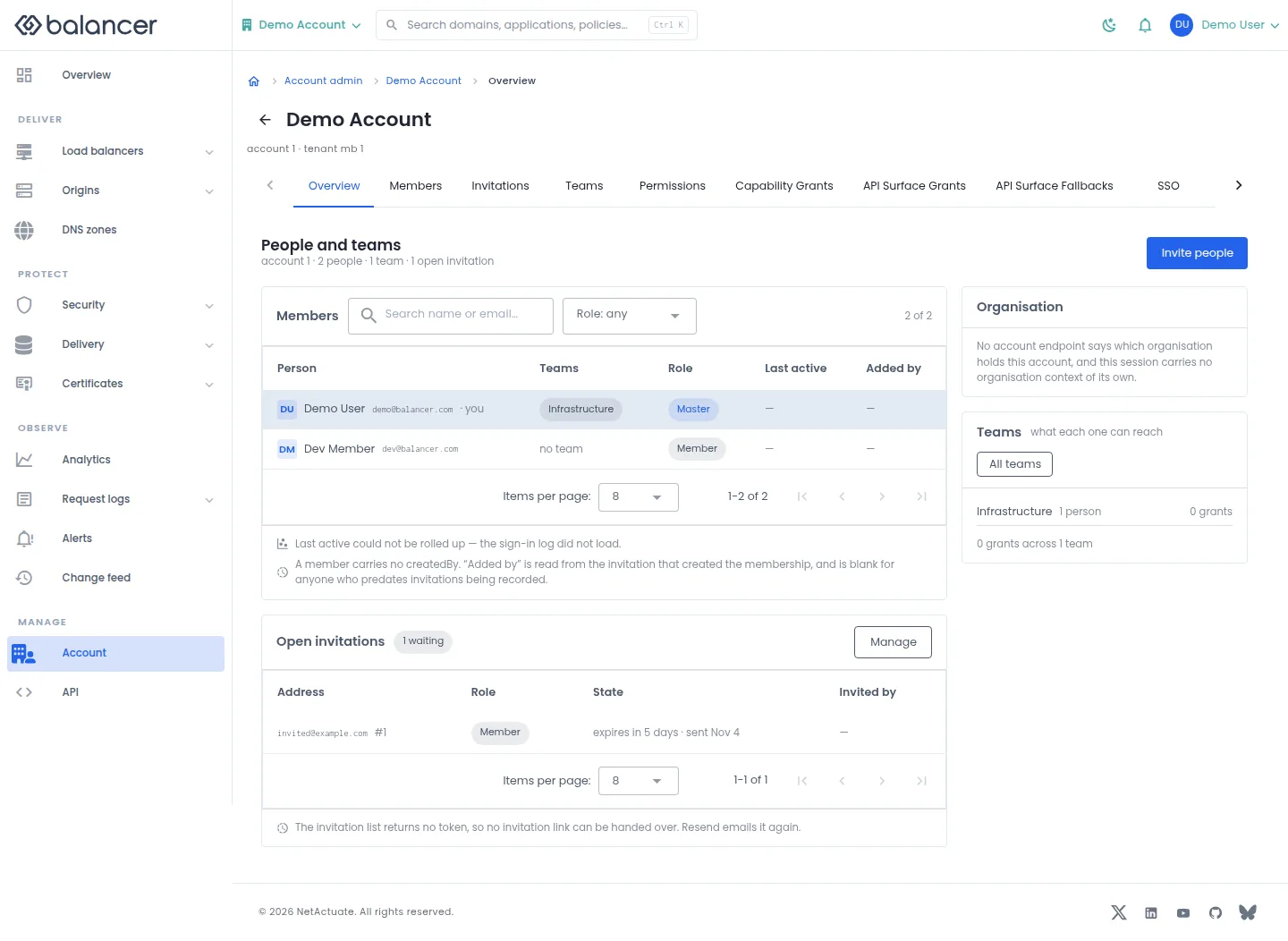
Review people, roles, open invitations and teams in the selected context. Missing activity values mean the screen has no activity to display.
- Open Overview in the administration area.
- Use Members and Role: any to narrow the people shown.
- Select Invite people to invite a person, Manage for open invitations or All teams for teams. Verify the corresponding list opens.
| Field | Required | Description | Matching API field |
|---|---|---|---|
| Email address | Yes | Valid email. Validation: Must be a valid email. | email |
| Role | Yes | Member or administrator; initially member. | isAdmin |
Verify with the API
Use the API host shown in the Balancer portal in place of https://<your-api-host>. Set $BALANCER_API_KEY to your credential for this context. Set $ACCOUNT_ID to the resource identifiers you want to inspect.
curl --fail-with-body --silent --show-error --request GET \
  --url "https://<your-api-host>/accounts/$ACCOUNT_ID" \
  --header "x-api-key: $BALANCER_API_KEY"
Expect HTTP 200 with code set to 200. The response includes data.account, data.account.name, data.account.defaultJwtTtlSeconds, data.account.restrictions. Compare the returned configuration with the screen. A successful configuration read does not verify that an edge has applied it.
API reference: Return one account.
People and teams (alternate view 2)
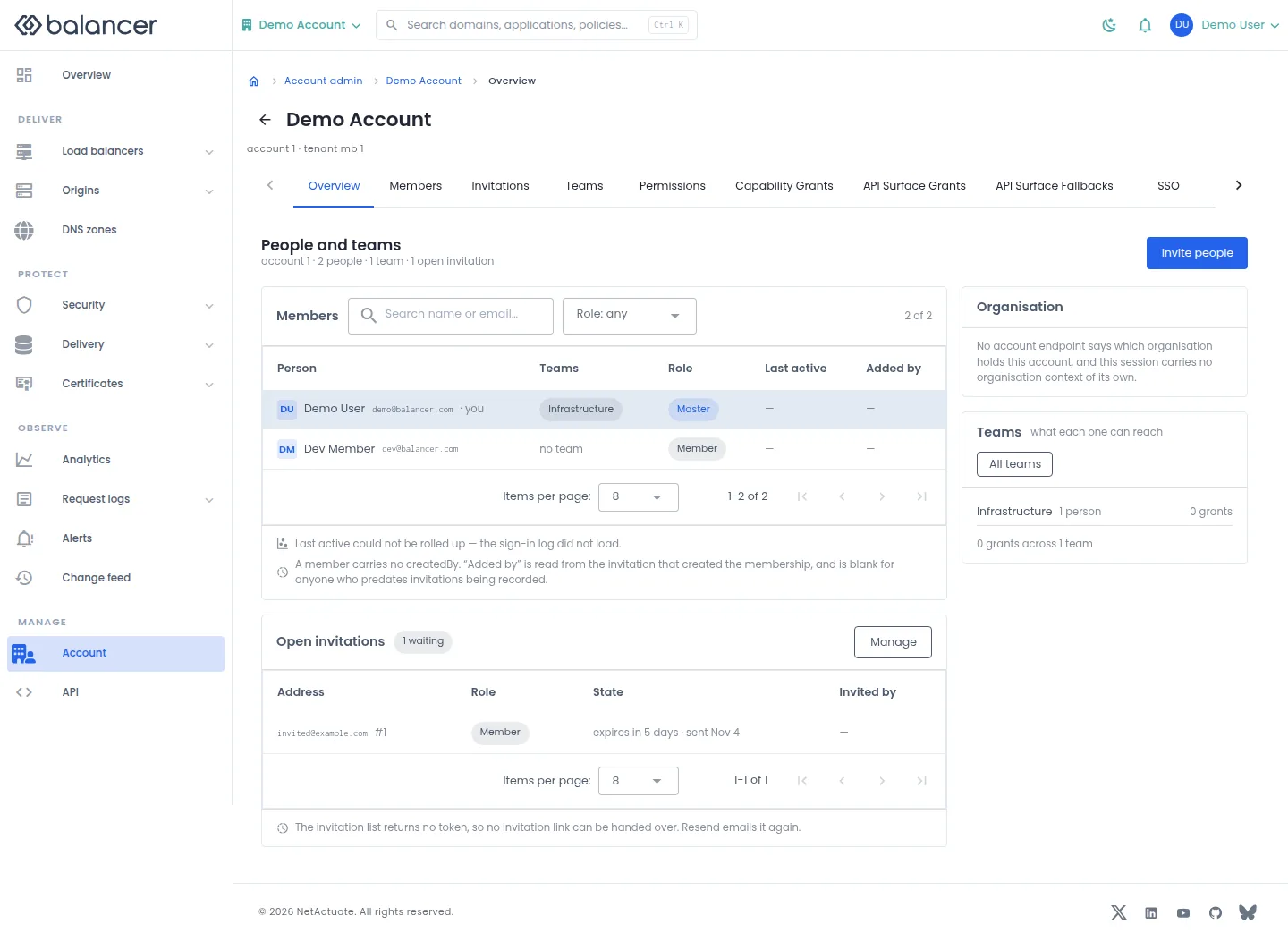
Review people, roles, open invitations and teams in the selected context. Missing activity values mean the screen has no activity to display.
- Open Overview in the administration area.
- Use Members and Role: any to narrow the people shown.
- Select Invite people to invite a person, Manage for open invitations or All teams for teams. Verify the corresponding list opens.
| Field | Required | Description | Matching API field |
|---|---|---|---|
| Email address | Yes | Valid email. Validation: Must be a valid email. | email |
| Role | Yes | Member or administrator; initially member. | isAdmin |
Verify with the API
Use the API host shown in the Balancer portal in place of https://<your-api-host>. Set $BALANCER_API_KEY to your credential for this context. Set $ACCOUNT_ID to the resource identifiers you want to inspect.
curl --fail-with-body --silent --show-error --request GET \
  --url "https://<your-api-host>/accounts/$ACCOUNT_ID" \
  --header "x-api-key: $BALANCER_API_KEY"
Expect HTTP 200 with code set to 200. The response includes data.account, data.account.name, data.account.defaultJwtTtlSeconds, data.account.restrictions. Compare the returned configuration with the screen. A successful configuration read does not verify that an edge has applied it.
API reference: Return one account.
API Surface Fallbacks
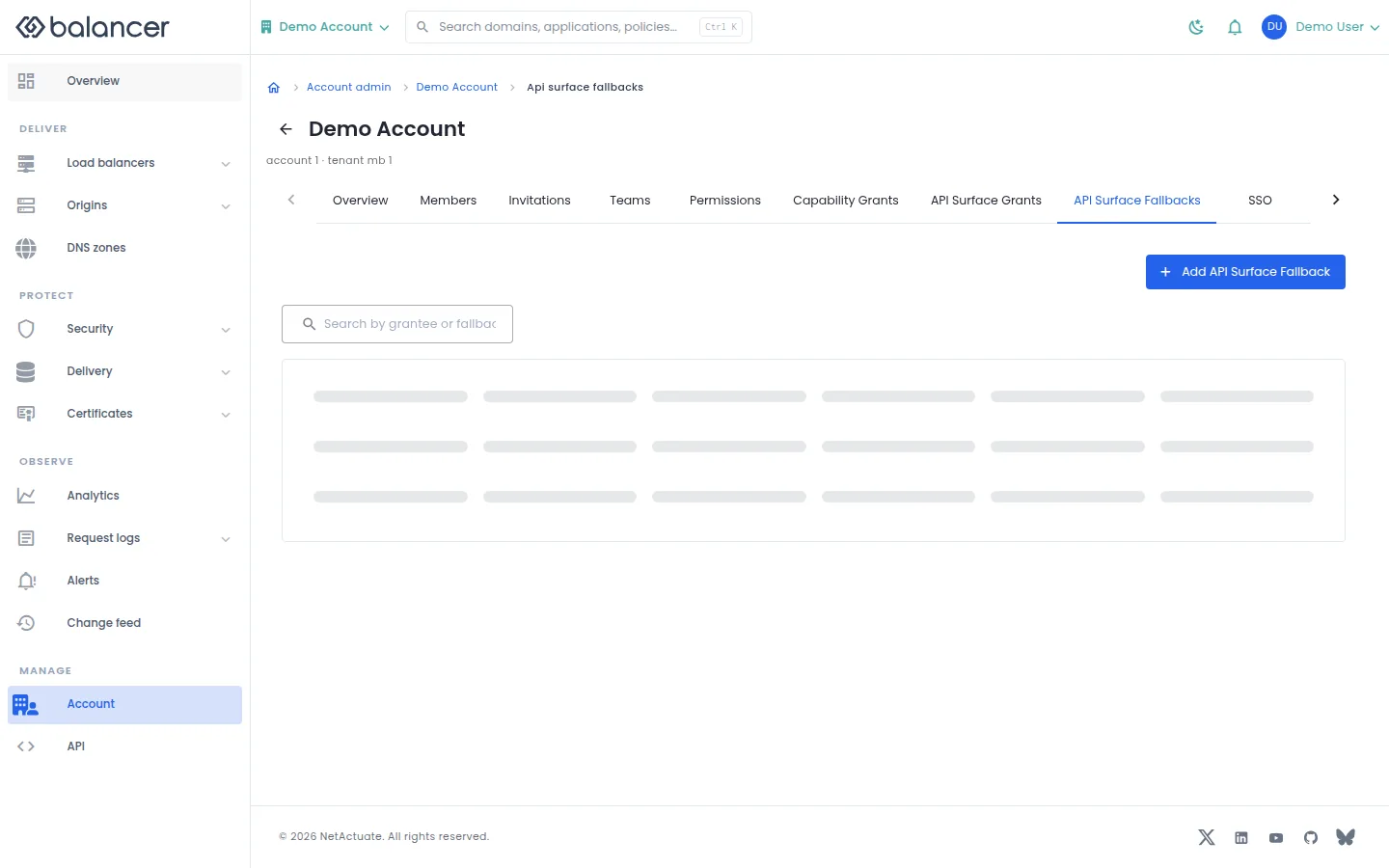
Set the fallback applied when a member or team has no matching API surface grant. A fallback can lower access; it cannot raise object access.
- Open API Surface Fallbacks, then select Add API Surface Fallback.
- Choose the grantee and Fallback mode, then submit the dialog.
- Reload the list and review the result in Effective Access.
| Field | Required | Description | Matching API field |
|---|---|---|---|
| Grantee | Yes | Choose a member or team and the corresponding identity. | grantee.granteeType, grantee.granteeId |
| Fallback mode | Yes | Select the fallback mode offered by the form. | fallbackMode |
Verify with the API
Use the API host shown in the Balancer portal in place of https://<your-api-host>. Set $BALANCER_API_KEY to your credential for this context. Set $ACCOUNT_ID to the resource identifiers you want to inspect.
curl --fail-with-body --silent --show-error --request GET \
  --url "https://<your-api-host>/accounts/$ACCOUNT_ID/api-surface-fallbacks" \
  --header "x-api-key: $BALANCER_API_KEY"
Expect HTTP 200 with code set to 200. The response includes data.meta, data.meta.total, data.meta.offset, data.meta.limit. Compare the returned configuration with the screen. A successful configuration read does not verify that an edge has applied it.
API reference: List account API surface fallbacks.
API Surface Grants
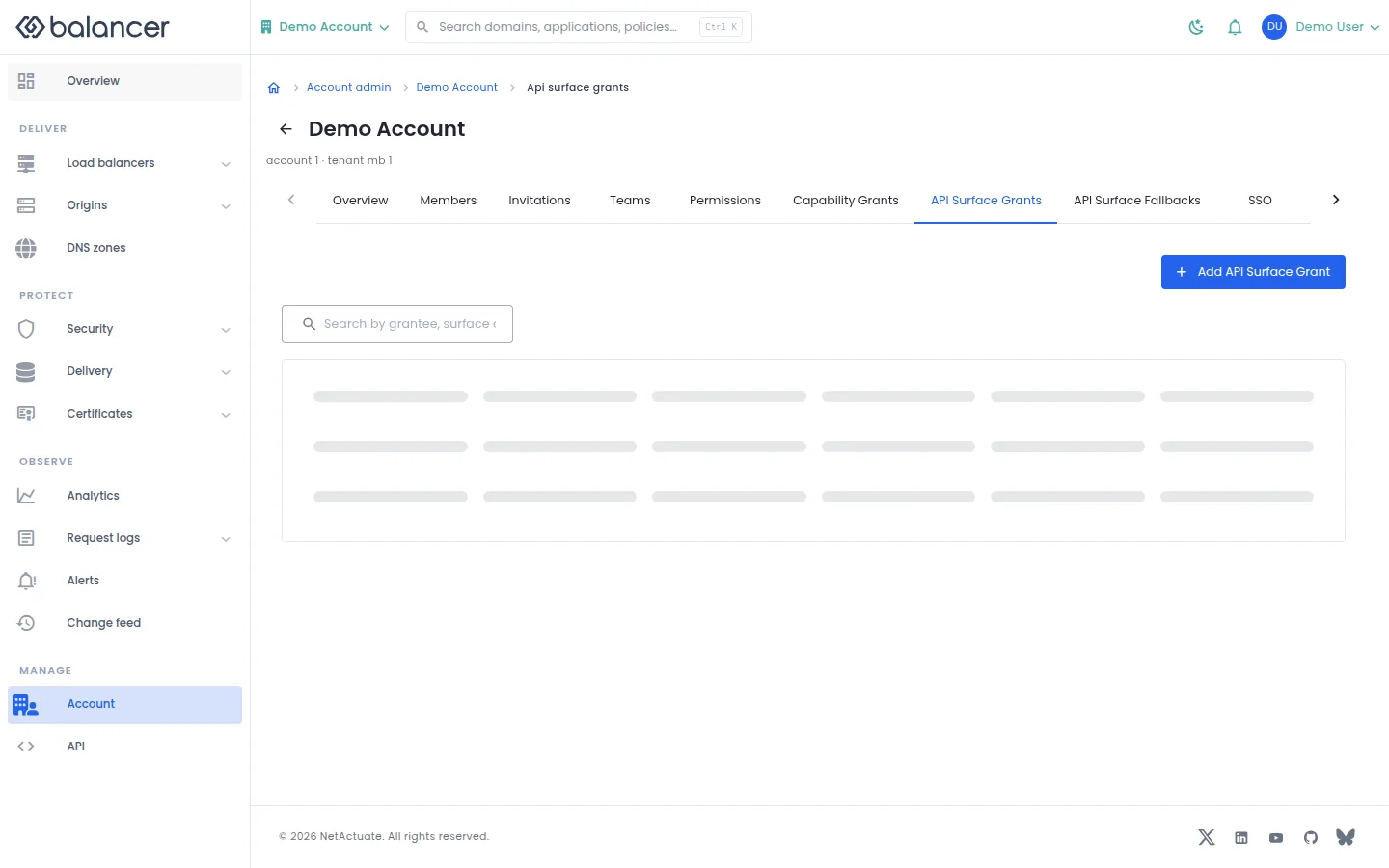
Control access to the policy management API surface for a member or team.
- Open API Surface Grants, then select Add API Surface Grant.
- Choose the grantee, API surface and access level, then submit the dialog.
- Verify the new grant in the list and Effective Access.
| Field | Required | Description | Matching API field |
|---|---|---|---|
| Grantee | Yes | Choose a member or team and the corresponding identity. | grantee.granteeType, grantee.granteeId |
| API surface | Yes | The available policy management surface. | surfaceKey |
| Access | Yes | Select write or admin access. | access |
Verify with the API
Use the API host shown in the Balancer portal in place of https://<your-api-host>. Set $BALANCER_API_KEY to your credential for this context. Set $ACCOUNT_ID to the resource identifiers you want to inspect.
curl --fail-with-body --silent --show-error --request GET \
  --url "https://<your-api-host>/accounts/$ACCOUNT_ID/api-surface-grants" \
  --header "x-api-key: $BALANCER_API_KEY"
Expect HTTP 200 with code set to 200. The response includes data.meta, data.meta.total, data.meta.offset, data.meta.limit. Compare the returned configuration with the screen. A successful configuration read does not verify that an edge has applied it.
API reference: List account API surface grants.
Audit Logs
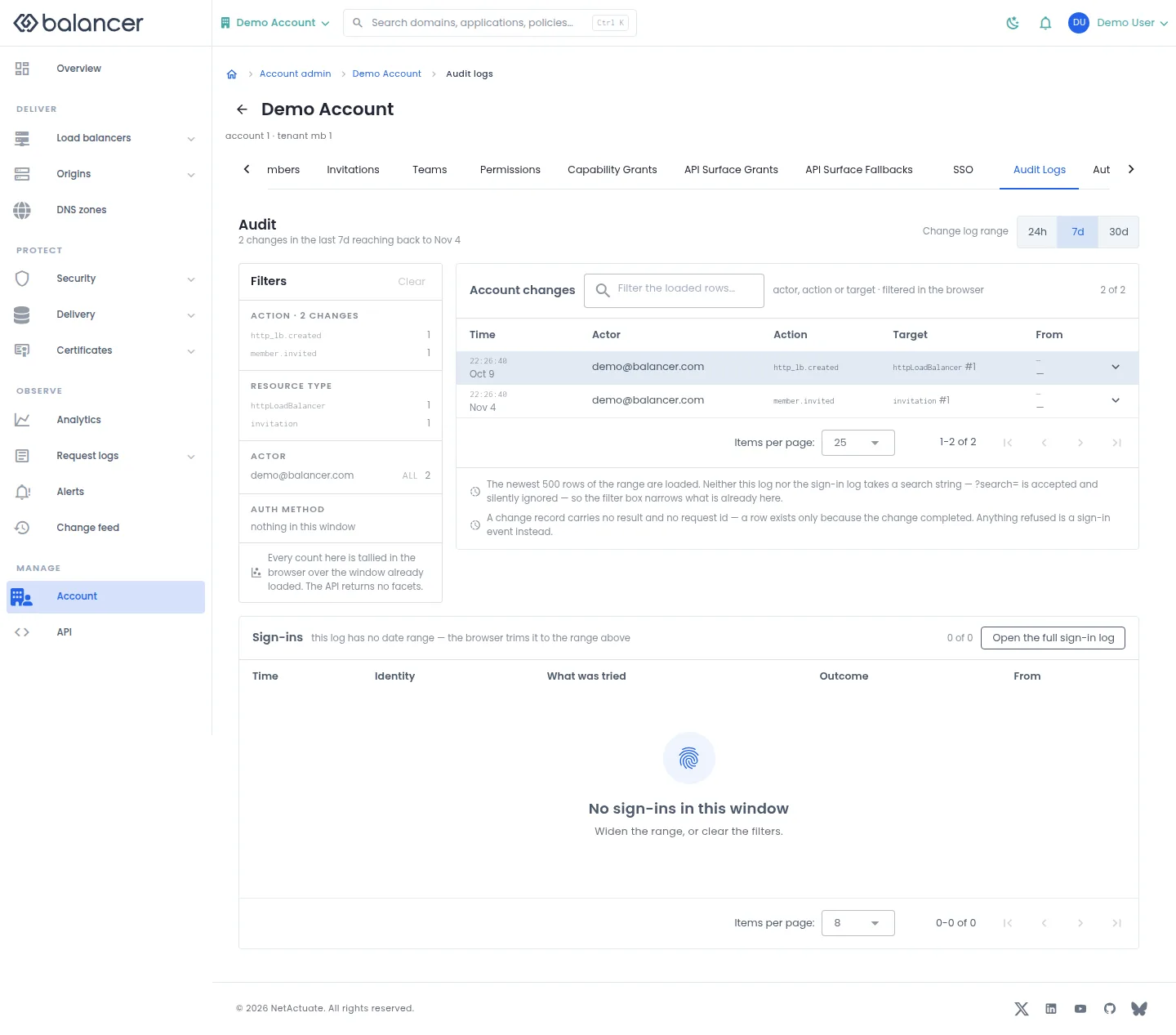
Review completed changes and their actors. The screen loads at most the newest 500 records for its window and filters those records locally.
- Open Audit Logs and select 24h, 7d or 30d.
- Use Filters to narrow the loaded records. Select Clear to remove filters.
- Check Time, Actor, Action, Target and From. Select Open the full sign-in log for authentication activity.
Verify with the API
Use the API host shown in the Balancer portal in place of https://<your-api-host>. Set $BALANCER_API_KEY to your credential for this context. Set $ACCOUNT_ID to the resource identifiers you want to inspect.
curl --fail-with-body --silent --show-error --request GET \
  --url "https://<your-api-host>/accounts/$ACCOUNT_ID/audit-logs" \
  --header "x-api-key: $BALANCER_API_KEY"
Expect HTTP 200 with code set to 200. The response includes data.meta, data.meta.total, data.meta.offset, data.meta.limit. Compare the returned configuration with the screen. A successful configuration read does not verify that an edge has applied it.
API reference: List account audit logs.
Auth Logs
No screenshot is available for this screen.
Review authentication activity, including authenticated API requests. The screen loads the newest 500 entries and trims them to the selected time range.
- Open Auth Logs. Select 24h, 7d or 30d under Trim to.
- Use Filters to narrow the loaded entries. Select Clear to restore the list.
- Check What was tried and Outcome. If loading fails, select Try again; an empty or failed list does not establish that no activity occurred.
Verify with the API
Use the API host shown in the Balancer portal in place of https://<your-api-host>. Set $BALANCER_API_KEY to your credential for this context. Set $ACCOUNT_ID to the resource identifiers you want to inspect.
curl --fail-with-body --silent --show-error --request GET \
  --url "https://<your-api-host>/accounts/$ACCOUNT_ID/auth-logs" \
  --header "x-api-key: $BALANCER_API_KEY"
Expect HTTP 200 with code set to 200. The response includes data.meta, data.meta.total, data.meta.offset, data.meta.limit. Compare the returned configuration with the screen. A successful configuration read does not verify that an edge has applied it.
API reference: List account authentication logs.
Capability Grants
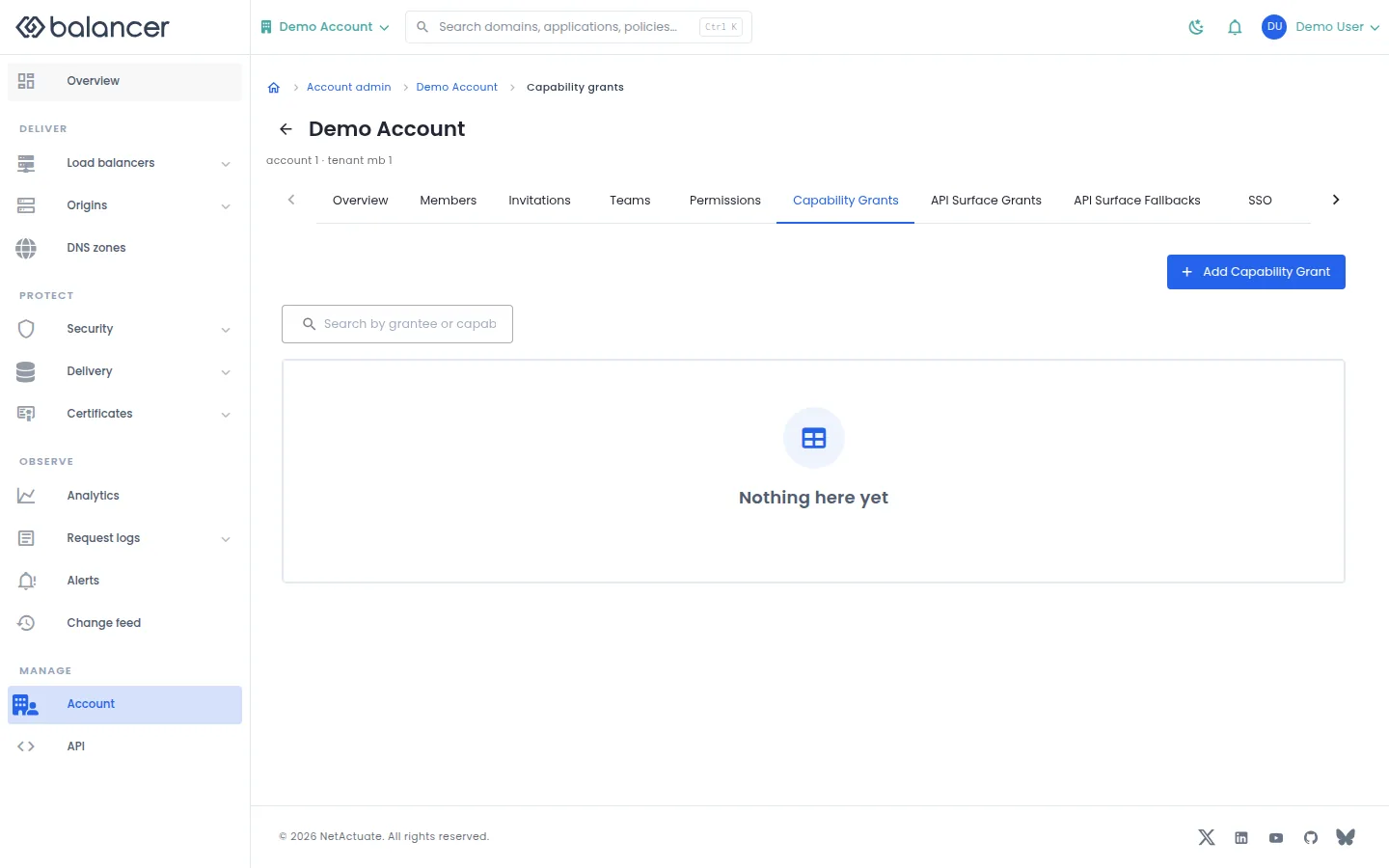
Delegate administrative capabilities to individual members or teams.
- Open Capability Grants, then select Add Capability Grant.
- Choose the grantee and Capability, then submit the dialog.
- Reload the list and verify the grant.
| Field | Required | Description | Matching API field |
|---|---|---|---|
| Grantee | Yes | Choose a member or team and the corresponding identity. | grantee.granteeType, grantee.granteeId |
| Capability | Yes | Select a capability offered for this context. | capability |
Verify with the API
Use the API host shown in the Balancer portal in place of https://<your-api-host>. Set $BALANCER_API_KEY to your credential for this context. Set $ACCOUNT_ID to the resource identifiers you want to inspect.
curl --fail-with-body --silent --show-error --request GET \
  --url "https://<your-api-host>/accounts/$ACCOUNT_ID/capability-grants" \
  --header "x-api-key: $BALANCER_API_KEY"
Expect HTTP 200 with code set to 200. The response includes data.meta, data.meta.total, data.meta.offset, data.meta.limit. Compare the returned configuration with the screen. A successful configuration read does not verify that an edge has applied it.
API reference: List account capability grants.
Effective Access
No screenshot is available for this screen.
Inspect resolved access and the reasons behind a matrix cell. Team grants and API surface fallback rules appear alongside the matrix.
- Open Effective Access.
- Choose a Level, then select a matrix cell to inspect Why this cell.
- Review Team grants, API surface access and Fallback rules. If loading fails, select Try again before drawing conclusions about access.
Verify with the API
Use the API host shown in the Balancer portal in place of https://<your-api-host>. Set $BALANCER_API_KEY to your credential for this context. Set $ACCOUNT_ID to the resource identifiers you want to inspect.
curl --fail-with-body --silent --show-error --request GET \
  --url "https://<your-api-host>/accounts/$ACCOUNT_ID/effective-access" \
  --header "x-api-key: $BALANCER_API_KEY"
Expect HTTP 200 with code set to 200. The response includes data.effectiveAccess, data.effectiveAccess.isAdmin, data.effectiveAccess.isMaster, data.effectiveAccess.adminBypass. Compare the returned configuration with the screen. A successful configuration read does not verify that an edge has applied it.
API reference: Return effective resource access for the authenticated account user.
Invitations
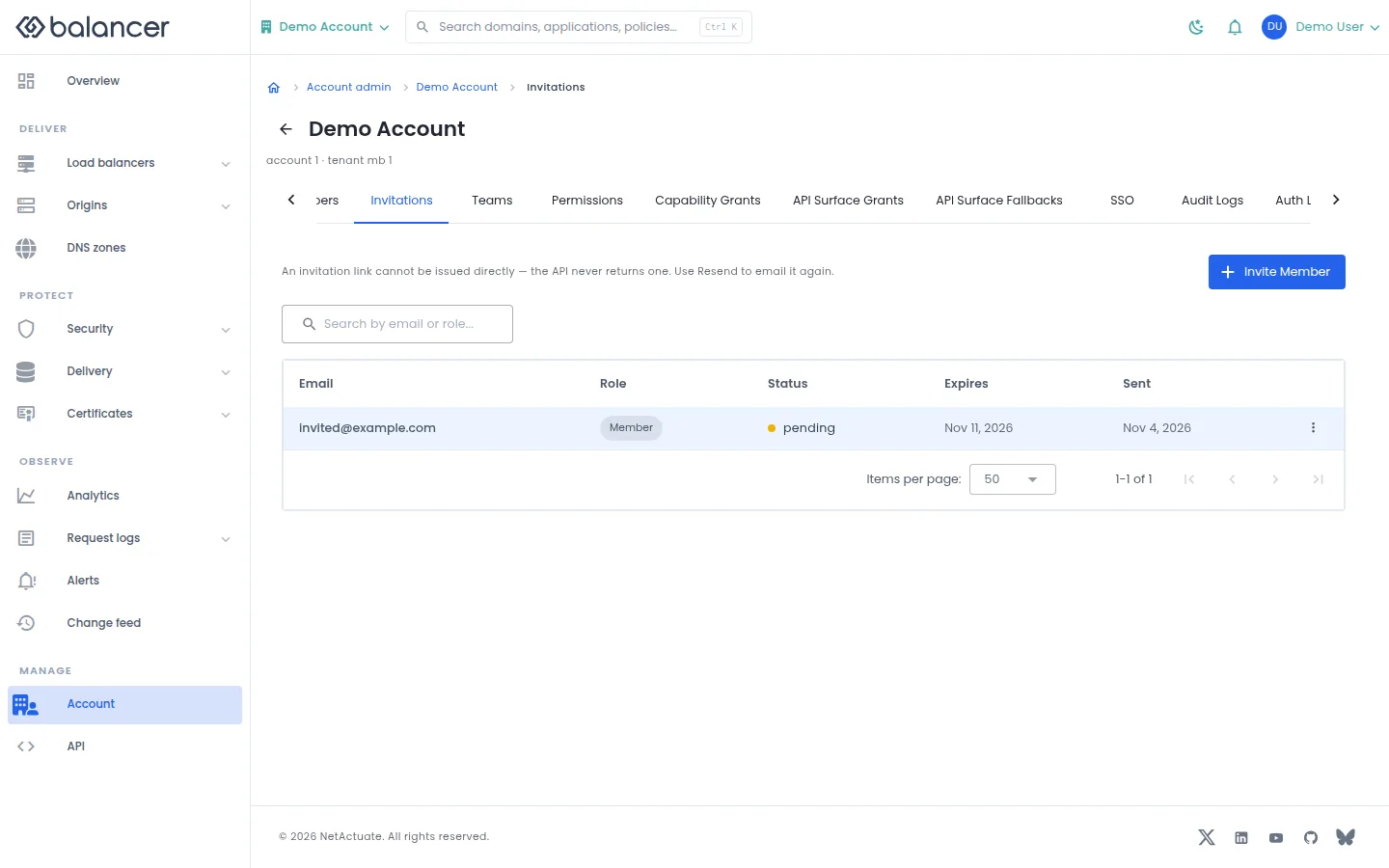
Invite members and review invitation state, expiry and send time. Invitation links are not returned for copying.
- Open Invitations and select Invite Member.
- Enter Email address, select Role and select Send Invitation.
- Verify the entry in Invitations. Use Resend from its actions to email the invitation again.
| Field | Required | Description | Matching API field |
|---|---|---|---|
| Email address | Yes | Valid email. Validation: Must be a valid email. | email |
| Role | Yes | Member or administrator; initially member. | isAdmin |
API equivalent
Invite a member to the selected account. Use the API host shown in the Balancer portal in place of https://<your-api-host>. Set $BALANCER_API_KEY to your credential for this context. Set $ACCOUNT_ID to the selected resources.
curl --fail-with-body --silent --show-error --request POST \
  --url "https://<your-api-host>/accounts/$ACCOUNT_ID/invitations" \
  --header "x-api-key: $BALANCER_API_KEY" \
  --header "Content-Type: application/json" \
  --data '{"invitation":{"email":"user@example.com","isAdmin":false}}'
Expect HTTP 200 with code set to 200. The response acknowledges the stored change. Reopen the portal screen or run the read example below to verify it.
API reference: Create an account invitation.
Verify with the API
Use the API host shown in the Balancer portal in place of https://<your-api-host>. Set $BALANCER_API_KEY to your credential for this context. Set $ACCOUNT_ID to the resource identifiers you want to inspect.
curl --fail-with-body --silent --show-error --request GET \
  --url "https://<your-api-host>/accounts/$ACCOUNT_ID/invitations" \
  --header "x-api-key: $BALANCER_API_KEY"
Expect HTTP 200 with code set to 200. The response includes data.meta, data.meta.total, data.meta.offset, data.meta.limit. Compare the returned configuration with the screen. A successful configuration read does not verify that an edge has applied it.
API reference: List account invitations.
Members
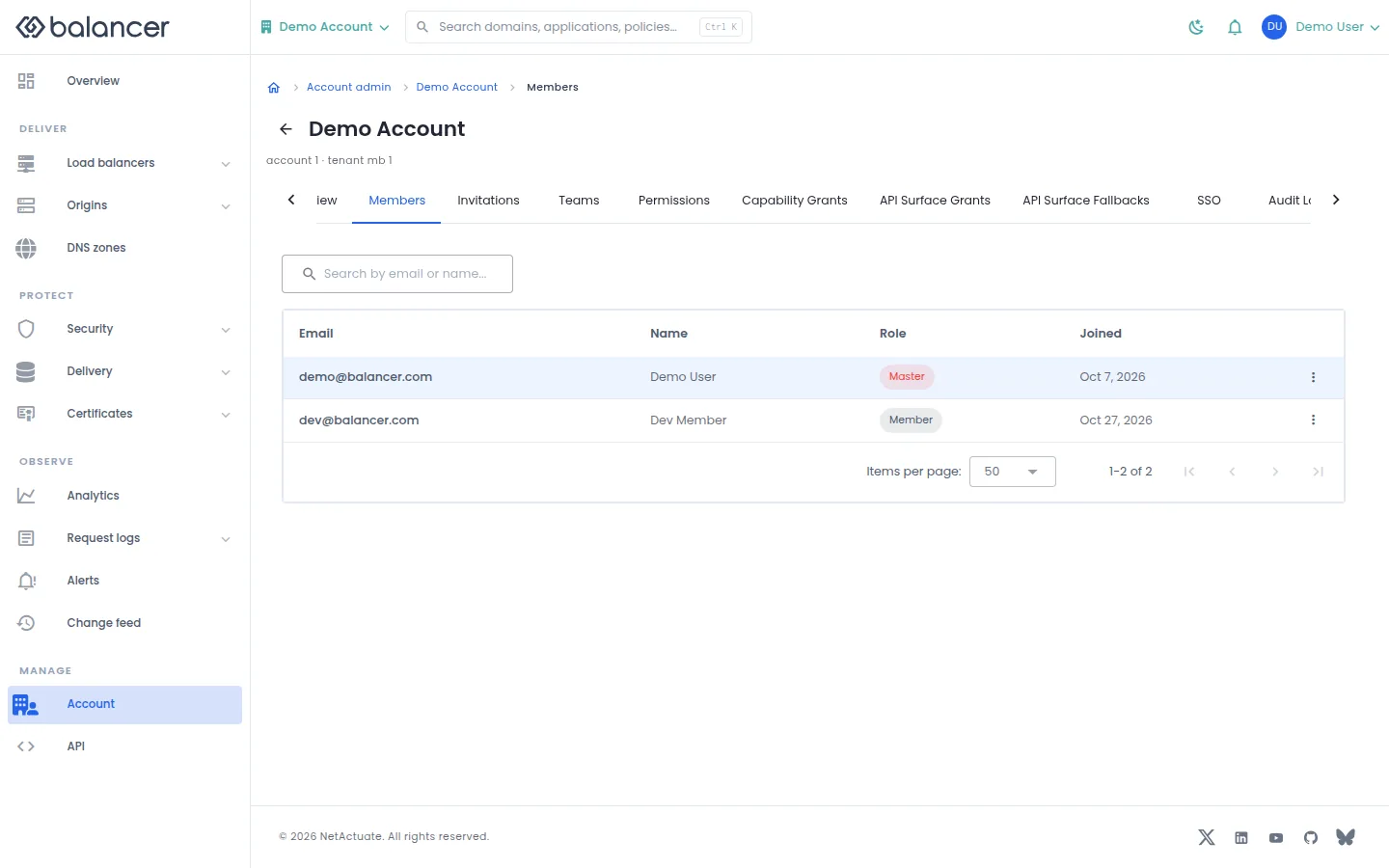
Review current members and their roles in the selected account or organization.
- Open Members.
- Review Email, Name, Role and Joined. For an account member, open the member to inspect its profile and effective access.
- After a membership change, reload Members to verify the role or removal.
Verify with the API
Use the API host shown in the Balancer portal in place of https://<your-api-host>. Set $BALANCER_API_KEY to your credential for this context. Set $ACCOUNT_ID to the resource identifiers you want to inspect.
curl --fail-with-body --silent --show-error --request GET \
  --url "https://<your-api-host>/accounts/$ACCOUNT_ID/members" \
  --header "x-api-key: $BALANCER_API_KEY"
Expect HTTP 200 with code set to 200. The response includes data.meta, data.meta.total, data.meta.offset, data.meta.limit. Compare the returned configuration with the screen. A successful configuration read does not verify that an edge has applied it.
API reference: List members in an account.
Member details
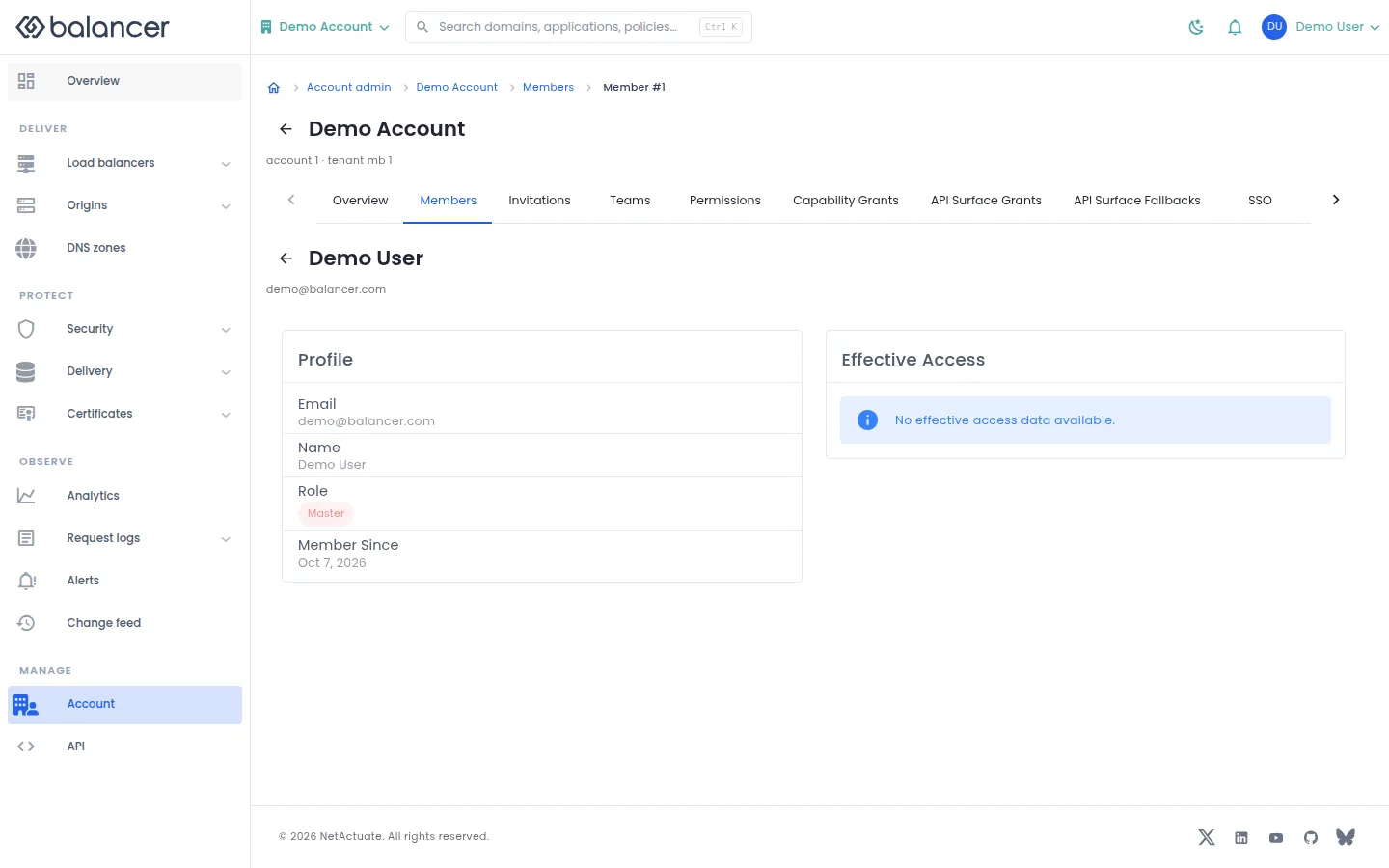
Review a member profile and the effective access available for that member.
- Open Members and select the member.
- Review Profile, Role and Effective Access. An unavailable access section does not establish that the member has no access.
Verify with the API
Use the API host shown in the Balancer portal in place of https://<your-api-host>. Set $BALANCER_API_KEY to your credential for this context. Set $ACCOUNT_ID, $ACCOUNT_USER_ID to the resource identifiers you want to inspect.
curl --fail-with-body --silent --show-error --request GET \
  --url "https://<your-api-host>/accounts/$ACCOUNT_ID/members/$ACCOUNT_USER_ID" \
  --header "x-api-key: $BALANCER_API_KEY"
Expect HTTP 200 with code set to 200. The response includes data.member, data.member.isAdmin, data.member.isMaster, data.member.jwtTtlSeconds. Compare the returned configuration with the screen. A successful configuration read does not verify that an edge has applied it.
API reference: Return one account member.
People and teams (alternate view 3)
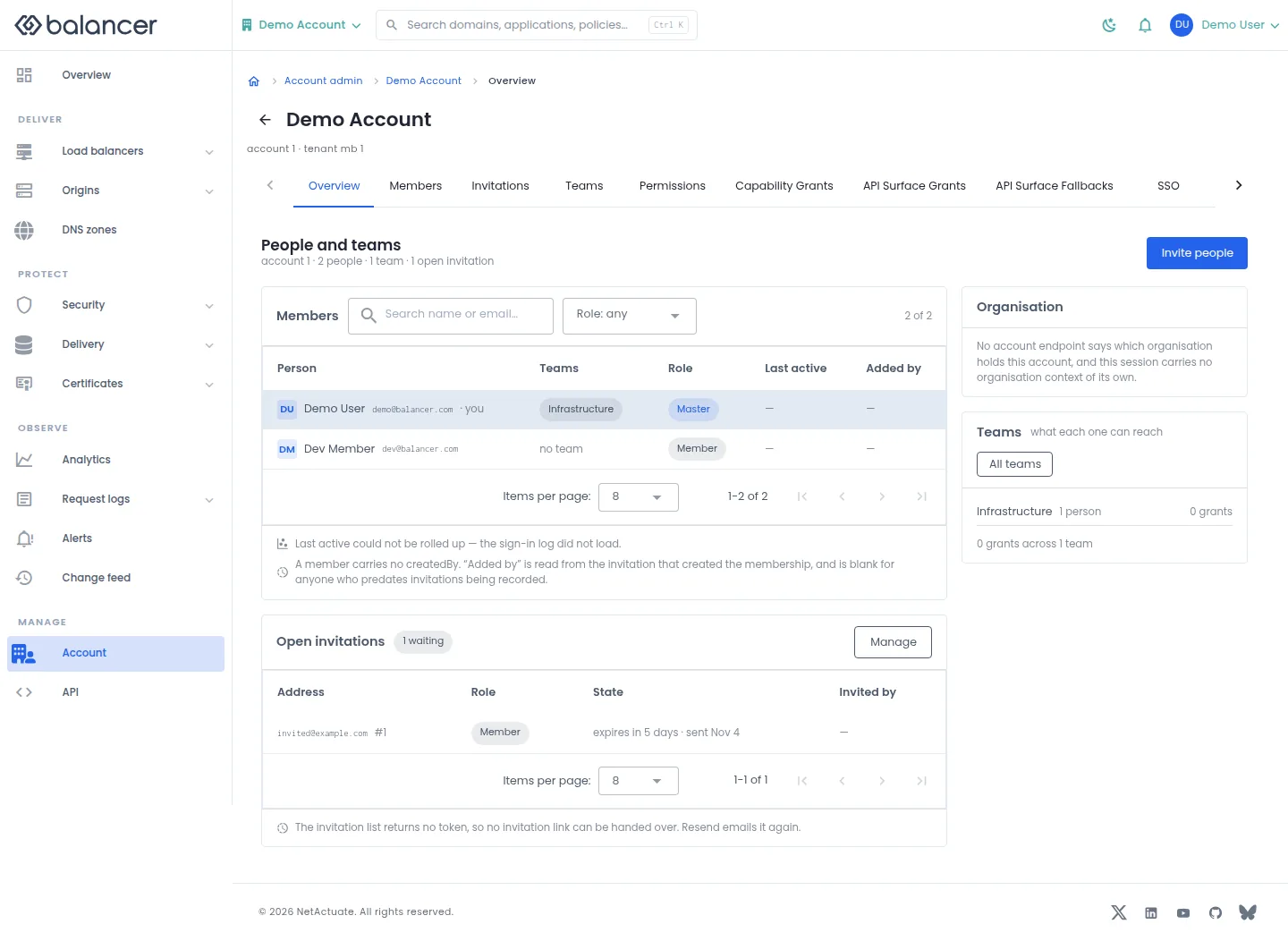
Review people, roles, open invitations and teams in the selected context. Missing activity values mean the screen has no activity to display.
- Open Overview in the administration area.
- Use Members and Role: any to narrow the people shown.
- Select Invite people to invite a person, Manage for open invitations or All teams for teams. Verify the corresponding list opens.
| Field | Required | Description | Matching API field |
|---|---|---|---|
| Email address | Yes | Valid email. Validation: Must be a valid email. | email |
| Role | Yes | Member or administrator; initially member. | isAdmin |
Verify with the API
Use the API host shown in the Balancer portal in place of https://<your-api-host>. Set $BALANCER_API_KEY to your credential for this context. Set $ACCOUNT_ID to the resource identifiers you want to inspect.
curl --fail-with-body --silent --show-error --request GET \
  --url "https://<your-api-host>/accounts/$ACCOUNT_ID" \
  --header "x-api-key: $BALANCER_API_KEY"
Expect HTTP 200 with code set to 200. The response includes data.account, data.account.name, data.account.defaultJwtTtlSeconds, data.account.restrictions. Compare the returned configuration with the screen. A successful configuration read does not verify that an edge has applied it.
API reference: Return one account.
Permissions
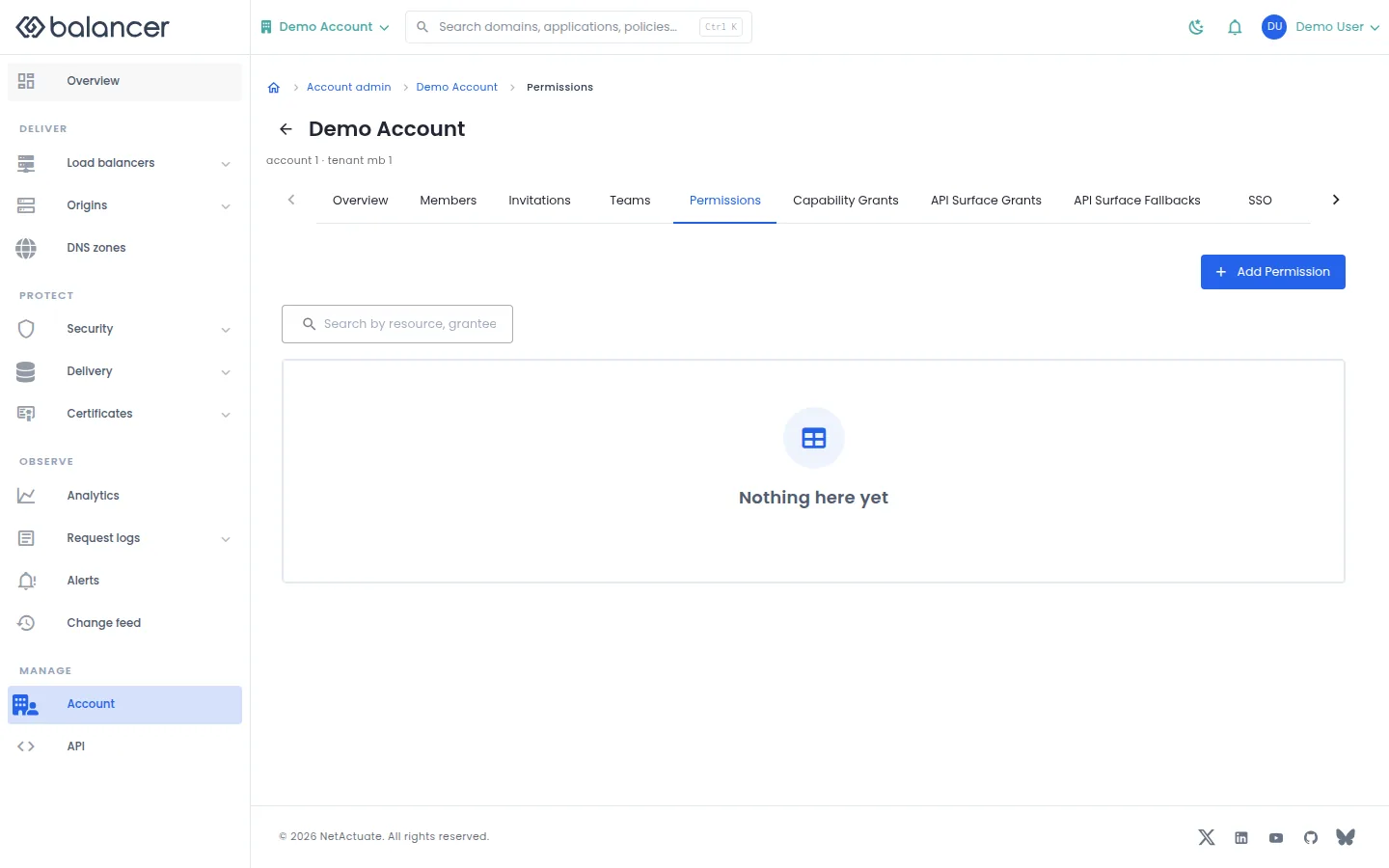
Grant access to a resource or resource type for a member or team.
- Open Permissions, then select Add Permission.
- Choose the resource, grantee and access level, then submit the dialog.
- Verify the entry in Permissions and inspect its effect in Effective Access.
| Field | Required | Description | Matching API field |
|---|---|---|---|
| Grantee | Yes | Choose a member or team and the corresponding identity. | grantee.granteeType, grantee.granteeId |
| Resource | Yes | Resource type and, for a single object, resource identity. | resource.resourceType, resource.resourceId |
| Access | Yes | read-only, write or admin. | access |
Verify with the API
Use the API host shown in the Balancer portal in place of https://<your-api-host>. Set $BALANCER_API_KEY to your credential for this context. Set $ACCOUNT_ID to the resource identifiers you want to inspect.
curl --fail-with-body --silent --show-error --request GET \
  --url "https://<your-api-host>/accounts/$ACCOUNT_ID/resource-permissions" \
  --header "x-api-key: $BALANCER_API_KEY"
Expect HTTP 200 with code set to 200. The response includes data.meta, data.meta.total, data.meta.offset, data.meta.limit. Compare the returned configuration with the screen. A successful configuration read does not verify that an edge has applied it.
API reference: List account resource permission grants.
Account settings
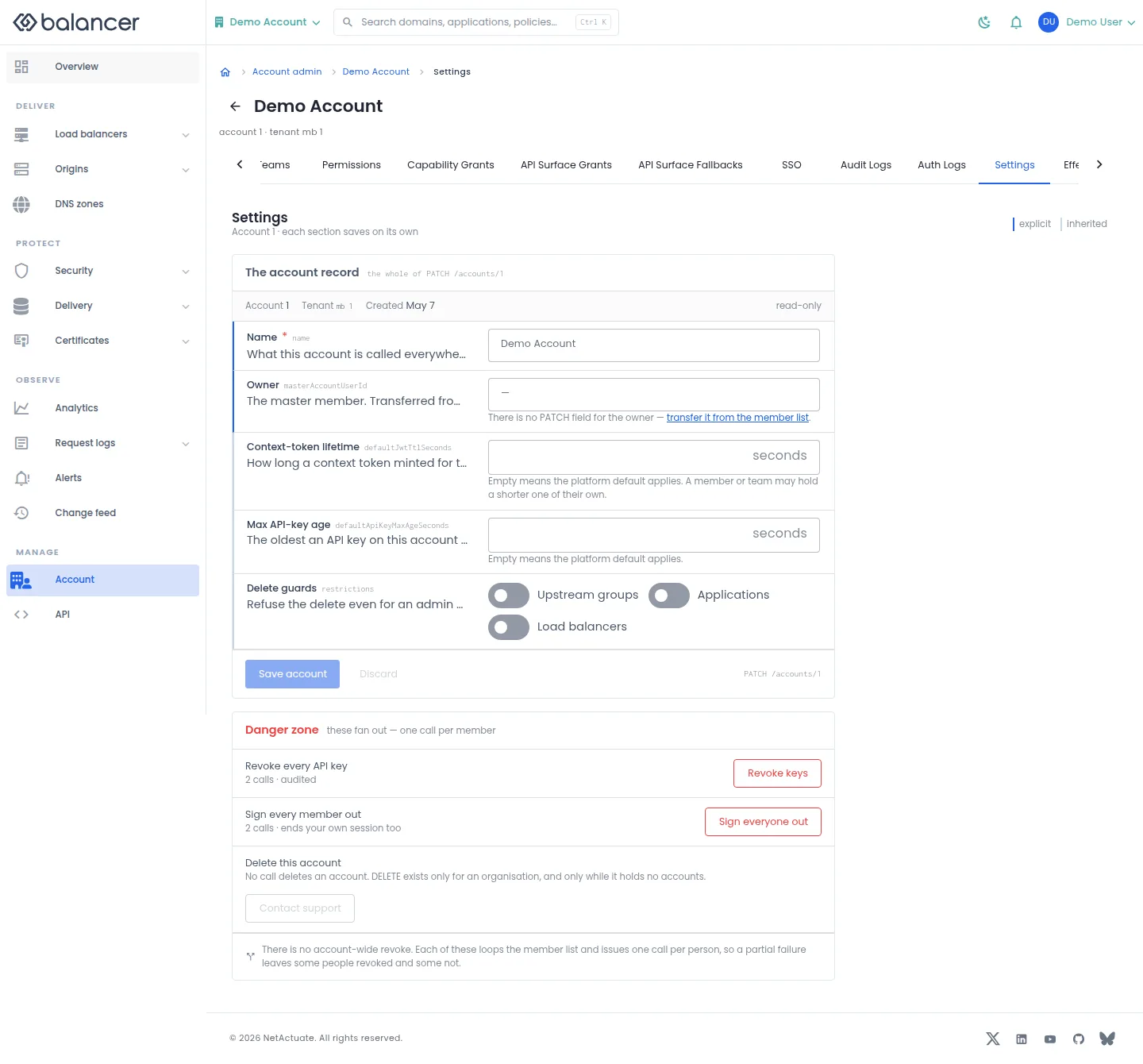
Save account identity, credential lifetime overrides and delete guards. Each section saves separately.
- Open Settings and edit Name, Context-token lifetime or Max API-key age. Empty lifetime fields restore the platform default.
- Set Upstream groups, Applications and Load balancers under Delete guards as required. Select Save account and reload to verify.
- To revoke credentials, use Revoke keys or Sign everyone out and confirm. These actions run separately for each member, so check for partial failures.
- For account deletion, select Contact support. There is no account deletion API operation.
| Field | Required | Description | Matching API field |
|---|---|---|---|
| Name | Yes | 1-64 characters. | name |
| Context-token lifetime | No | Whole seconds, at least 1; empty clears the override. | defaultJwtTtlSeconds |
| Max API-key age | No | Whole seconds, at least 1; empty clears the override. | defaultApiKeyMaxAgeSeconds |
| Upstream groups | No | Refuse deletion while child resources remain. | restrictions.restrictUpstreamGroupDelete |
| Applications | No | Refuse deletion while child resources remain. | restrictions.restrictHttpGroupDelete |
| Load balancers | No | Refuse deletion while child resources remain. | restrictions.restrictHttpLbDelete |
API equivalent
Set a 3600-second account context-token lifetime override. Use the API host shown in the Balancer portal in place of https://<your-api-host>. Set $BALANCER_API_KEY to your credential for this context. Set $ACCOUNT_ID to the selected resources.
curl --fail-with-body --silent --show-error --request PATCH \
  --url "https://<your-api-host>/accounts/$ACCOUNT_ID" \
  --header "x-api-key: $BALANCER_API_KEY" \
  --header "Content-Type: application/json" \
  --data '{"account":{"defaultJwtTtlSeconds":3600}}'
Expect HTTP 200 with code set to 200. The response acknowledges the stored change. Reopen the portal screen or run the read example below to verify it.
API reference: Update account profile and security defaults.
Verify with the API
Use the API host shown in the Balancer portal in place of https://<your-api-host>. Set $BALANCER_API_KEY to your credential for this context. Set $ACCOUNT_ID to the resource identifiers you want to inspect.
curl --fail-with-body --silent --show-error --request GET \
  --url "https://<your-api-host>/accounts/$ACCOUNT_ID" \
  --header "x-api-key: $BALANCER_API_KEY"
Expect HTTP 200 with code set to 200. The response includes data.account, data.account.name, data.account.defaultJwtTtlSeconds, data.account.restrictions. Compare the returned configuration with the screen. A successful configuration read does not verify that an edge has applied it.
API reference: Return one account.
Single sign-on
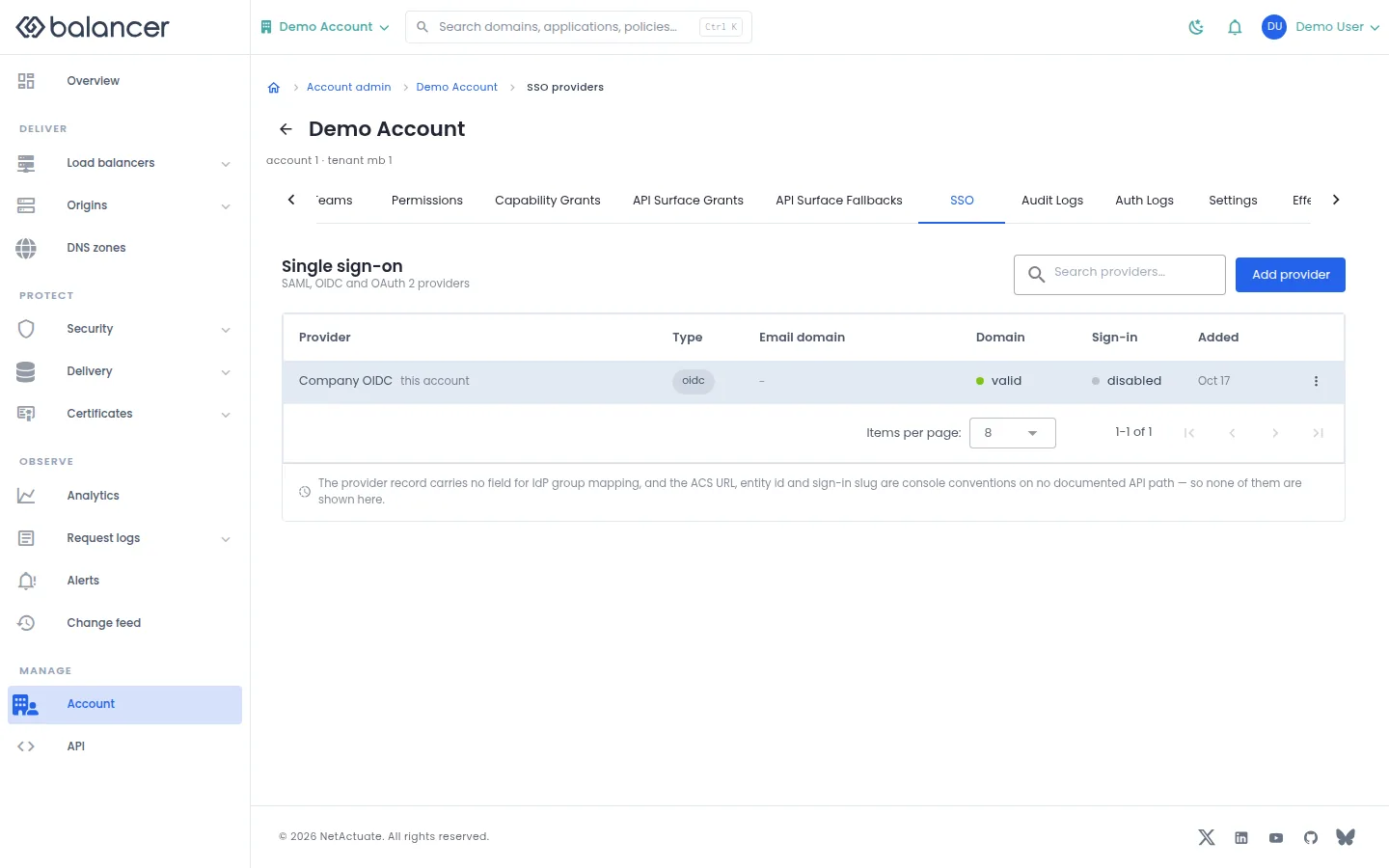
Inspect SSO providers for the selected context. The list distinguishes provider type, email domain and sign-in availability.
- Open SSO and review the provider list.
- Select Add provider to inspect Provider Type and its fields. Verify an existing provider's domain and sign-in state in the list.
TODO(verify): Confirm that the portal submits SSO provider settings in the configuration shape accepted by the production API before relying on provider creation or editing here.
| Field | Required | Description | Matching API field |
|---|---|---|---|
| Provider Name | Yes | 1-128 characters. | name |
| Provider Type | Yes | Select the supported provider type. | type |
| Entity ID | SAML creation | 1-255 characters. | config.entityId |
| SSO URL | SAML creation | Valid URL, up to 512 characters. | config.ssoUrl |
| x509 Certificate | SAML creation | Non-empty certificate content. | config.x509Cert |
| Metadata URL (optional) | No | Valid URL, up to 512 characters. | config.metadataUrl |
| Client ID | OIDC creation | 1-255 characters. | config.clientId |
| Client Secret | OIDC creation | 1-255 characters; write-only. | config.clientSecret |
| OIDC Discovery URL | OIDC creation | Valid URL, up to 512 characters. | config.discoveryUrl |
Verify with the API
Use the API host shown in the Balancer portal in place of https://<your-api-host>. Set $BALANCER_API_KEY to your credential for this context. Set $ACCOUNT_ID to the resource identifiers you want to inspect.
curl --fail-with-body --silent --show-error --request GET \
  --url "https://<your-api-host>/accounts/$ACCOUNT_ID/sso-providers" \
  --header "x-api-key: $BALANCER_API_KEY"
Expect HTTP 200 with code set to 200. The response includes data.ssoProviders, data.ssoProviders[].ssoProviderId, data.ssoProviders[].owner, data.ssoProviders[].owner.ownerType. Compare the returned configuration with the screen. A successful configuration read does not verify that an edge has applied it.
API reference: List account SSO providers.
Teams
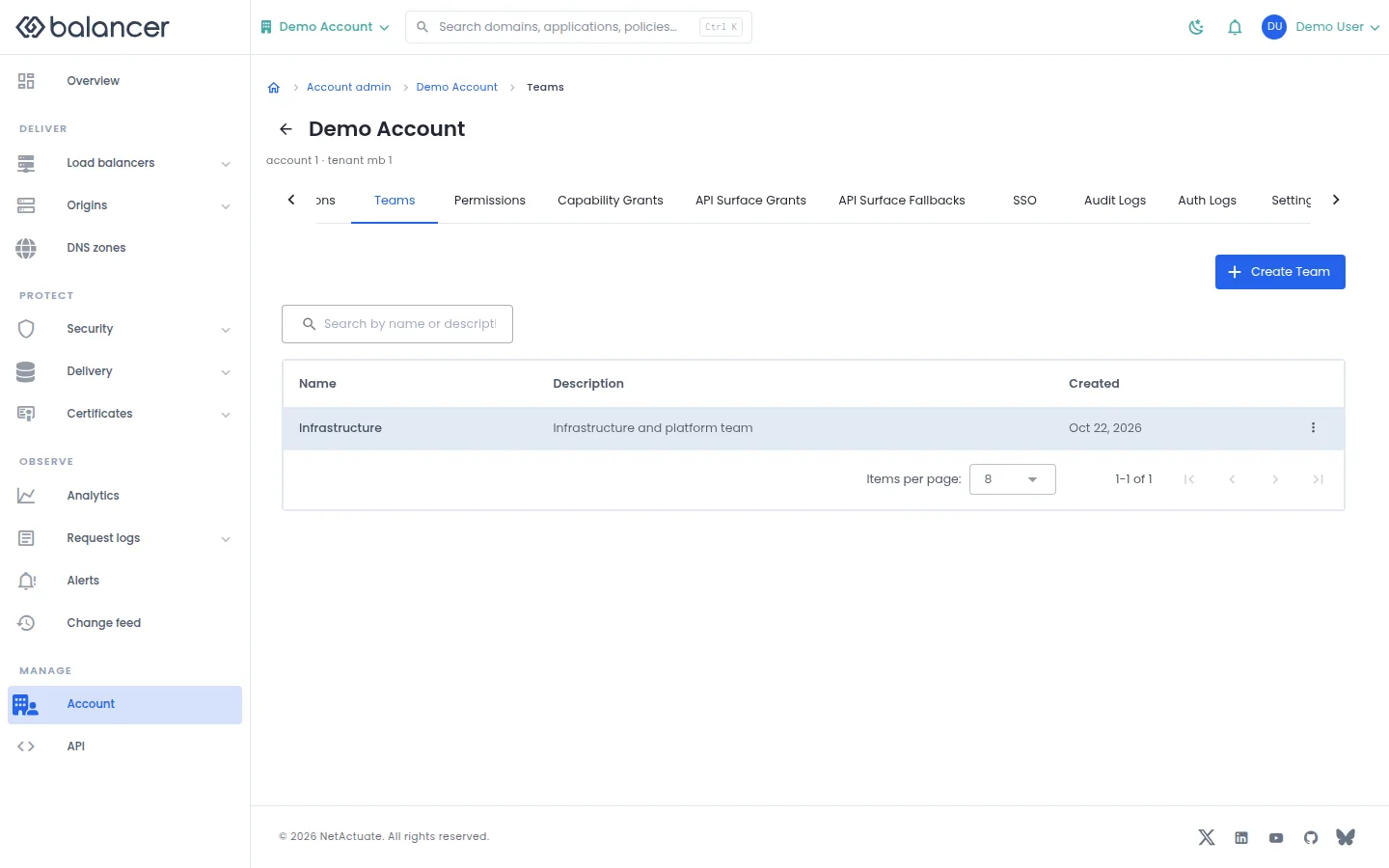
Create teams to manage access for a group of members.
- Open Teams, then select Create Team.
- Enter Team Name and optionally Description (optional). Select Create Team.
- Verify the team in Teams. In account administration, open the team to manage its members.
| Field | Required | Description | Matching API field |
|---|---|---|---|
| Team Name | Yes | 1-128 characters. | name |
| Description (optional) | No | Up to 255 characters. | description |
API equivalent
Create an account team before adding members or grants. Use the API host shown in the Balancer portal in place of https://<your-api-host>. Set $BALANCER_API_KEY to your credential for this context. Set $ACCOUNT_ID to the selected resources.
curl --fail-with-body --silent --show-error --request POST \
  --url "https://<your-api-host>/accounts/$ACCOUNT_ID/teams" \
  --header "x-api-key: $BALANCER_API_KEY" \
  --header "Content-Type: application/json" \
  --data '{"team":{"name":"example.com"}}'
Expect HTTP 200 with code set to 200. The response acknowledges the stored change. Reopen the portal screen or run the read example below to verify it.
API reference: Create an account team.
Verify with the API
Use the API host shown in the Balancer portal in place of https://<your-api-host>. Set $BALANCER_API_KEY to your credential for this context. Set $ACCOUNT_ID to the resource identifiers you want to inspect.
curl --fail-with-body --silent --show-error --request GET \
  --url "https://<your-api-host>/accounts/$ACCOUNT_ID/teams" \
  --header "x-api-key: $BALANCER_API_KEY"
Expect HTTP 200 with code set to 200. The response includes data.teams, data.teams[].teamId, data.teams[].name, data.teams[].description. Compare the returned configuration with the screen. A successful configuration read does not verify that an edge has applied it.
API reference: List account teams.
Team members
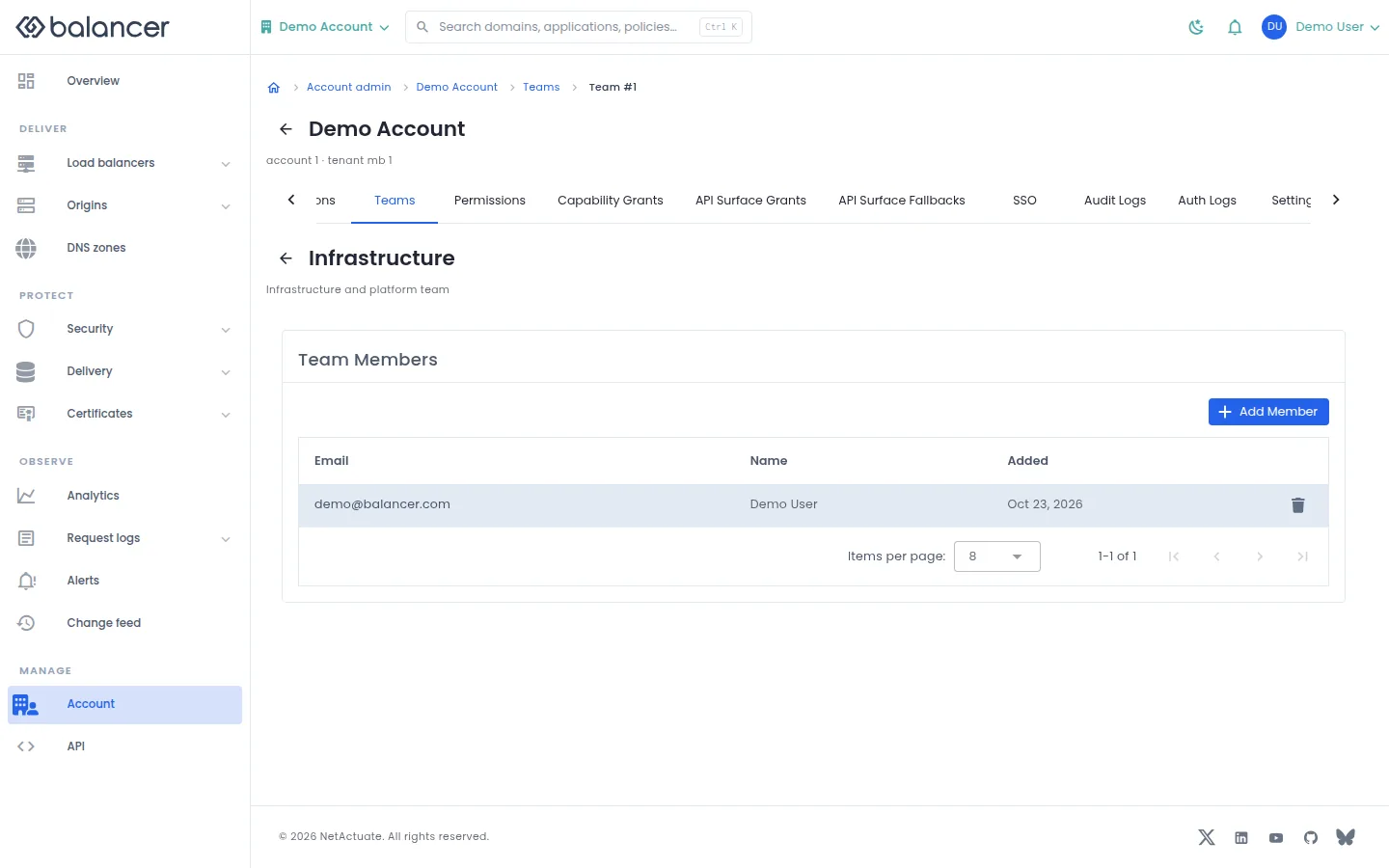
Review and change membership of an account team.
- Open Teams and select a team.
- Select Add Member, choose an existing account member and submit.
- Verify the member under Team Members. Use the member actions to remove membership when needed.
| Field | Required | Description | Matching API field |
|---|---|---|---|
| Member | Yes | Choose an existing account member. | accountUserId |
Verify with the API
Use the API host shown in the Balancer portal in place of https://<your-api-host>. Set $BALANCER_API_KEY to your credential for this context. Set $ACCOUNT_ID, $TEAM_ID to the resource identifiers you want to inspect.
curl --fail-with-body --silent --show-error --request GET \
  --url "https://<your-api-host>/accounts/$ACCOUNT_ID/teams/$TEAM_ID/members" \
  --header "x-api-key: $BALANCER_API_KEY"
Expect HTTP 200 with code set to 200. The response includes data.team, data.team.teamId, data.team.name, data.team.description. Compare the returned configuration with the screen. A successful configuration read does not verify that an edge has applied it.
API reference: List account users assigned to a team.
Related
- Task guide: account access.
- Concepts: accounts.
- Remove an account member.
- Return one account.
- List account API surface fallbacks.
- List account API surface grants.
- List account audit logs.
- List account authentication logs.
- List account capability grants.
- Return effective resource access for the authenticated account user.
- List account invitations.
- List members in an account.
- Return one account member.
- List account resource permission grants.
- List account SSO providers.
- List account teams.
- List account users assigned to a team.
- Update account profile and security defaults.
- Update account member admin and account-scoped security settings.
- Create or update an account API surface fallback.
- Create or update an account API surface grant.
- Create an account capability grant.
- Create an account invitation.
- Create a resource permission grant.
- Create an account SSO provider.
- Create an account team.
- Add an account user to a team.