HTTP load balancers
Use Load balancers to create HTTP load balancers, inspect their applications and change downstream protocols.
Note: Balancer is in beta. Endpoints, fields and behavior may change before general availability, and the feature must be enabled on your account before use. Contact your NetActuate account manager to request access.
Load balancers
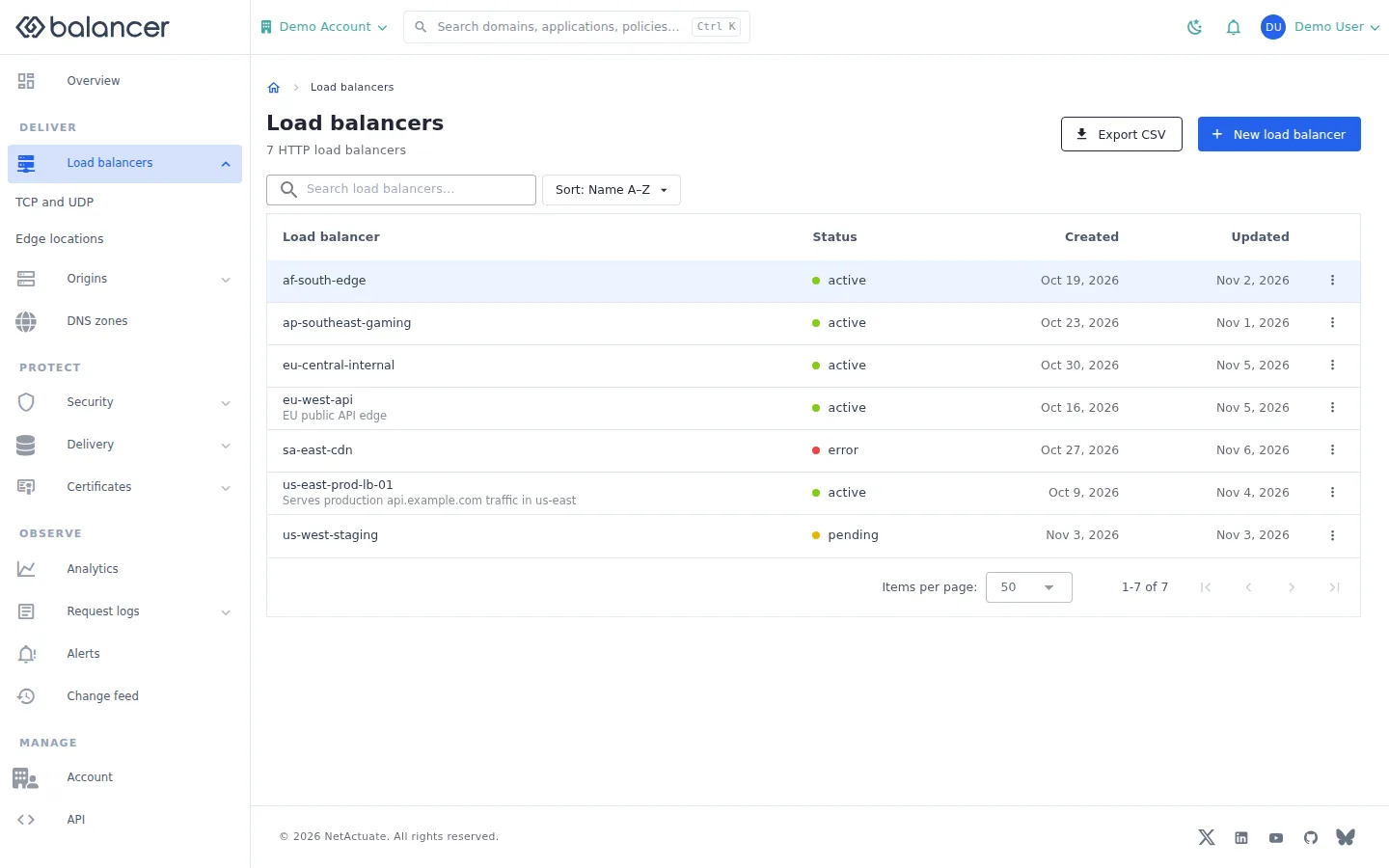
List load balancers and open their applications, traffic and settings.
- Open Load balancers. Use the search and sort controls to find a resource.
- Open a load balancer to inspect its applications. Select Export CSV to export the list.
- Select New load balancer to begin the HTTP creation wizard.
Verify with the API
Use the API host shown in the Balancer portal in place of https://<your-api-host>. Set $BALANCER_API_KEY to your credential for this context.
curl --fail-with-body --silent --show-error --request GET \
  --url "https://<your-api-host>/http-loadbalancers" \
  --header "x-api-key: $BALANCER_API_KEY"
Expect HTTP 200 with code set to 200. The response includes data.meta, data.data[], data.meta.total, data.meta.offset. Compare the returned configuration with the screen. A successful configuration read does not verify that an edge has applied it.
API reference: List HTTP load balancers associated with your account.
Create Load Balancer
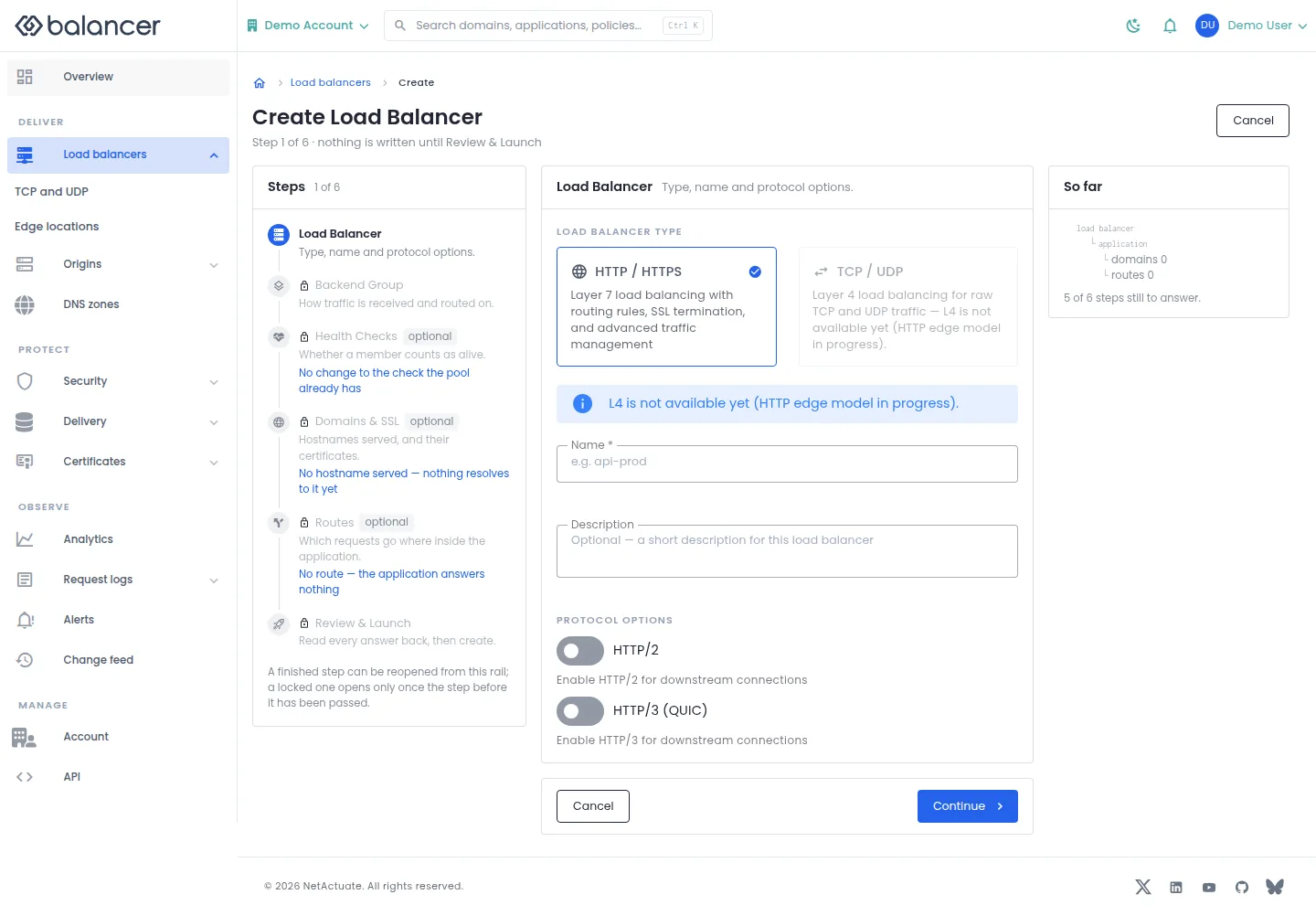
Create an HTTP load balancer and configure its initial application, domains and routes.
- Open Load balancers and select New load balancer.
- Enter Name, optionally Description, and review HTTP/2 and HTTP/3 (QUIC). Select Continue.
- Enter Group Name, choose Upstream Group and set Backend Port. Review Algorithm, Match Ports and SSL to Backend.
- Use Add Domain and Add Route for initial hostnames and routes. Continue through health checks and review, then select Create Load Balancer.
- Verify the load balancer and its application in Load balancers. Configuration acceptance does not establish that traffic is serving.
| Field | Required | Description | Matching API field |
|---|---|---|---|
| **Name *** | Yes | 1-64 characters in the portal form. | name |
| Description | No | Up to 255 characters. | description |
| HTTP/2 | No | Client-to-edge HTTP/2. | http2Enabled |
| HTTP/3 (QUIC) | No | Client-to-edge HTTP/3. | http3Enabled |
| **Group Name *** | Yes | 1-64 characters. | name (application group) |
| **Upstream Group *** | Yes | Existing upstream group. | upstreamGroupId |
| **Backend Port *** | Yes | 1-65535. | backendPort |
| Algorithm | No | Origin selection algorithm. | algorithm |
| Match Ports | No | Application listener ports. | matchPorts |
| SSL to Backend | No | Encrypt connections to the origin. | sslToBackendEnabled |
| **Domain *** | For each domain added | Domain or wildcard hostname. | domain |
| Let's Encrypt | No | Request managed certificate issuance. | doLetsEncrypt |
| SSL Certificate | No | Select an existing certificate. | sslCertificateId |
| **Route Name *** | For each route added | 1-64 characters. | name (route) |
| HTTPS Redirect | No | Redirect HTTP requests to HTTPS. | httpsRedirectEnabled |
| Request Expression | No | Blank matches all requests reaching the application. | requestExpression |
| Field | Required | Description | Matching API field |
|---|---|---|---|
| Save as draft | No | Creates the application and its routes disabled so they do not serve traffic yet. | isDisabled on the application and routes |
The wizard performs separate create requests for the load balancer, application, domains and routes. If one step fails after earlier requests succeed, inspect the resources already created before retrying.
API equivalent
Create the HTTP load balancer itself. Add its application, domains and routes separately with their matching API operations. Use the API host shown in the Balancer portal in place of https://<your-api-host>. Set $BALANCER_API_KEY to your credential for this context.
curl --fail-with-body --silent --show-error --request POST \
  --url "https://<your-api-host>/http-loadbalancers" \
  --header "x-api-key: $BALANCER_API_KEY" \
  --header "Content-Type: application/json" \
  --data '{"name":"example.com","http2Enabled":true}'
Expect HTTP 200 with code set to 200. The response acknowledges the stored change. Reopen the portal screen or run the read example below to verify it.
API reference: Creates a new HTTP load balancer.
Verify with the API
Use the API host shown in the Balancer portal in place of https://<your-api-host>. Set $BALANCER_API_KEY to your credential for this context.
curl --fail-with-body --silent --show-error --request GET \
  --url "https://<your-api-host>/http-loadbalancers" \
  --header "x-api-key: $BALANCER_API_KEY"
Expect HTTP 200 with code set to 200. The response includes data.meta, data.data[], data.meta.total, data.meta.offset. Compare the returned configuration with the screen. A successful configuration read does not verify that an edge has applied it.
API reference: List HTTP load balancers associated with your account.
Load balancer applications
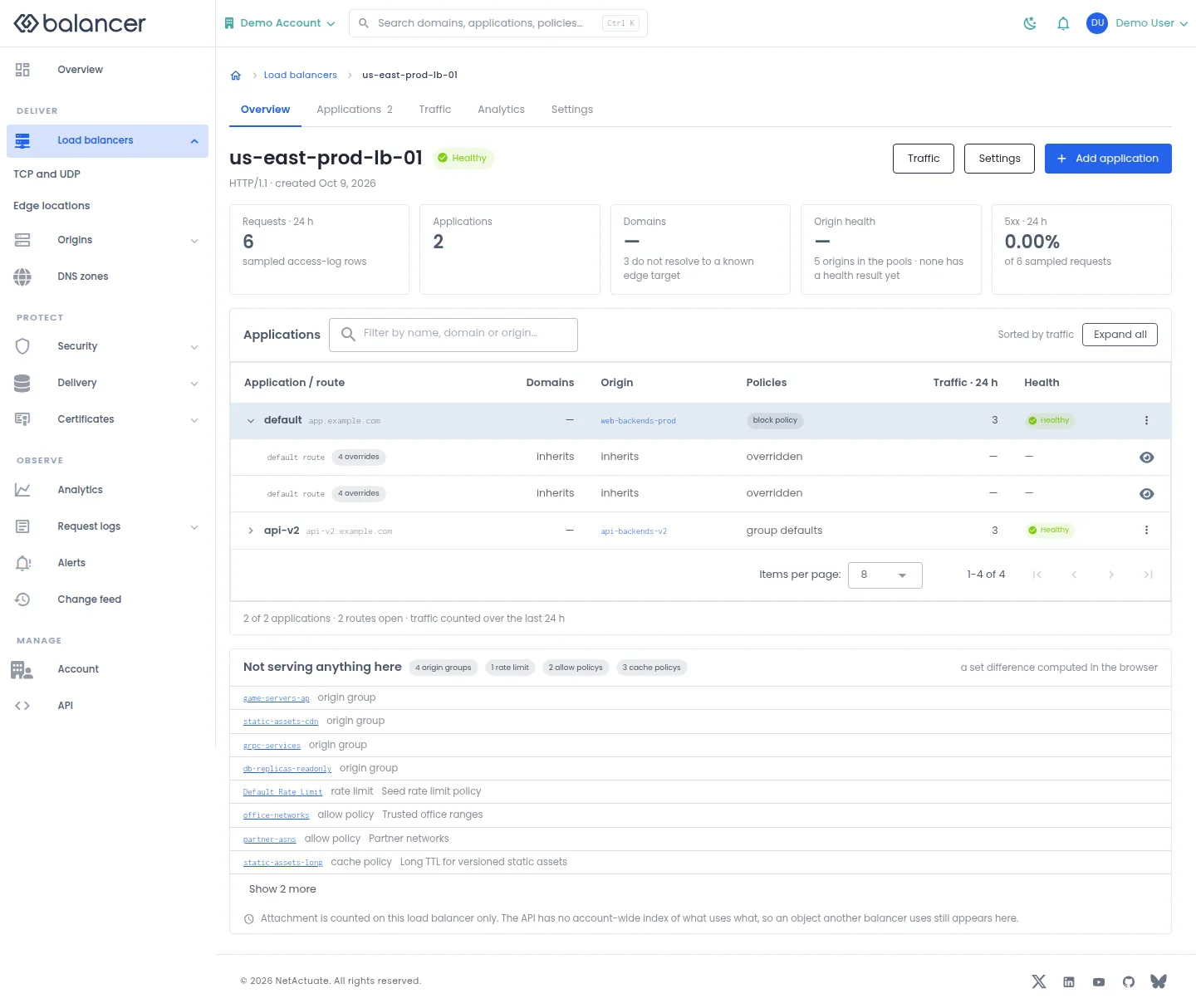
Review applications, their domains, origins, policies and sampled traffic.
- Open Load balancers and select an HTTP load balancer.
- Select Expand all to inspect its applications and routes.
- Select Add application to create an application, Traffic for measurements or Settings for load balancer settings.
Verify with the API
Use the API host shown in the Balancer portal in place of https://<your-api-host>. Set $BALANCER_API_KEY to your credential for this context. Set $HTTP_LB_ID to the resource identifiers you want to inspect.
curl --fail-with-body --silent --show-error --request GET \
  --url "https://<your-api-host>/http-loadbalancers/$HTTP_LB_ID" \
  --header "x-api-key: $BALANCER_API_KEY"
Expect HTTP 200 with code set to 200. The response includes data.name, data.description, data.http2Enabled, data.http3Enabled. Compare the returned configuration with the screen. A successful configuration read does not verify that an edge has applied it.
API reference: Get HTTP load balancer.
HTTP load balancer settings
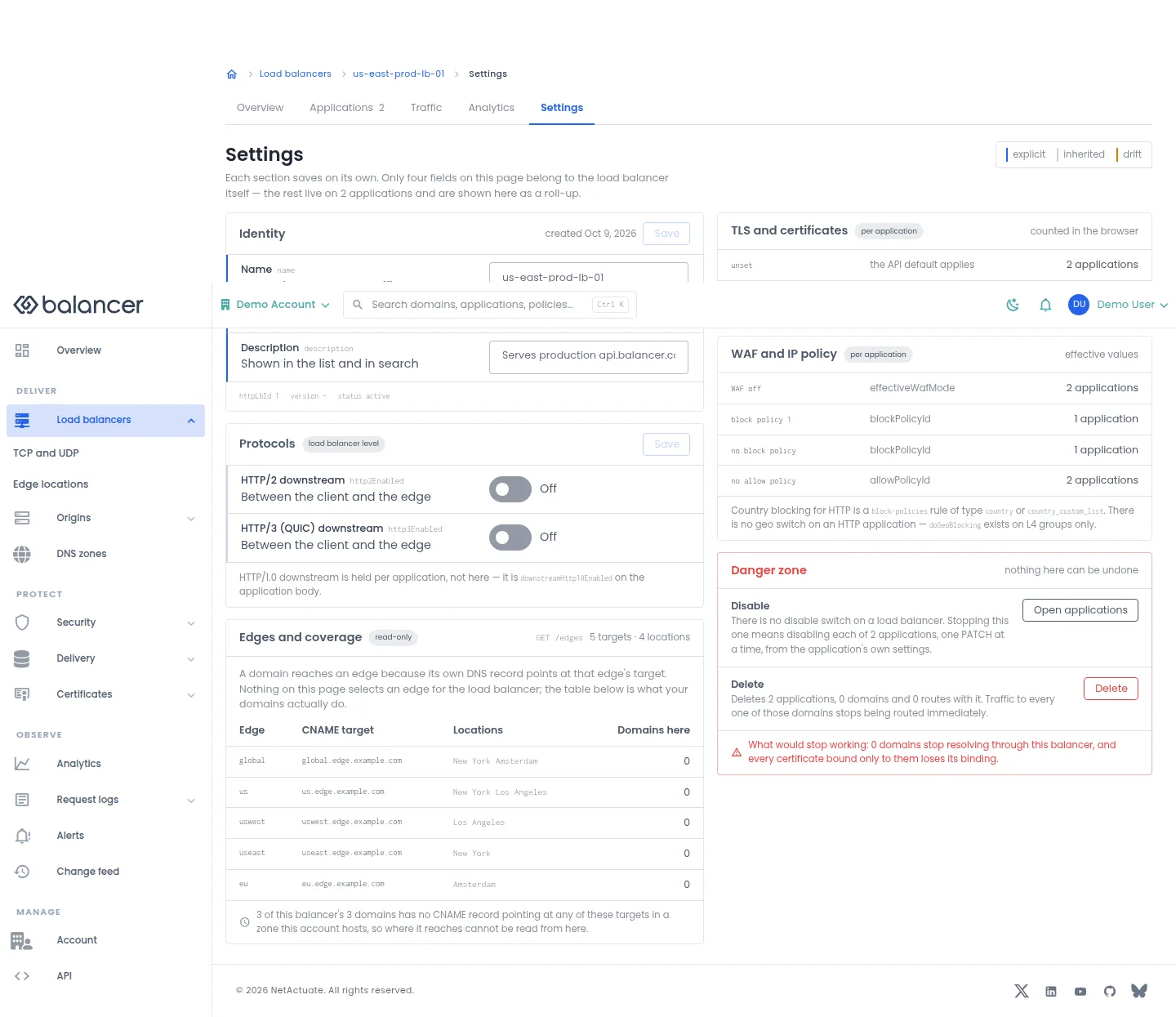
Save identity and downstream protocol settings. Other sections summarize configuration held on applications.
- Open the load balancer and select Settings.
- Change Name or Description, then select Save in Identity.
- Change HTTP/2 downstream or HTTP/3 (QUIC) downstream, then select Save in Protocols. Reload to verify.
- Use Open applications to disable individual applications. Review Delete and its impact before confirming removal of a load balancer.
| Field | Required | Description | Matching API field |
|---|---|---|---|
| Name | No | Up to 64 characters; renaming does not change DNS. | name |
| Description | No | Up to 255 characters. | description |
| HTTP/2 downstream | No | Enable HTTP/2 from client to edge. | http2Enabled |
| HTTP/3 (QUIC) downstream | No | Enable HTTP/3 from client to edge. | http3Enabled |
API equivalent
Enable downstream HTTP/2 on the selected load balancer. Use the API host shown in the Balancer portal in place of https://<your-api-host>. Set $BALANCER_API_KEY to your credential for this context. Set $HTTP_LB_ID to the selected resources.
curl --fail-with-body --silent --show-error --request PATCH \
  --url "https://<your-api-host>/http-loadbalancers/$HTTP_LB_ID" \
  --header "x-api-key: $BALANCER_API_KEY" \
  --header "Content-Type: application/json" \
  --data '{"http2Enabled":true}'
Expect HTTP 200 with code set to 200. The response acknowledges the stored change. Reopen the portal screen or run the read example below to verify it.
API reference: Update HTTP load balancer settings.
Verify with the API
Use the API host shown in the Balancer portal in place of https://<your-api-host>. Set $BALANCER_API_KEY to your credential for this context. Set $HTTP_LB_ID to the resource identifiers you want to inspect.
curl --fail-with-body --silent --show-error --request GET \
  --url "https://<your-api-host>/http-loadbalancers/$HTTP_LB_ID" \
  --header "x-api-key: $BALANCER_API_KEY"
Expect HTTP 200 with code set to 200. The response includes data.name, data.description, data.http2Enabled, data.http3Enabled. Compare the returned configuration with the screen. A successful configuration read does not verify that an edge has applied it.
API reference: Get HTTP load balancer.
Edge locations
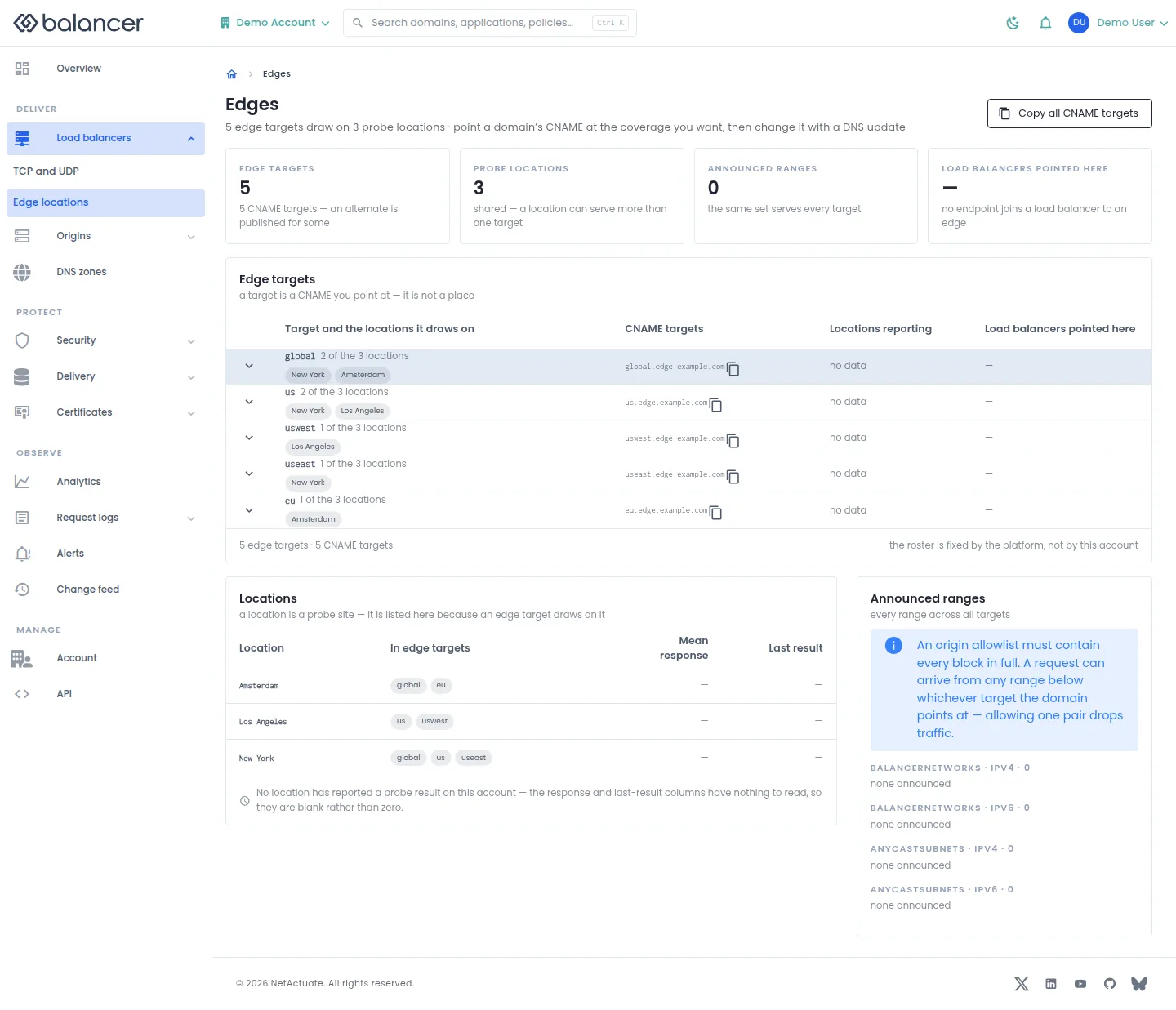
Review edge targets, their CNAME targets, locations and announced address ranges.
- Under Load balancers, select Edge locations.
- Review CNAME targets and the coverage you need. Select Copy all CNAME targets to copy the list.
- Use the selected target in your domain DNS configuration. Verify the saved DNS record in your DNS provider.
Verify with the API
Use the API host shown in the Balancer portal in place of https://<your-api-host>. Set $BALANCER_API_KEY to your credential for this context.
curl --fail-with-body --silent --show-error --request GET \
  --url "https://<your-api-host>/edges" \
  --header "x-api-key: $BALANCER_API_KEY"
Expect HTTP 200 with code set to 200. The response includes data.meta.total, data.meta.offset, data.meta.limit, data.meta.suggestedFilters. Compare the returned configuration with the screen. A successful configuration read does not verify that an edge has applied it.
API reference: List edge targets available to your account.
Edge locations (alternate view 2)
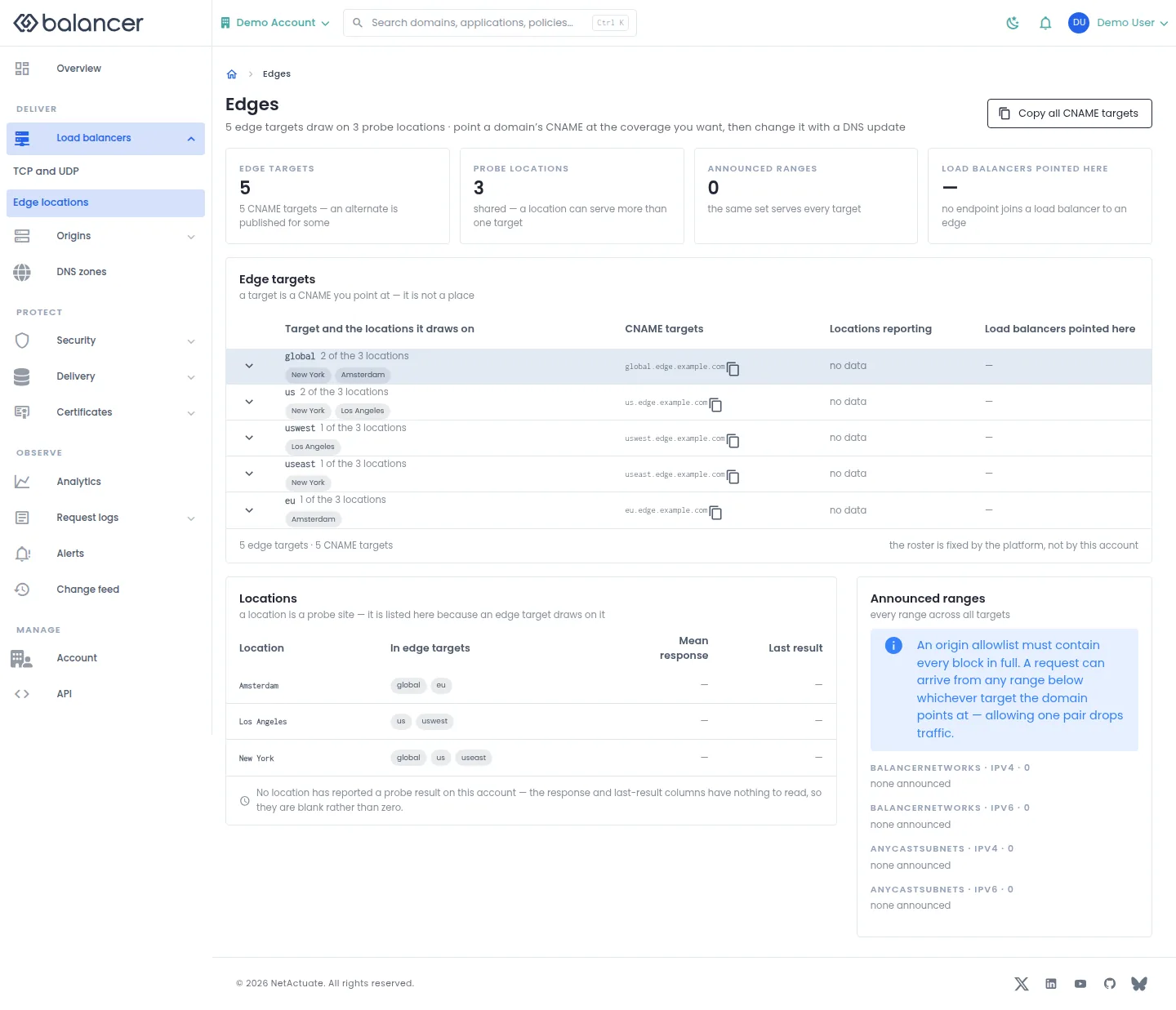
Review edge targets, their CNAME targets, locations and announced address ranges.
- Under Load balancers, select Edge locations.
- Review CNAME targets and the coverage you need. Select Copy all CNAME targets to copy the list.
- Use the selected target in your domain DNS configuration. Verify the saved DNS record in your DNS provider.
Verify with the API
Use the API host shown in the Balancer portal in place of https://<your-api-host>. Set $BALANCER_API_KEY to your credential for this context.
curl --fail-with-body --silent --show-error --request GET \
  --url "https://<your-api-host>/edges" \
  --header "x-api-key: $BALANCER_API_KEY"
Expect HTTP 200 with code set to 200. The response includes data.meta.total, data.meta.offset, data.meta.limit, data.meta.suggestedFilters. Compare the returned configuration with the screen. A successful configuration read does not verify that an edge has applied it.
API reference: List edge targets available to your account.
Find a domain
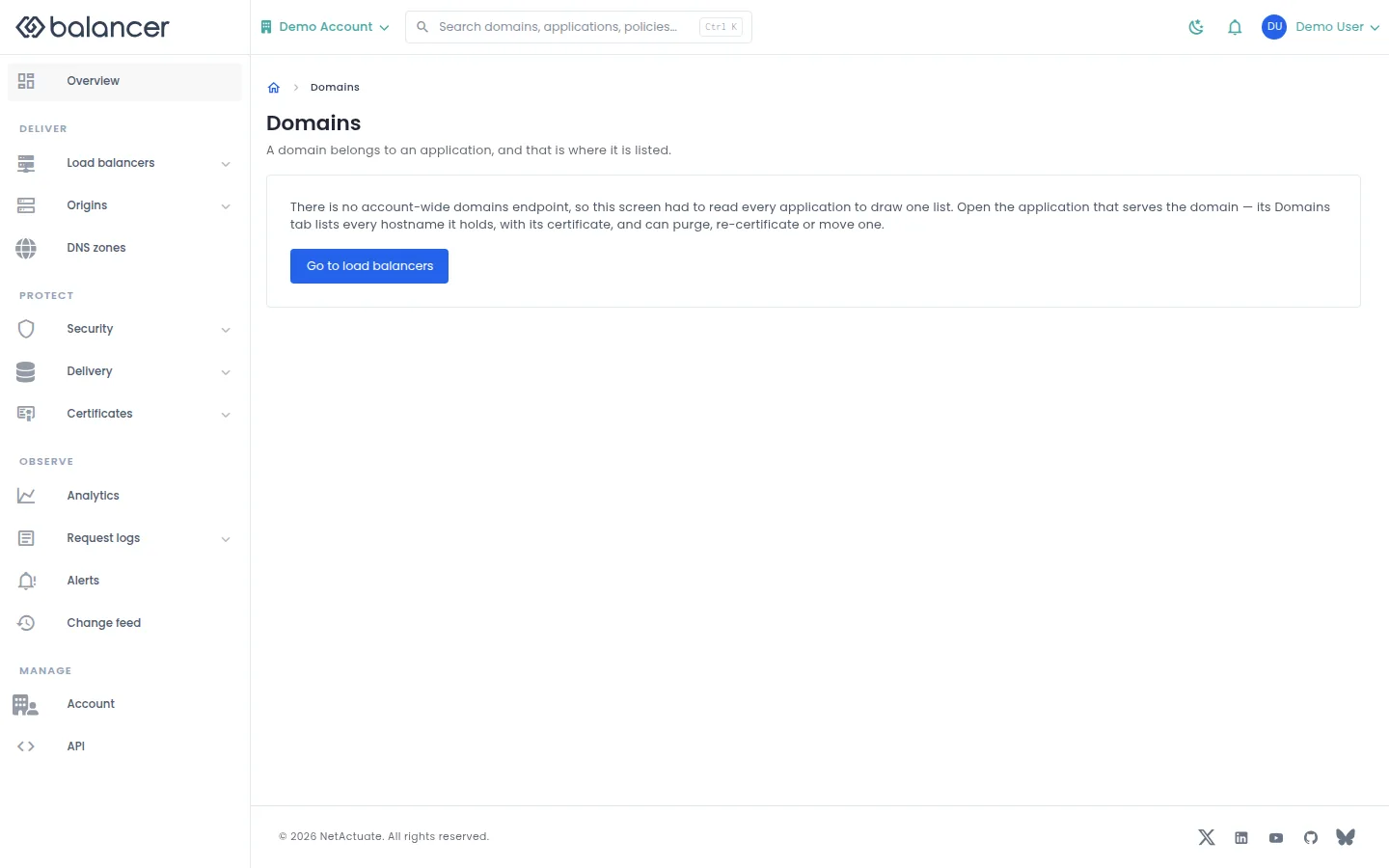
Domains belong to applications. Open the application that serves the hostname to manage it.
- Select Go to load balancers.
- Open the load balancer and application, then select Domains. Verify the hostname in that list.
Verify with the API
Use the API host shown in the Balancer portal in place of https://<your-api-host>. Set $BALANCER_API_KEY to your credential for this context.
curl --fail-with-body --silent --show-error --request GET \
  --url "https://<your-api-host>/http-loadbalancers" \
  --header "x-api-key: $BALANCER_API_KEY"
Expect HTTP 200 with code set to 200. The response includes data.meta, data.data[], data.meta.total, data.meta.offset. Compare the returned configuration with the screen. A successful configuration read does not verify that an edge has applied it.
API reference: List HTTP load balancers associated with your account.