Security
Use Security to manage reusable firewalls, rulesets, rate limits, source policies, custom lists and WAF bypass policies.
Note: Balancer is in beta. Endpoints, fields and behavior may change before general availability, and the feature must be enabled on your account before use. Contact your NetActuate account manager to request access.
Security inventory
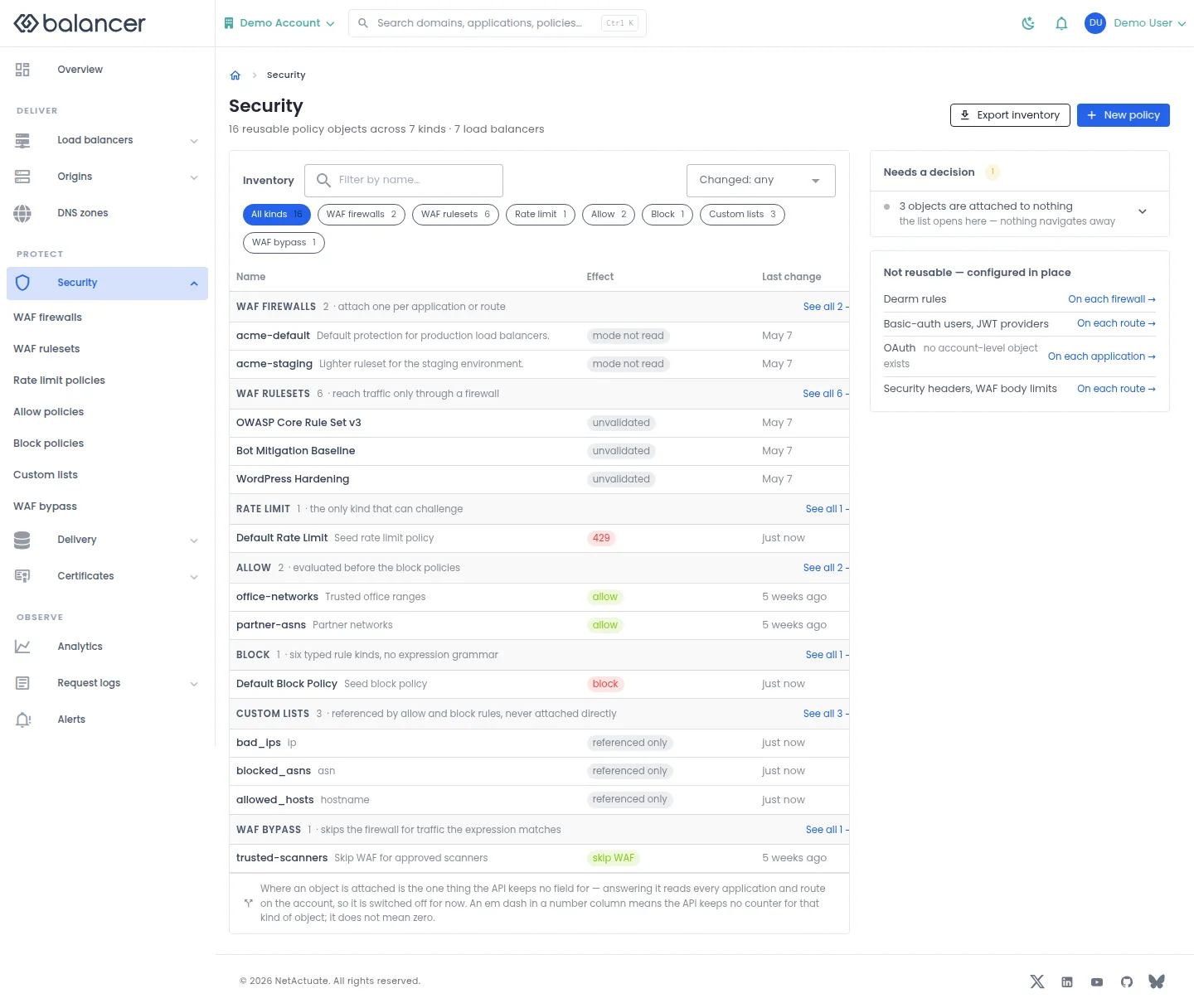
Review reusable security objects and where they are used.
- Open Security. Review the object Name, Effect and Last change.
- Open an object to manage its rules. Select New policy to choose a policy type, or Export inventory to download the inventory.
WAF firewalls
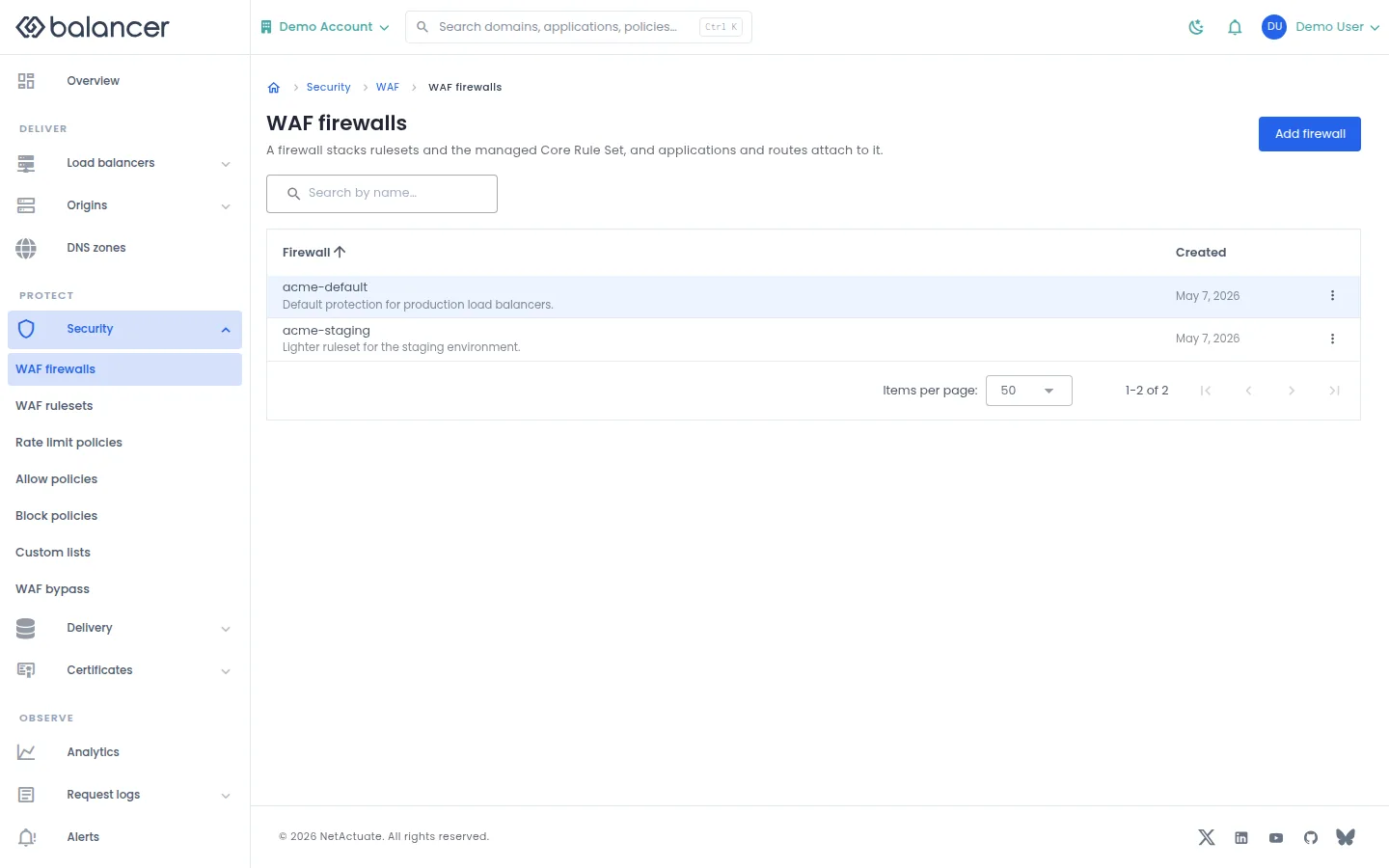
List reusable firewalls that can be attached to applications or routes.
- Open Security, then WAF firewalls. Select Add firewall.
- Enter Name, optional Description and managed rule settings, then submit.
- Verify the firewall in the list. Open it to add rulesets.
| Field | Required | Description | Matching API field |
|---|---|---|---|
| Name | Yes | 1-64 characters. | name |
| Description | No | Up to 255 characters. | description |
| Managed CRS paranoia | No | Choose the managed rule paranoia level. | crsParanoiaLevel |
| CRS anomaly sensitivity | No | Choose the managed rule sensitivity. | crsSensitivity |
Verify with the API
Use the API host shown in the Balancer portal in place of https://<your-api-host>. Set $BALANCER_API_KEY to your credential for this context.
curl --fail-with-body --silent --show-error --request GET \
  --url "https://<your-api-host>/waf-firewalls" \
  --header "x-api-key: $BALANCER_API_KEY"
Expect HTTP 200 with code set to 200. The response includes data.meta.total, data.meta.offset, data.meta.limit, data.meta.suggestedFilters. Compare the returned configuration with the screen. A successful configuration read does not verify that an edge has applied it.
API reference: List WAF firewalls associated with your account.
WAF firewalls (alternate view 2)
List reusable firewalls that can be attached to applications or routes.
- Open Security, then WAF firewalls. Select Add firewall.
- Enter Name, optional Description and managed rule settings, then submit.
- Verify the firewall in the list. Open it to add rulesets.
| Field | Required | Description | Matching API field |
|---|---|---|---|
| Name | Yes | 1-64 characters. | name |
| Description | No | Up to 255 characters. | description |
| Managed CRS paranoia | No | Choose the managed rule paranoia level. | crsParanoiaLevel |
| CRS anomaly sensitivity | No | Choose the managed rule sensitivity. | crsSensitivity |
API equivalent
Create a firewall before binding rulesets or attaching it to an application. Use the API host shown in the Balancer portal in place of https://<your-api-host>. Set $BALANCER_API_KEY to your credential for this context.
curl --fail-with-body --silent --show-error --request POST \
  --url "https://<your-api-host>/waf-firewalls" \
  --header "x-api-key: $BALANCER_API_KEY" \
  --header "Content-Type: application/json" \
  --data '{"name":"example.com"}'
Expect HTTP 200 with code set to 200. The response acknowledges the stored change. Reopen the portal screen or run the read example below to verify it.
API reference: Create a new WAF firewall.
Verify with the API
Use the API host shown in the Balancer portal in place of https://<your-api-host>. Set $BALANCER_API_KEY to your credential for this context.
curl --fail-with-body --silent --show-error --request GET \
  --url "https://<your-api-host>/waf-firewalls" \
  --header "x-api-key: $BALANCER_API_KEY"
Expect HTTP 200 with code set to 200. The response includes data.meta.total, data.meta.offset, data.meta.limit, data.meta.suggestedFilters. Compare the returned configuration with the screen. A successful configuration read does not verify that an edge has applied it.
API reference: List WAF firewalls associated with your account.
Firewall rulesets
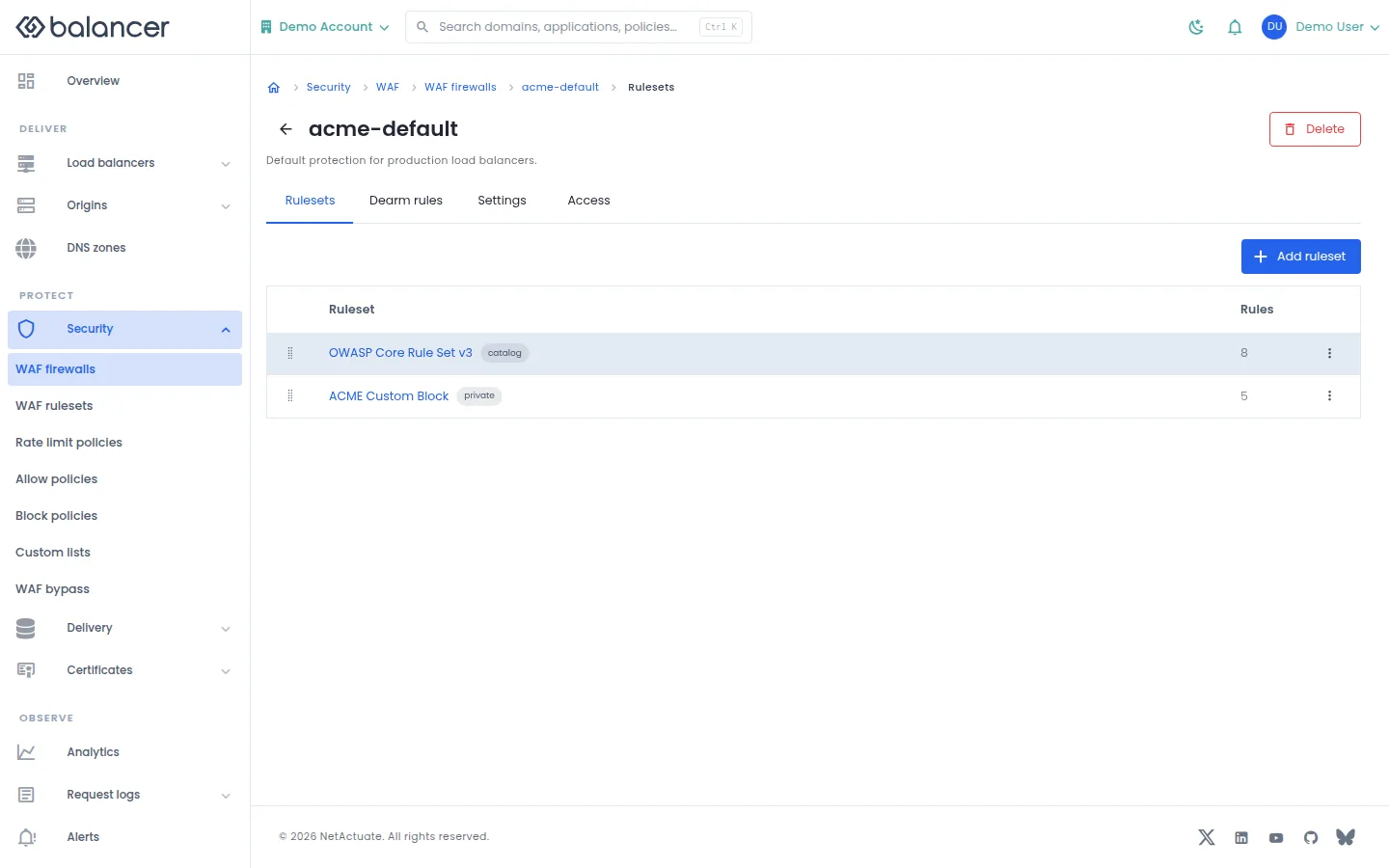
Manage ordered ruleset bindings on a firewall.
- Open a firewall and select Rulesets, then Add ruleset.
- Choose the ruleset and submit the binding.
- Verify Ruleset and Rules in the list. Check application or route settings to verify the firewall is attached.
| Field | Required | Description | Matching API field |
|---|---|---|---|
| Ruleset | Yes | Existing ruleset to bind. | wafRulesetId |
Verify with the API
Use the API host shown in the Balancer portal in place of https://<your-api-host>. Set $BALANCER_API_KEY to your credential for this context. Set $WAF_FIREWALL_ID to the resource identifiers you want to inspect.
curl --fail-with-body --silent --show-error --request GET \
  --url "https://<your-api-host>/waf-firewalls/$WAF_FIREWALL_ID" \
  --header "x-api-key: $BALANCER_API_KEY"
Expect HTTP 200 with code set to 200. The response includes data.wafFirewallId, data.name, data.description, data.version. Compare the returned configuration with the screen. A successful configuration read does not verify that an edge has applied it.
API reference: Get WAF firewall.
Firewall rulesets (alternate view 2)
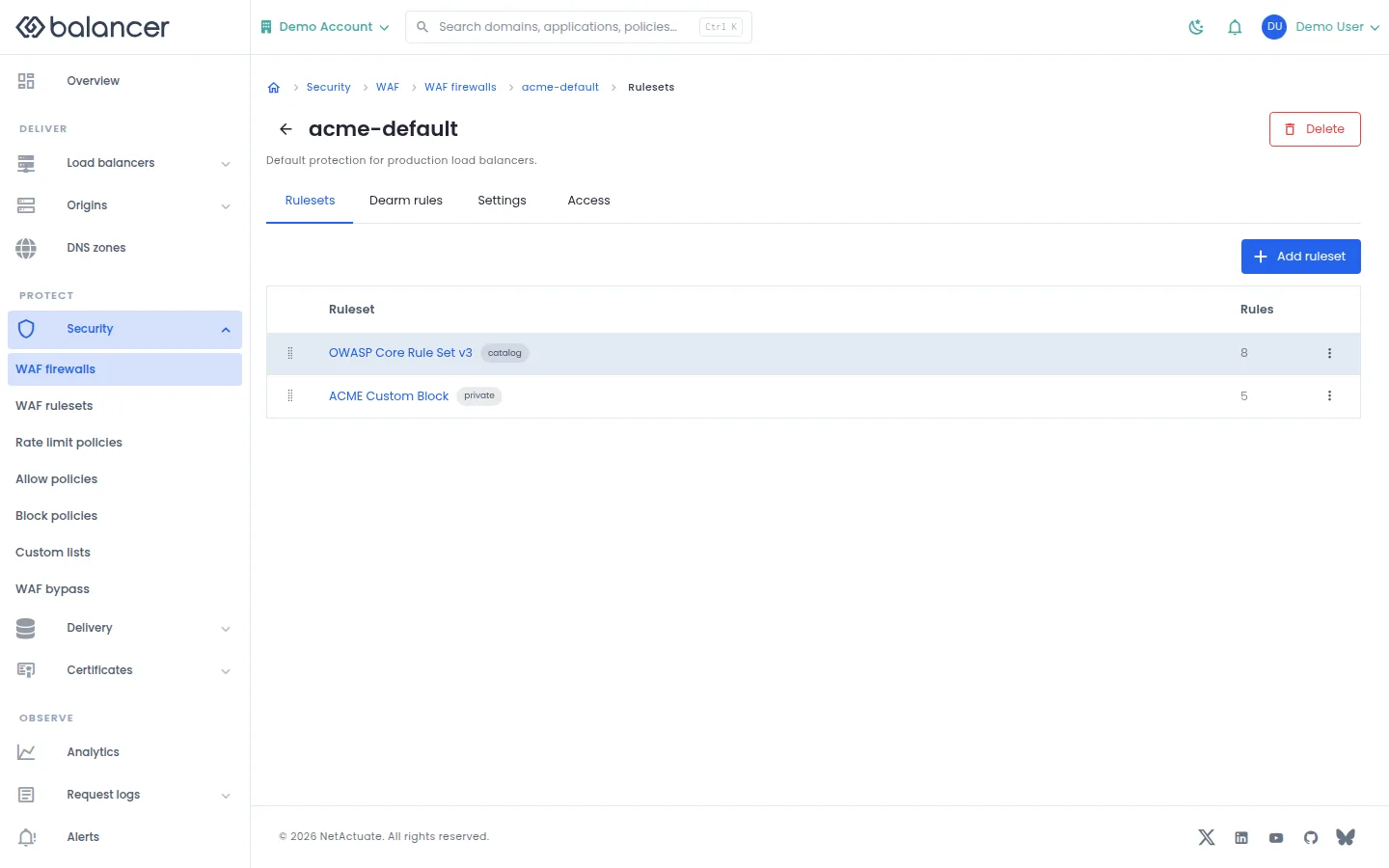
Manage ordered ruleset bindings on a firewall.
- Open a firewall and select Rulesets, then Add ruleset.
- Choose the ruleset and submit the binding.
- Verify Ruleset and Rules in the list. Check application or route settings to verify the firewall is attached.
| Field | Required | Description | Matching API field |
|---|---|---|---|
| Ruleset | Yes | Existing ruleset to bind. | wafRulesetId |
Verify with the API
Use the API host shown in the Balancer portal in place of https://<your-api-host>. Set $BALANCER_API_KEY to your credential for this context. Set $WAF_FIREWALL_ID to the resource identifiers you want to inspect.
curl --fail-with-body --silent --show-error --request GET \
  --url "https://<your-api-host>/waf-firewalls/$WAF_FIREWALL_ID/rulesets" \
  --header "x-api-key: $BALANCER_API_KEY"
Expect HTTP 200 with code set to 200. The response includes data.meta.total, data.meta.offset, data.meta.limit, data.meta.suggestedFilters. Compare the returned configuration with the screen. A successful configuration read does not verify that an edge has applied it.
API reference: Returns the ordered list of ruleset bindings for a WAF firewall.
Dearm rules
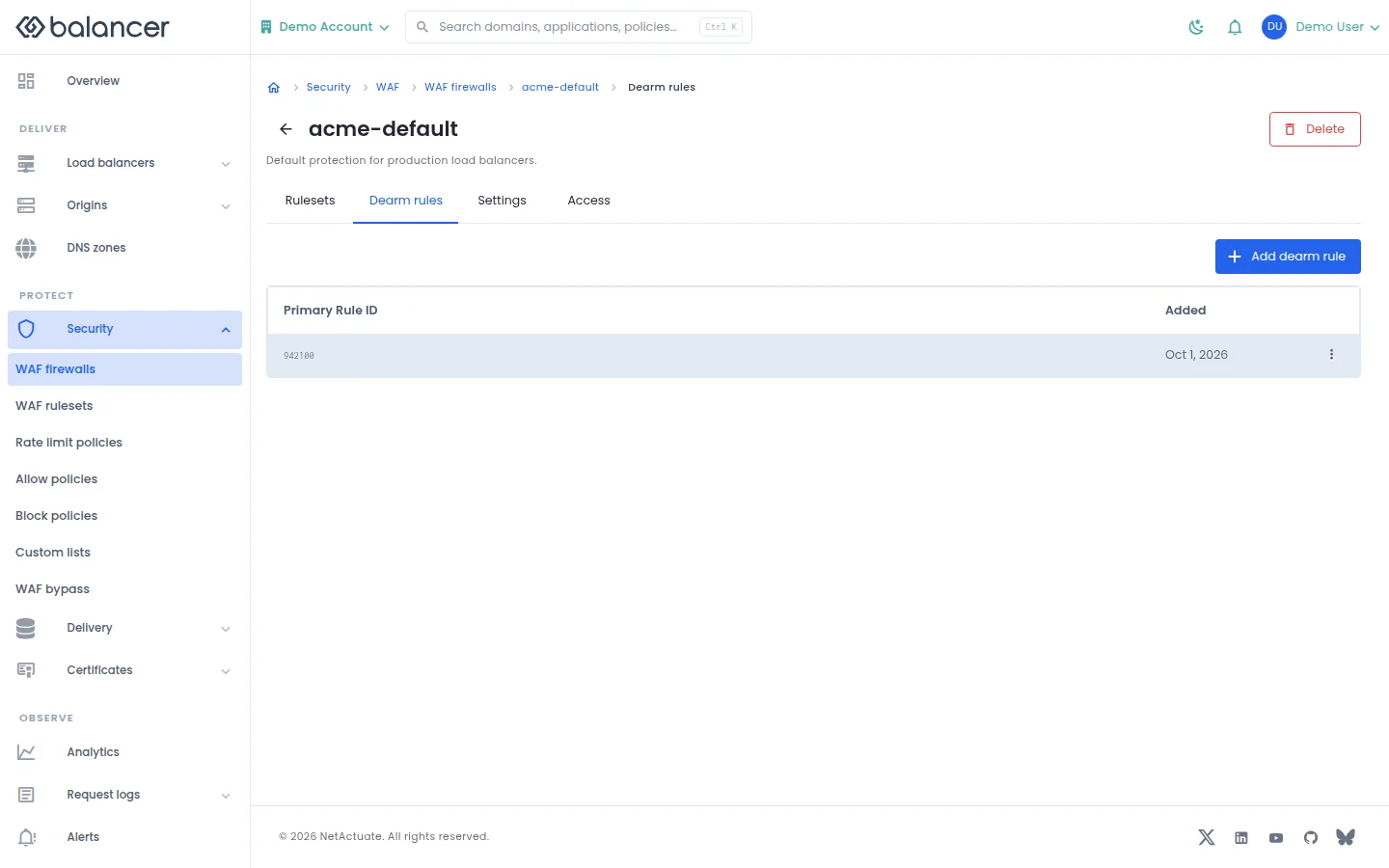
Exclude selected managed rules from the firewall.
- Open a firewall and select Dearm rules, then Add dearm rule.
- Choose Managed rule and submit.
- Verify its Primary Rule ID in the list.
| Field | Required | Description | Matching API field |
|---|---|---|---|
| Managed rule | Yes | Positive whole-number rule identity. Validation: Must be at least 1. | primaryRuleId |
Verify with the API
Use the API host shown in the Balancer portal in place of https://<your-api-host>. Set $BALANCER_API_KEY to your credential for this context. Set $WAF_FIREWALL_ID to the resource identifiers you want to inspect.
curl --fail-with-body --silent --show-error --request GET \
  --url "https://<your-api-host>/waf-firewalls/$WAF_FIREWALL_ID/dearm-rules" \
  --header "x-api-key: $BALANCER_API_KEY"
Expect HTTP 200 with code set to 200. The response includes data.meta.total, data.meta.offset, data.meta.limit, data.meta.suggestedFilters. Compare the returned configuration with the screen. A successful configuration read does not verify that an edge has applied it.
API reference: List managed-rule dearms for a WAF firewall.
Firewall settings
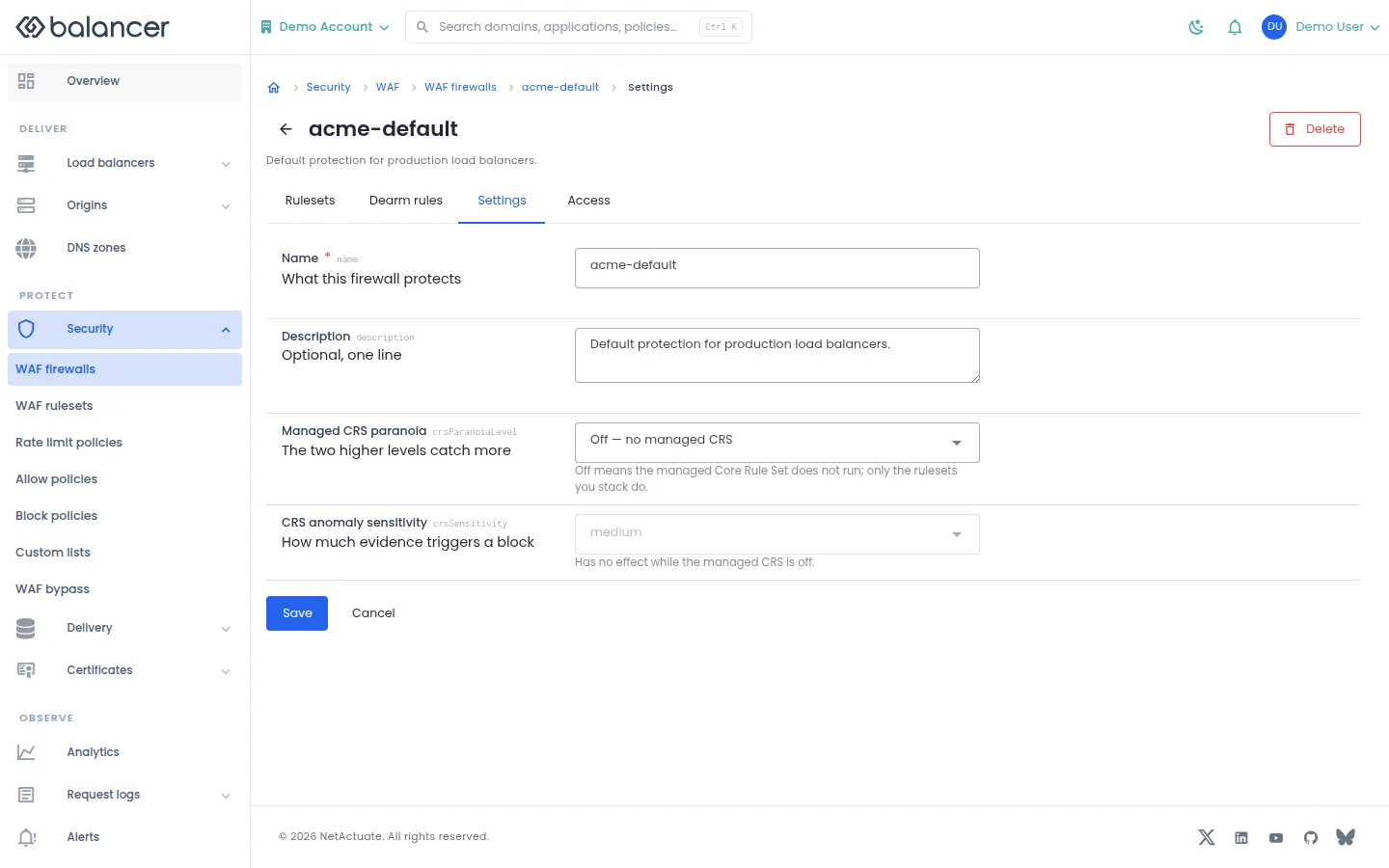
Edit firewall metadata and managed rule sensitivity.
- Open a firewall and select Settings.
- Edit the fields and select Save.
- Reload to verify the saved values. Select Cancel to discard unsaved changes.
| Field | Required | Description | Matching API field |
|---|---|---|---|
| Name | Yes | 1-64 characters. | name |
| Description | No | Up to 255 characters. | description |
| Managed CRS paranoia | No | Choose the managed rule paranoia level. | crsParanoiaLevel |
| CRS anomaly sensitivity | No | Choose the managed rule sensitivity. | crsSensitivity |
Verify with the API
Use the API host shown in the Balancer portal in place of https://<your-api-host>. Set $BALANCER_API_KEY to your credential for this context. Set $WAF_FIREWALL_ID to the resource identifiers you want to inspect.
curl --fail-with-body --silent --show-error --request GET \
  --url "https://<your-api-host>/waf-firewalls/$WAF_FIREWALL_ID" \
  --header "x-api-key: $BALANCER_API_KEY"
Expect HTTP 200 with code set to 200. The response includes data.wafFirewallId, data.name, data.description, data.version. Compare the returned configuration with the screen. A successful configuration read does not verify that an edge has applied it.
API reference: Get WAF firewall.
Resource access
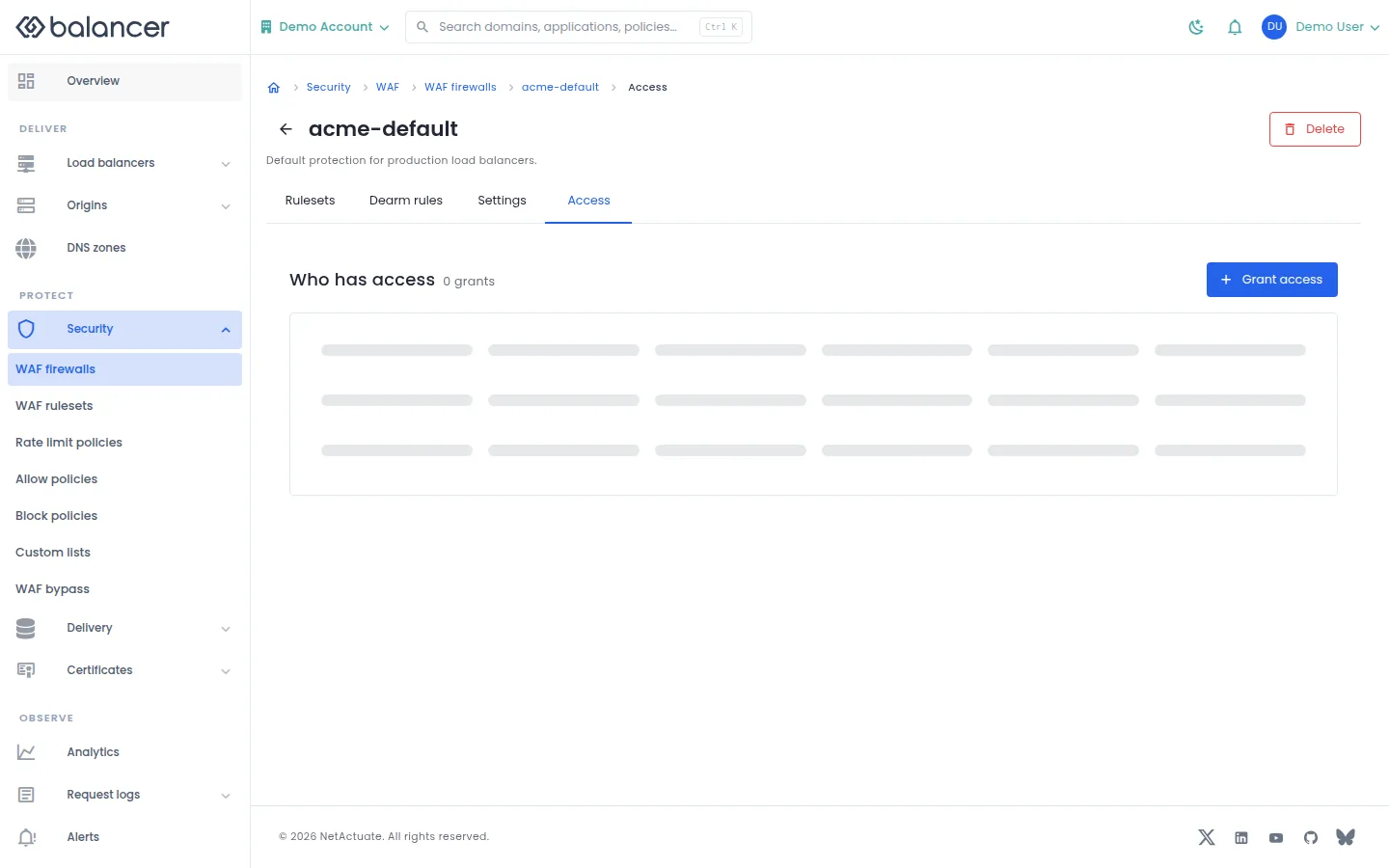
Grant a member or team access to the selected reusable object.
- Open the object and select Access where available. Select Grant access.
- Choose a grantee and access level, then submit.
- Verify the entry under Who has access.
| Field | Required | Description | Matching API field |
|---|---|---|---|
| Grantee | Yes | Choose a member or team and the corresponding identity. | grantee.granteeType, grantee.granteeId |
| Resource | Yes | Resource type and, for a single object, resource identity. | resource.resourceType, resource.resourceId |
| Access | Yes | read-only, write or admin. | access |
Verify with the API
Use the API host shown in the Balancer portal in place of https://<your-api-host>. Set $BALANCER_API_KEY to your credential for this context. Set $WAF_FIREWALL_ID to the resource identifiers you want to inspect.
curl --fail-with-body --silent --show-error --request GET \
  --url "https://<your-api-host>/waf-firewalls/$WAF_FIREWALL_ID" \
  --header "x-api-key: $BALANCER_API_KEY"
Expect HTTP 200 with code set to 200. The response includes data.wafFirewallId, data.name, data.description, data.version. Compare the returned configuration with the screen. A successful configuration read does not verify that an edge has applied it.
API reference: Get WAF firewall.
Firewall usage
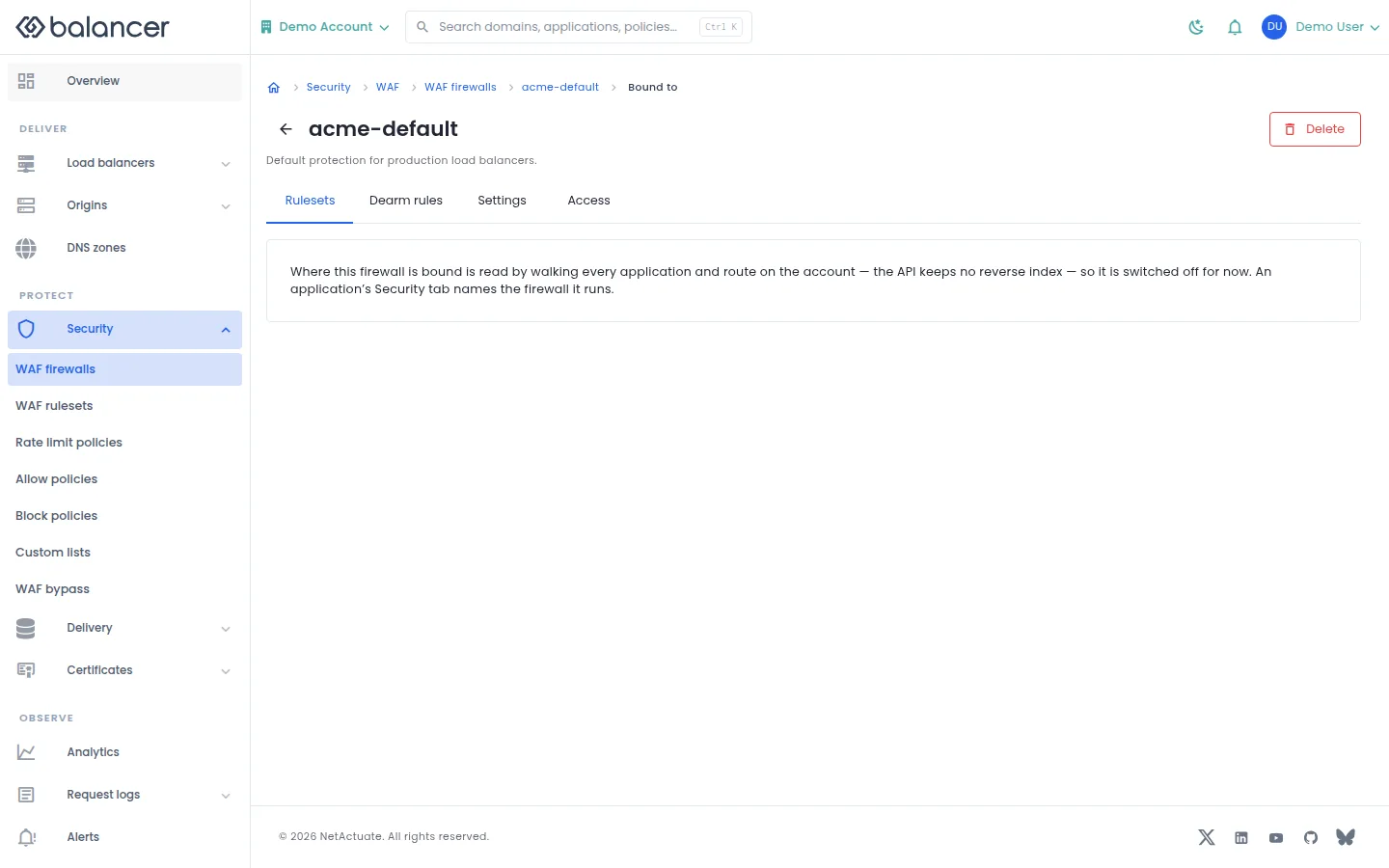
Inspect where a firewall is bound.
- Open the firewall usage view.
- Review its application and route attachments before making a change. Verify attachments in the corresponding settings.
Verify with the API
Use the API host shown in the Balancer portal in place of https://<your-api-host>. Set $BALANCER_API_KEY to your credential for this context. Set $WAF_FIREWALL_ID to the resource identifiers you want to inspect.
curl --fail-with-body --silent --show-error --request GET \
  --url "https://<your-api-host>/waf-firewalls/$WAF_FIREWALL_ID" \
  --header "x-api-key: $BALANCER_API_KEY"
Expect HTTP 200 with code set to 200. The response includes data.wafFirewallId, data.name, data.description, data.version. Compare the returned configuration with the screen. A successful configuration read does not verify that an edge has applied it.
API reference: Get WAF firewall.
WAF rulesets
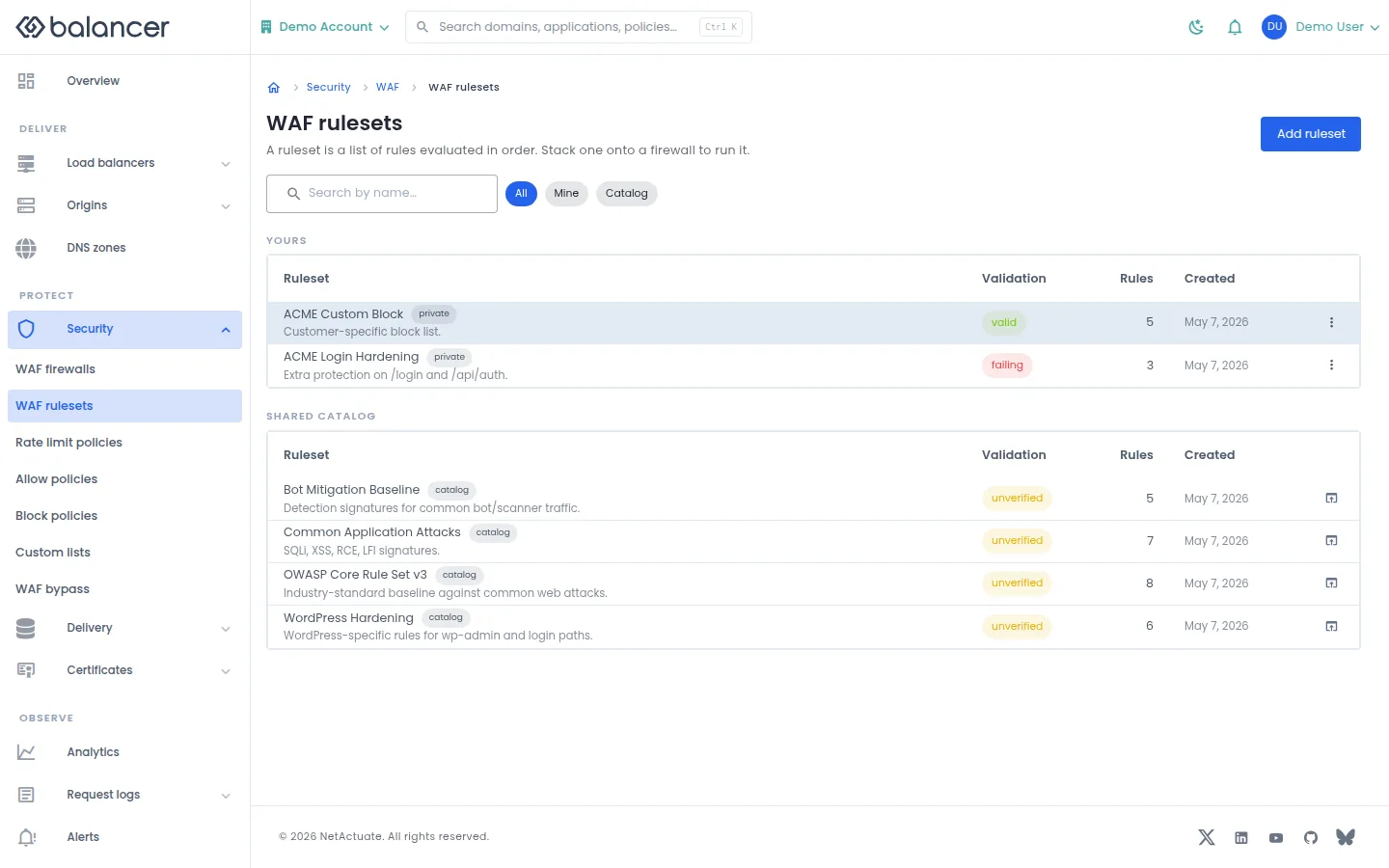
List private rulesets and read-only public catalog rulesets with their validation state.
- Open Security, then WAF rulesets.
- Select Add ruleset to create a private ruleset. Enter Name and optional description, then select Create ruleset.
- Verify Validation and Rules. Open the ruleset to inspect its rules.
| Field | Required | Description | Matching API field |
|---|---|---|---|
| Name | Yes | 1-64 characters. | name |
| Description (optional) | No | Up to 255 characters. | description |
API equivalent
Create a private ruleset. Use the API host shown in the Balancer portal in place of https://<your-api-host>. Set $BALANCER_API_KEY to your credential for this context.
curl --fail-with-body --silent --show-error --request POST \
  --url "https://<your-api-host>/waf-rulesets" \
  --header "x-api-key: $BALANCER_API_KEY" \
  --header "Content-Type: application/json" \
  --data '{"name":"example.com"}'
Expect HTTP 200 with code set to 200. The response acknowledges the stored change. Reopen the portal screen or run the read example below to verify it.
API reference: Create a new private WAF ruleset.
Verify with the API
Use the API host shown in the Balancer portal in place of https://<your-api-host>. Set $BALANCER_API_KEY to your credential for this context.
curl --fail-with-body --silent --show-error --request GET \
  --url "https://<your-api-host>/waf-rulesets" \
  --header "x-api-key: $BALANCER_API_KEY"
Expect HTTP 200 with code set to 200. The response includes data.meta.total, data.meta.offset, data.meta.limit, data.meta.suggestedFilters. Compare the returned configuration with the screen. A successful configuration read does not verify that an edge has applied it.
API reference: List readable WAF rulesets,.
WAF rules
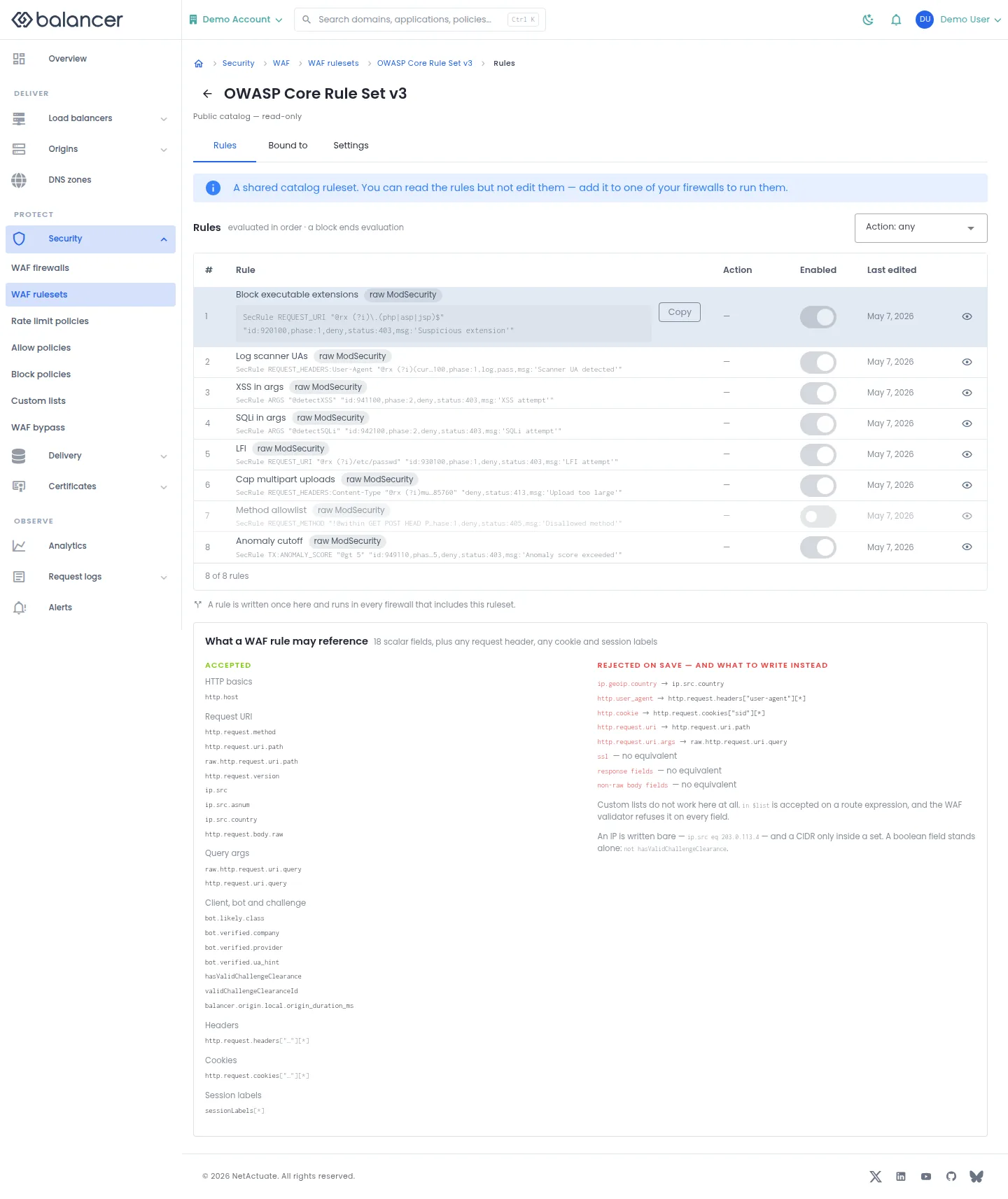
Inspect rules, actions, enabled state and validation guidance.
- Open a ruleset and select Rules.
- Review Rule, Action and Enabled. Public catalog rulesets are read-only.
- For a ruleset you can edit, review validation after saving a rule and verify the enabled state before binding it to a firewall.
Verify with the API
Use the API host shown in the Balancer portal in place of https://<your-api-host>. Set $BALANCER_API_KEY to your credential for this context. Set $WAF_RULESET_ID to the resource identifiers you want to inspect.
curl --fail-with-body --silent --show-error --request GET \
  --url "https://<your-api-host>/waf-rulesets/$WAF_RULESET_ID" \
  --header "x-api-key: $BALANCER_API_KEY"
Expect HTTP 200 with code set to 200. The response includes data.wafRulesetId, data.name, data.description, data.version. Compare the returned configuration with the screen. A successful configuration read does not verify that an edge has applied it.
API reference: Get one readable WAF ruleset.
WAF rules (alternate view 2)
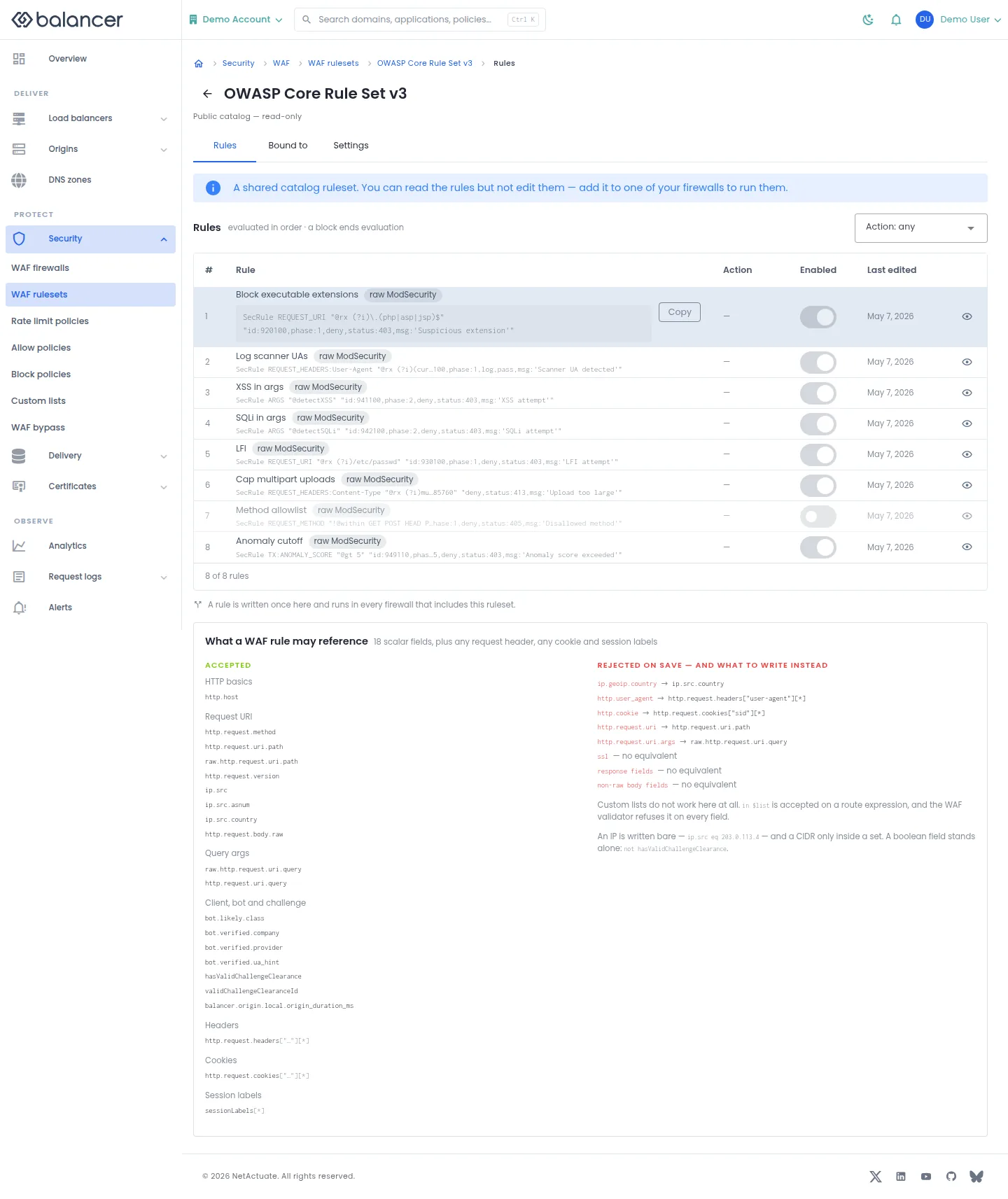
Inspect rules, actions, enabled state and validation guidance.
- Open a ruleset and select Rules.
- Review Rule, Action and Enabled. Public catalog rulesets are read-only.
- For a ruleset you can edit, review validation after saving a rule and verify the enabled state before binding it to a firewall.
Verify with the API
Use the API host shown in the Balancer portal in place of https://<your-api-host>. Set $BALANCER_API_KEY to your credential for this context. Set $WAF_RULESET_ID to the resource identifiers you want to inspect.
curl --fail-with-body --silent --show-error --request GET \
  --url "https://<your-api-host>/waf-rulesets/$WAF_RULESET_ID/rules" \
  --header "x-api-key: $BALANCER_API_KEY"
Expect HTTP 200 with code set to 200. The response includes data.meta.total, data.meta.offset, data.meta.limit, data.meta.suggestedFilters. Compare the returned configuration with the screen. A successful configuration read does not verify that an edge has applied it.
API reference: Returns the ordered list of readable WAF rules inside one ruleset.
Ruleset settings
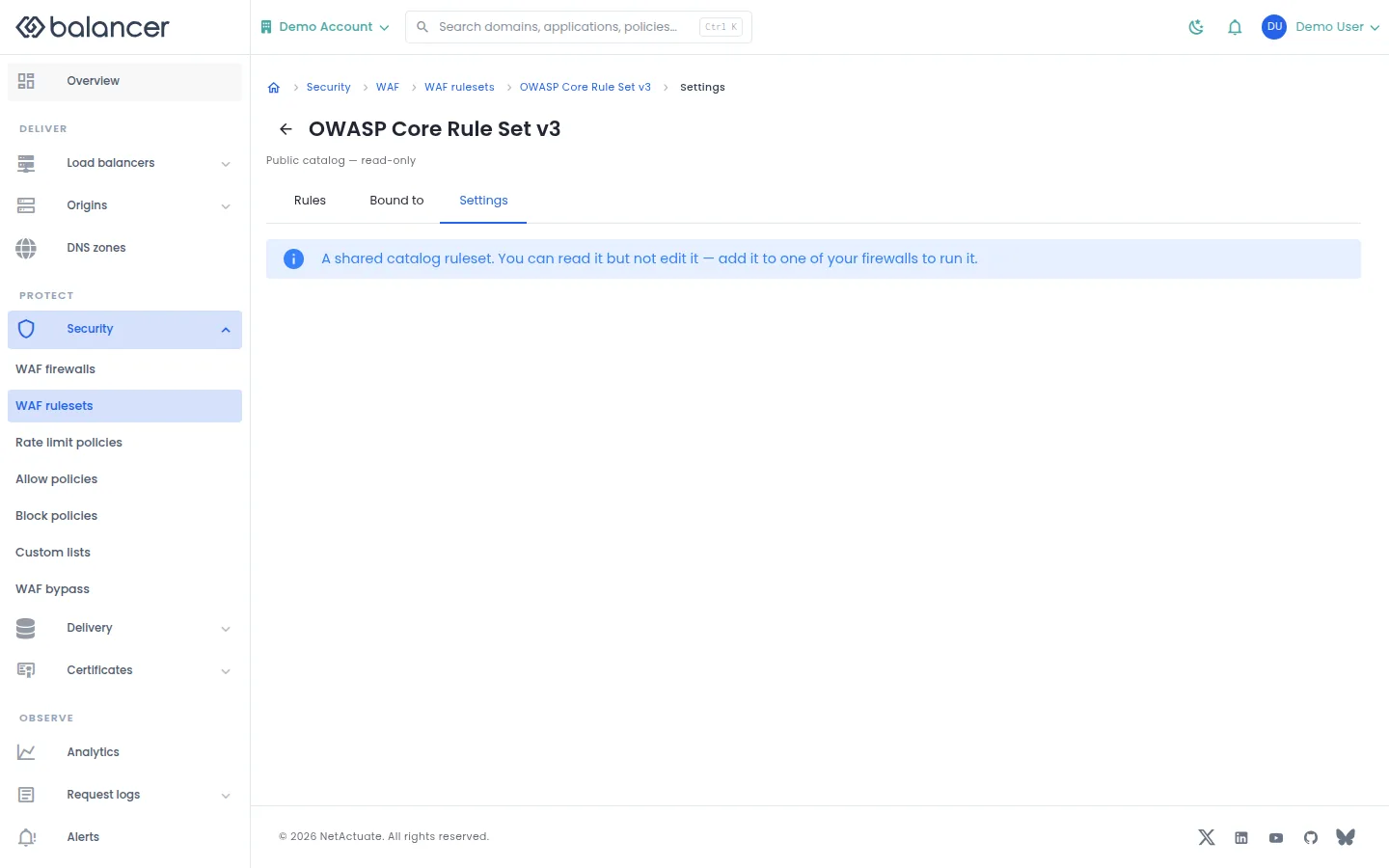
Inspect ruleset metadata. Public catalog rulesets cannot be edited.
- Open a ruleset and select Settings.
- For a private editable ruleset, save metadata changes and reload to verify. For a public catalog ruleset, add it to your firewall to use it.
Verify with the API
Use the API host shown in the Balancer portal in place of https://<your-api-host>. Set $BALANCER_API_KEY to your credential for this context. Set $WAF_RULESET_ID to the resource identifiers you want to inspect.
curl --fail-with-body --silent --show-error --request GET \
  --url "https://<your-api-host>/waf-rulesets/$WAF_RULESET_ID" \
  --header "x-api-key: $BALANCER_API_KEY"
Expect HTTP 200 with code set to 200. The response includes data.wafRulesetId, data.name, data.description, data.version. Compare the returned configuration with the screen. A successful configuration read does not verify that an edge has applied it.
API reference: Get one readable WAF ruleset.
Resource access (alternate view 2)
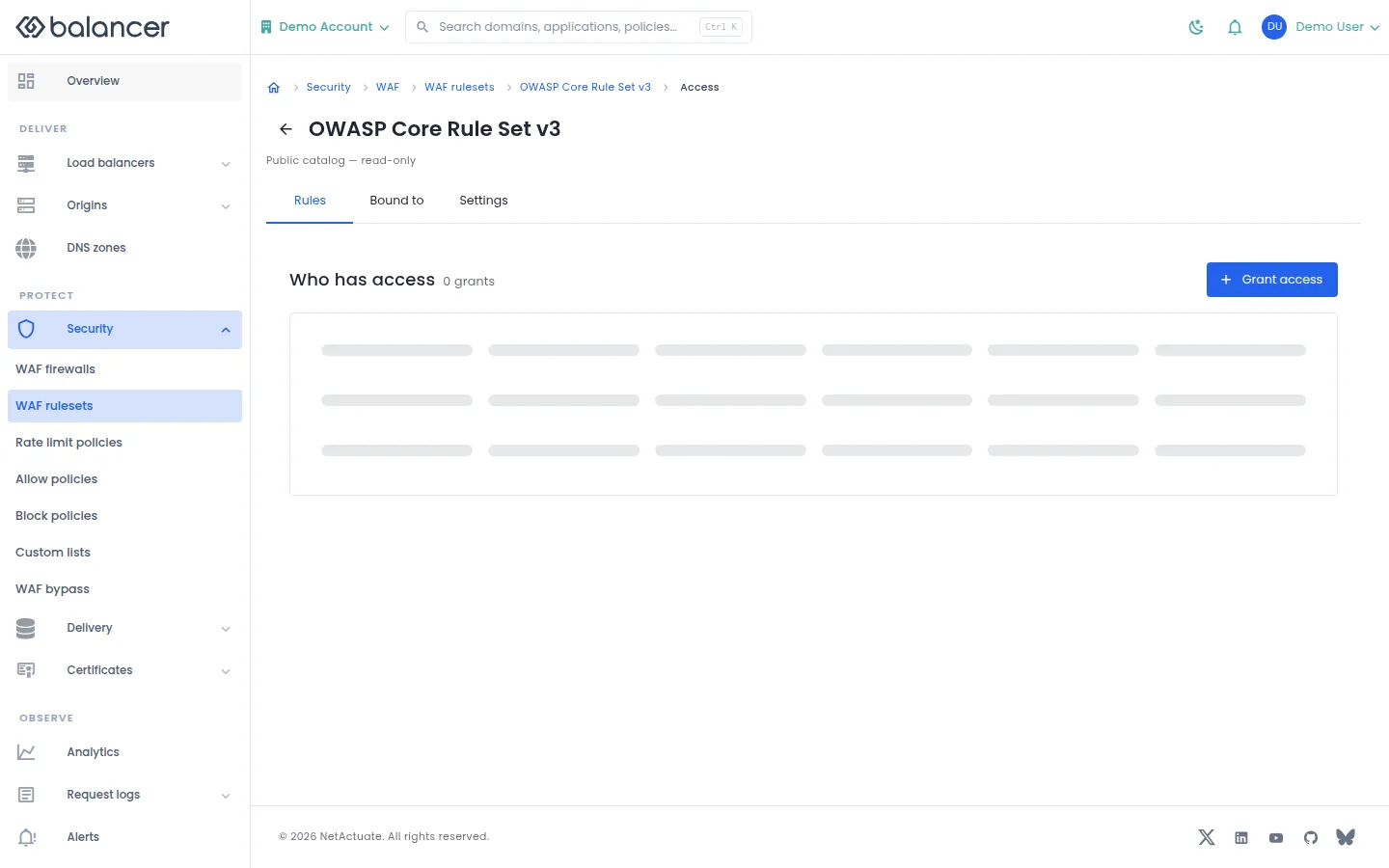
Grant a member or team access to the selected reusable object.
- Open the object and select Access where available. Select Grant access.
- Choose a grantee and access level, then submit.
- Verify the entry under Who has access.
| Field | Required | Description | Matching API field |
|---|---|---|---|
| Grantee | Yes | Choose a member or team and the corresponding identity. | grantee.granteeType, grantee.granteeId |
| Resource | Yes | Resource type and, for a single object, resource identity. | resource.resourceType, resource.resourceId |
| Access | Yes | read-only, write or admin. | access |
Verify with the API
Use the API host shown in the Balancer portal in place of https://<your-api-host>. Set $BALANCER_API_KEY to your credential for this context. Set $WAF_RULESET_ID to the resource identifiers you want to inspect.
curl --fail-with-body --silent --show-error --request GET \
  --url "https://<your-api-host>/waf-rulesets/$WAF_RULESET_ID" \
  --header "x-api-key: $BALANCER_API_KEY"
Expect HTTP 200 with code set to 200. The response includes data.wafRulesetId, data.name, data.description, data.version. Compare the returned configuration with the screen. A successful configuration read does not verify that an edge has applied it.
API reference: Get one readable WAF ruleset.
Ruleset usage
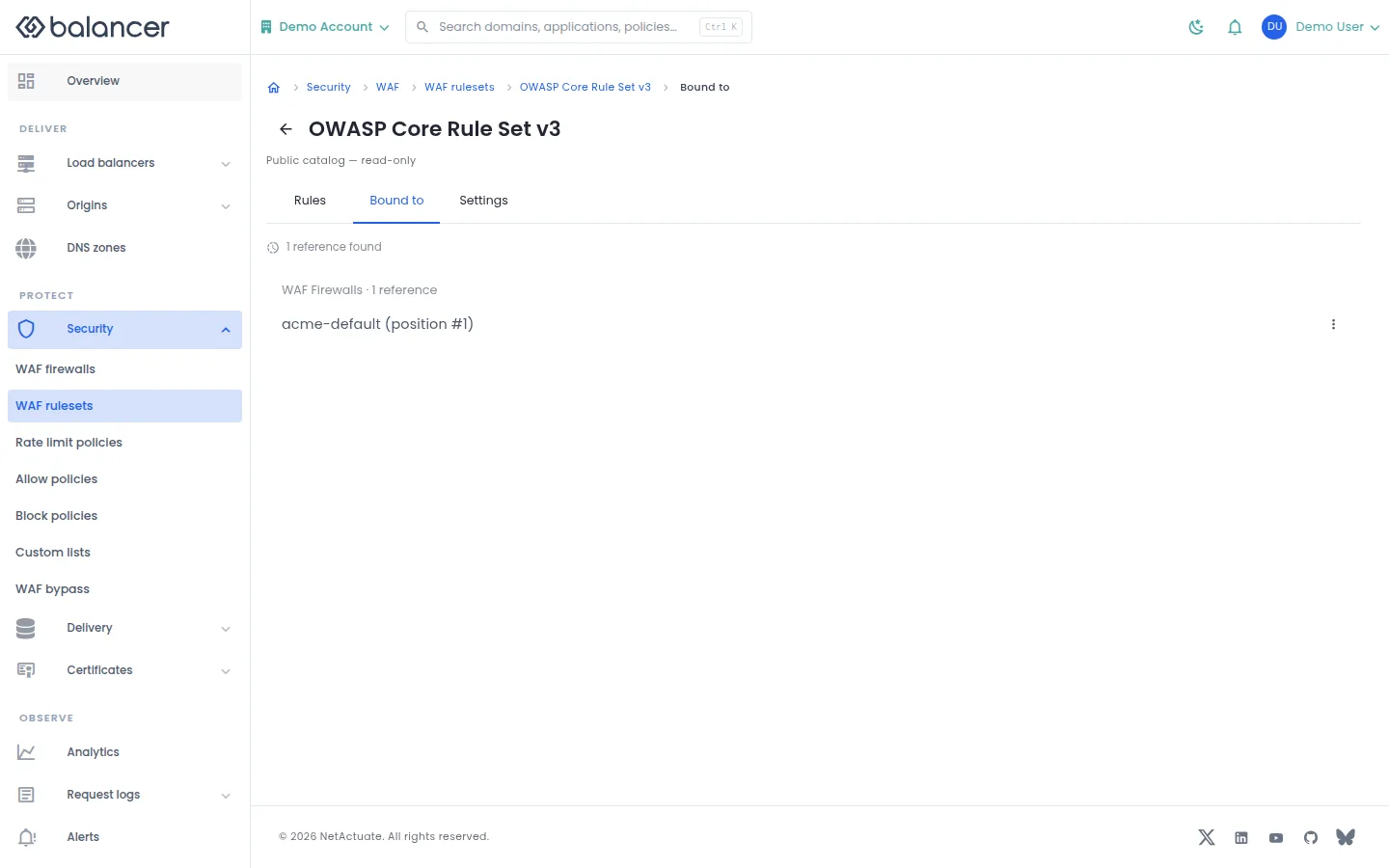
Inspect firewalls that bind a ruleset.
- Open a ruleset and select Bound to.
- Review its bindings before changing the ruleset. Open a firewall to verify its ruleset list.
Verify with the API
Use the API host shown in the Balancer portal in place of https://<your-api-host>. Set $BALANCER_API_KEY to your credential for this context. Set $WAF_RULESET_ID to the resource identifiers you want to inspect.
curl --fail-with-body --silent --show-error --request GET \
  --url "https://<your-api-host>/waf-rulesets/$WAF_RULESET_ID" \
  --header "x-api-key: $BALANCER_API_KEY"
Expect HTTP 200 with code set to 200. The response includes data.wafRulesetId, data.name, data.description, data.version. Compare the returned configuration with the screen. A successful configuration read does not verify that an edge has applied it.
API reference: Get one readable WAF ruleset.
Rate-limit policy overview
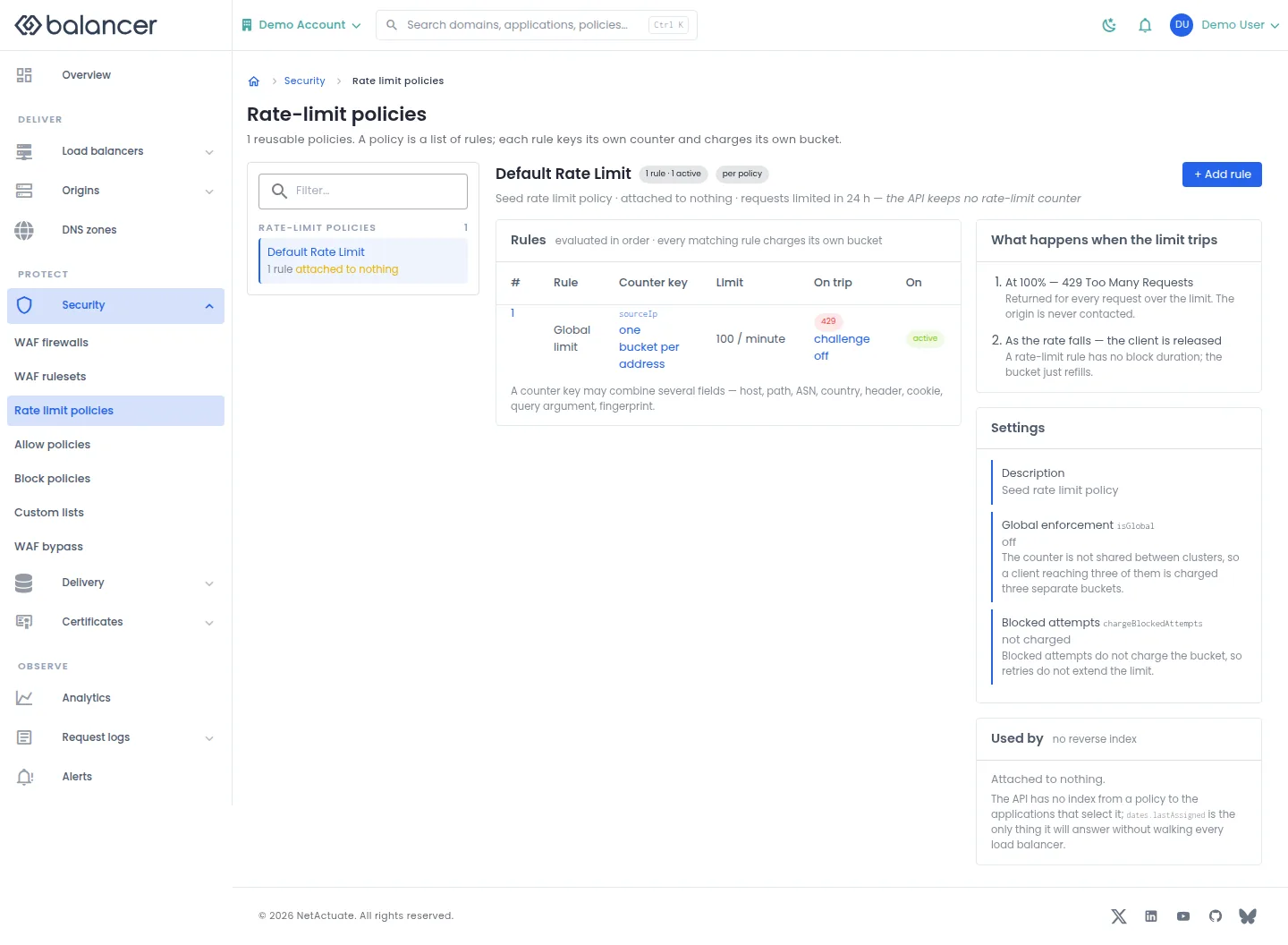
Inspect rules, counters, limits and actions in a reusable rate-limit policy.
- Open Security, then Rate limit policies, and select a policy.
- Select + Add rule to define a counter and limit. Submit the rule after reviewing its action.
- Verify Counter key, Limit, On trip and On. Check attachment separately in application or route settings.
| Field | Required | Description | Matching API field |
|---|---|---|---|
| Rule ID | Yes | At most 96 bytes; letters, numbers, dash, underscore, dot and colon. Validation: Rule ID is required. | rule.ruleId |
| Name | No | Up to 64 characters. | rule.name |
| Description | No | Up to 255 characters. | rule.description |
| Request Expression | Yes | Non-empty expression, up to 8192 bytes. Validation: Request expression is required. | rule.requestExpression |
| Bucket By | Yes | At least one field. Validation: Select at least one bucket field. | rule.bucketBy |
| **Source IP Network Prefix *** | For sourceIpNetwork | Prefix length, 0-128. | rule.bucketBy.prefix |
| Limit Amount | Yes | Must be greater than zero. | rule.limit.amount |
| Period (seconds) | No | 1-86400 seconds; API default is 1 second. | rule.limit.periodSeconds |
| Charge Blocked Attempts | No | Charge attempts after the rule trips. | rule.chargeBlockedAttempts |
| Challenge requests as this rule approaches its burst limit | No | Enable a threshold challenge modifier. | rule.challengeModifier |
| Adjustment | When using a modifier | Select modifier operation. | rule.challengeModifier.op |
| Challenge Aggressiveness | When using a modifier | 0-5. Validation: Challenge value must be between 0 and 5. | rule.challengeModifier.value |
| Threshold % | When using a modifier | Threshold for the modifier. | rule.challengeModifier.thresholdPercent |
| charge (JSON) | No | Valid JSON charge configuration. | rule.charge |
Verify with the API
Use the API host shown in the Balancer portal in place of https://<your-api-host>. Set $BALANCER_API_KEY to your credential for this context.
curl --fail-with-body --silent --show-error --request GET \
  --url "https://<your-api-host>/rate-limit-policies" \
  --header "x-api-key: $BALANCER_API_KEY"
Expect HTTP 200 with code set to 200. The response includes data.meta.total, data.meta.offset, data.meta.limit, data.meta.suggestedFilters. Compare the returned configuration with the screen. A successful configuration read does not verify that an edge has applied it.
API reference: List reusable rate-limit policies.
Rate-limit policy overview (alternate view 2)
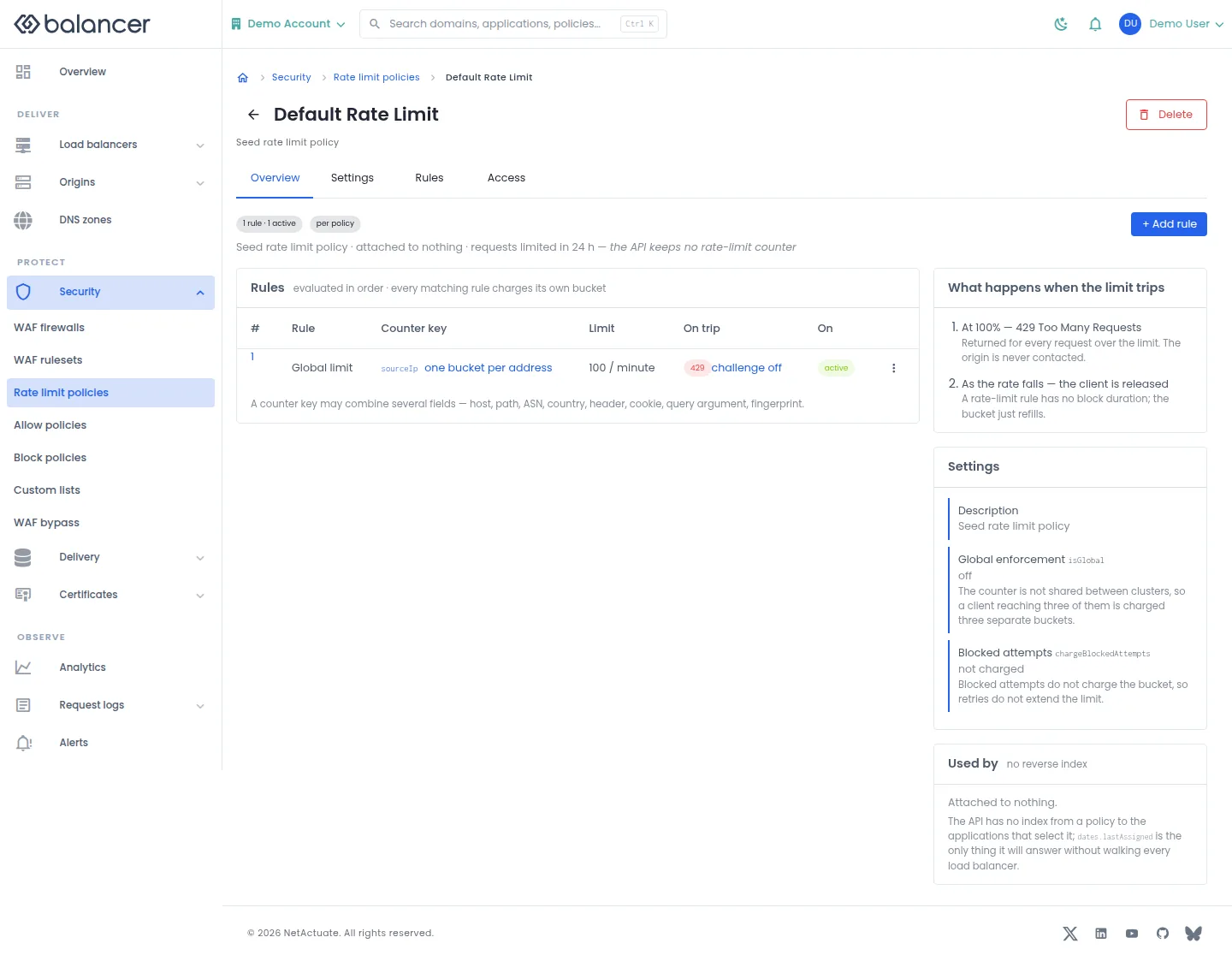
Inspect rules, counters, limits and actions in a reusable rate-limit policy.
- Open Security, then Rate limit policies, and select a policy.
- Select + Add rule to define a counter and limit. Submit the rule after reviewing its action.
- Verify Counter key, Limit, On trip and On. Check attachment separately in application or route settings.
| Field | Required | Description | Matching API field |
|---|---|---|---|
| Rule ID | Yes | At most 96 bytes; letters, numbers, dash, underscore, dot and colon. Validation: Rule ID is required. | rule.ruleId |
| Name | No | Up to 64 characters. | rule.name |
| Description | No | Up to 255 characters. | rule.description |
| Request Expression | Yes | Non-empty expression, up to 8192 bytes. Validation: Request expression is required. | rule.requestExpression |
| Bucket By | Yes | At least one field. Validation: Select at least one bucket field. | rule.bucketBy |
| **Source IP Network Prefix *** | For sourceIpNetwork | Prefix length, 0-128. | rule.bucketBy.prefix |
| Limit Amount | Yes | Must be greater than zero. | rule.limit.amount |
| Period (seconds) | No | 1-86400 seconds; API default is 1 second. | rule.limit.periodSeconds |
| Charge Blocked Attempts | No | Charge attempts after the rule trips. | rule.chargeBlockedAttempts |
| Challenge requests as this rule approaches its burst limit | No | Enable a threshold challenge modifier. | rule.challengeModifier |
| Adjustment | When using a modifier | Select modifier operation. | rule.challengeModifier.op |
| Challenge Aggressiveness | When using a modifier | 0-5. Validation: Challenge value must be between 0 and 5. | rule.challengeModifier.value |
| Threshold % | When using a modifier | Threshold for the modifier. | rule.challengeModifier.thresholdPercent |
| charge (JSON) | No | Valid JSON charge configuration. | rule.charge |
Verify with the API
Use the API host shown in the Balancer portal in place of https://<your-api-host>. Set $BALANCER_API_KEY to your credential for this context. Set $RATE_LIMIT_POLICY_ID to the resource identifiers you want to inspect.
curl --fail-with-body --silent --show-error --request GET \
  --url "https://<your-api-host>/rate-limit-policies/$RATE_LIMIT_POLICY_ID" \
  --header "x-api-key: $BALANCER_API_KEY"
Expect HTTP 200 with code set to 200. The response includes data.rateLimitPolicyId, data.name, data.description, data.version. Compare the returned configuration with the screen. A successful configuration read does not verify that an edge has applied it.
API reference: Return details of a reusable rate-limit policy.
Rate-limit rules
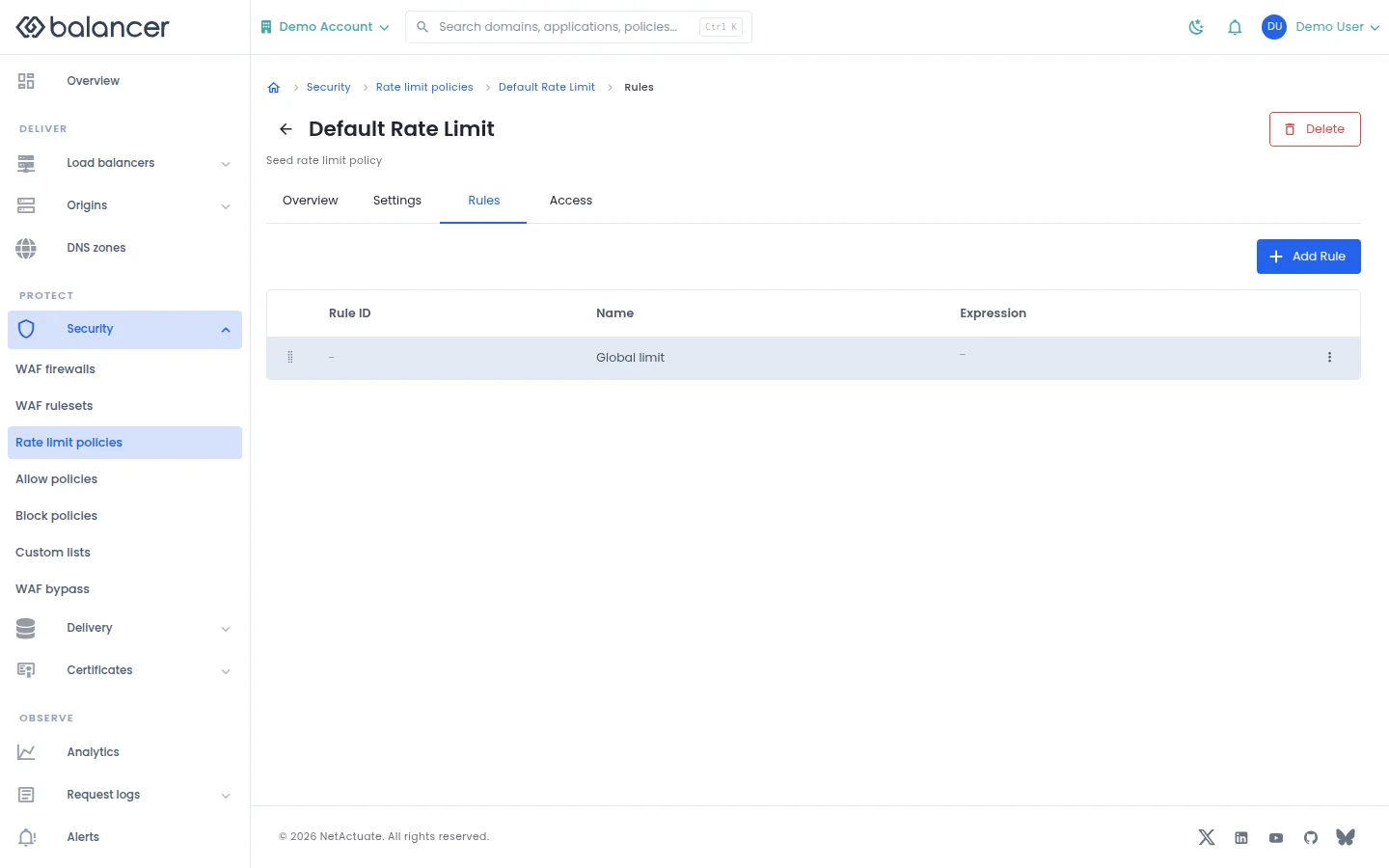
Manage individual rate-limit rules in a policy.
- Open a rate-limit policy and select Rules, then Add Rule.
- Enter the rule identifier, request expression, counter key and limit settings. Submit the form.
- Verify Rule ID, Name and Expression in the list.
| Field | Required | Description | Matching API field |
|---|---|---|---|
| Rule ID | Yes | At most 96 bytes; letters, numbers, dash, underscore, dot and colon. Validation: Rule ID is required. | rule.ruleId |
| Name | No | Up to 64 characters. | rule.name |
| Description | No | Up to 255 characters. | rule.description |
| Request Expression | Yes | Non-empty expression, up to 8192 bytes. Validation: Request expression is required. | rule.requestExpression |
| Bucket By | Yes | At least one field. Validation: Select at least one bucket field. | rule.bucketBy |
| **Source IP Network Prefix *** | For sourceIpNetwork | Prefix length, 0-128. | rule.bucketBy.prefix |
| Limit Amount | Yes | Must be greater than zero. | rule.limit.amount |
| Period (seconds) | No | 1-86400 seconds; API default is 1 second. | rule.limit.periodSeconds |
| Charge Blocked Attempts | No | Charge attempts after the rule trips. | rule.chargeBlockedAttempts |
| Challenge requests as this rule approaches its burst limit | No | Enable a threshold challenge modifier. | rule.challengeModifier |
| Adjustment | When using a modifier | Select modifier operation. | rule.challengeModifier.op |
| Challenge Aggressiveness | When using a modifier | 0-5. Validation: Challenge value must be between 0 and 5. | rule.challengeModifier.value |
| Threshold % | When using a modifier | Threshold for the modifier. | rule.challengeModifier.thresholdPercent |
| charge (JSON) | No | Valid JSON charge configuration. | rule.charge |
Verify with the API
Use the API host shown in the Balancer portal in place of https://<your-api-host>. Set $BALANCER_API_KEY to your credential for this context. Set $RATE_LIMIT_POLICY_ID to the resource identifiers you want to inspect.
curl --fail-with-body --silent --show-error --request GET \
  --url "https://<your-api-host>/rate-limit-policies/$RATE_LIMIT_POLICY_ID/rules" \
  --header "x-api-key: $BALANCER_API_KEY"
Expect HTTP 200 with code set to 200. The response includes data.meta.total, data.meta.offset, data.meta.limit, data.meta.suggestedFilters. Compare the returned configuration with the screen. A successful configuration read does not verify that an edge has applied it.
API reference: List rate-limit policy rules.
Rate-limit settings
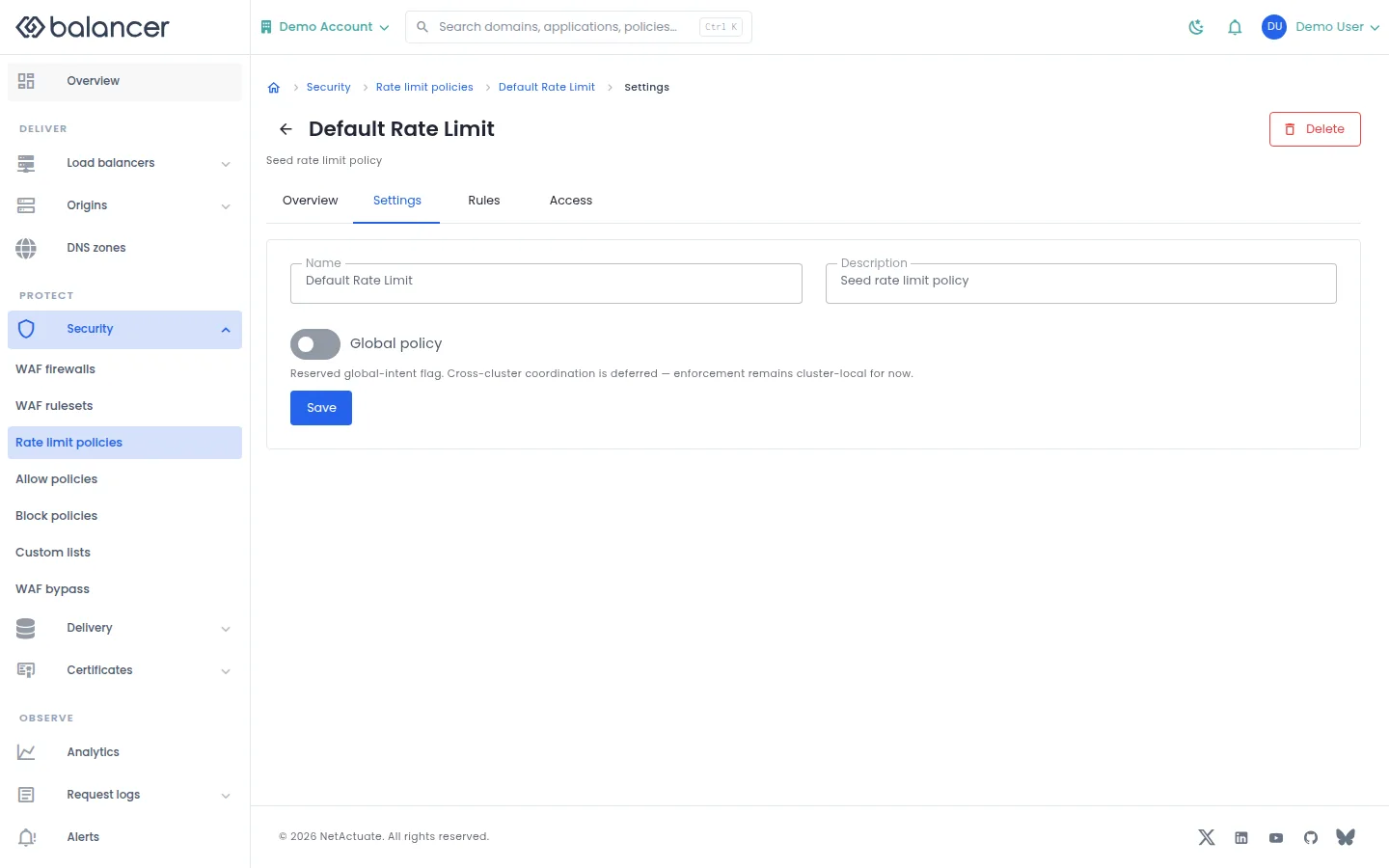
Edit policy metadata and whether the policy is global.
- Open the policy and select Settings.
- Edit Name, Description or Global policy, then select Save.
- Reload settings and verify the stored values.
| Field | Required | Description | Matching API field |
|---|---|---|---|
| Name | No | Up to 64 characters. | name |
| Description | No | Up to 255 characters. | description |
| Global policy | No | Global policy flag. | isGlobal |
API equivalent
Update rate-limit policy metadata. Use the API host shown in the Balancer portal in place of https://<your-api-host>. Set $BALANCER_API_KEY to your credential for this context. Set $RATE_LIMIT_POLICY_ID to the selected resources.
curl --fail-with-body --silent --show-error --request PATCH \
  --url "https://<your-api-host>/rate-limit-policies/$RATE_LIMIT_POLICY_ID" \
  --header "x-api-key: $BALANCER_API_KEY" \
  --header "Content-Type: application/json" \
  --data '{"description":"Request limits for example.com"}'
Expect HTTP 200 with code set to 200. The response acknowledges the stored change. Reopen the portal screen or run the read example below to verify it.
API reference: Update a reusable rate-limit policy.
Verify with the API
Use the API host shown in the Balancer portal in place of https://<your-api-host>. Set $BALANCER_API_KEY to your credential for this context. Set $RATE_LIMIT_POLICY_ID to the resource identifiers you want to inspect.
curl --fail-with-body --silent --show-error --request GET \
  --url "https://<your-api-host>/rate-limit-policies/$RATE_LIMIT_POLICY_ID" \
  --header "x-api-key: $BALANCER_API_KEY"
Expect HTTP 200 with code set to 200. The response includes data.rateLimitPolicyId, data.name, data.description, data.version. Compare the returned configuration with the screen. A successful configuration read does not verify that an edge has applied it.
API reference: Return details of a reusable rate-limit policy.
Resource access (alternate view 3)
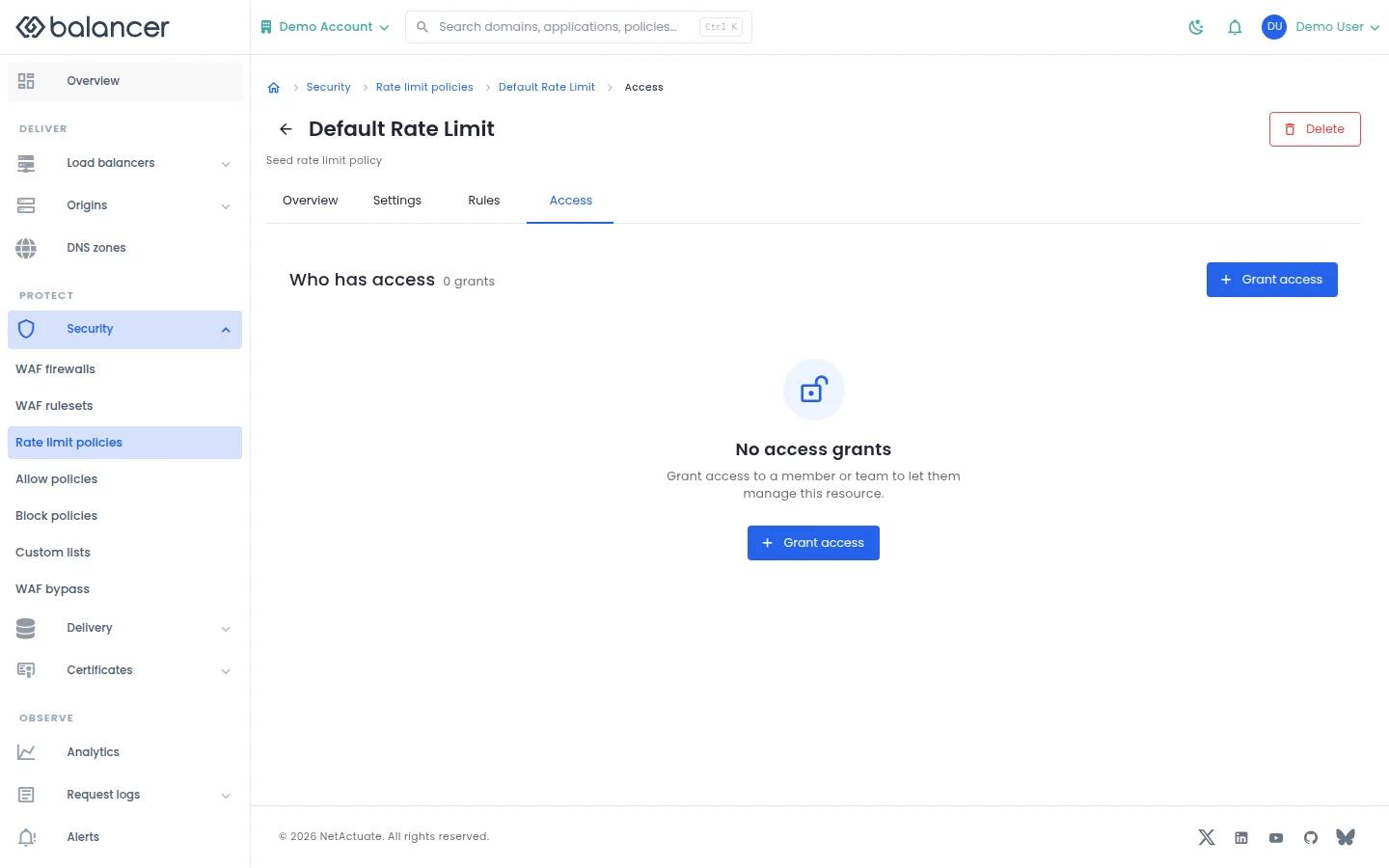
Grant a member or team access to the selected reusable object.
- Open the object and select Access where available. Select Grant access.
- Choose a grantee and access level, then submit.
- Verify the entry under Who has access.
| Field | Required | Description | Matching API field |
|---|---|---|---|
| Grantee | Yes | Choose a member or team and the corresponding identity. | grantee.granteeType, grantee.granteeId |
| Resource | Yes | Resource type and, for a single object, resource identity. | resource.resourceType, resource.resourceId |
| Access | Yes | read-only, write or admin. | access |
Verify with the API
Use the API host shown in the Balancer portal in place of https://<your-api-host>. Set $BALANCER_API_KEY to your credential for this context. Set $RATE_LIMIT_POLICY_ID to the resource identifiers you want to inspect.
curl --fail-with-body --silent --show-error --request GET \
  --url "https://<your-api-host>/rate-limit-policies/$RATE_LIMIT_POLICY_ID" \
  --header "x-api-key: $BALANCER_API_KEY"
Expect HTTP 200 with code set to 200. The response includes data.rateLimitPolicyId, data.name, data.description, data.version. Compare the returned configuration with the screen. A successful configuration read does not verify that an edge has applied it.
API reference: Return details of a reusable rate-limit policy.
Allow and block policy rules
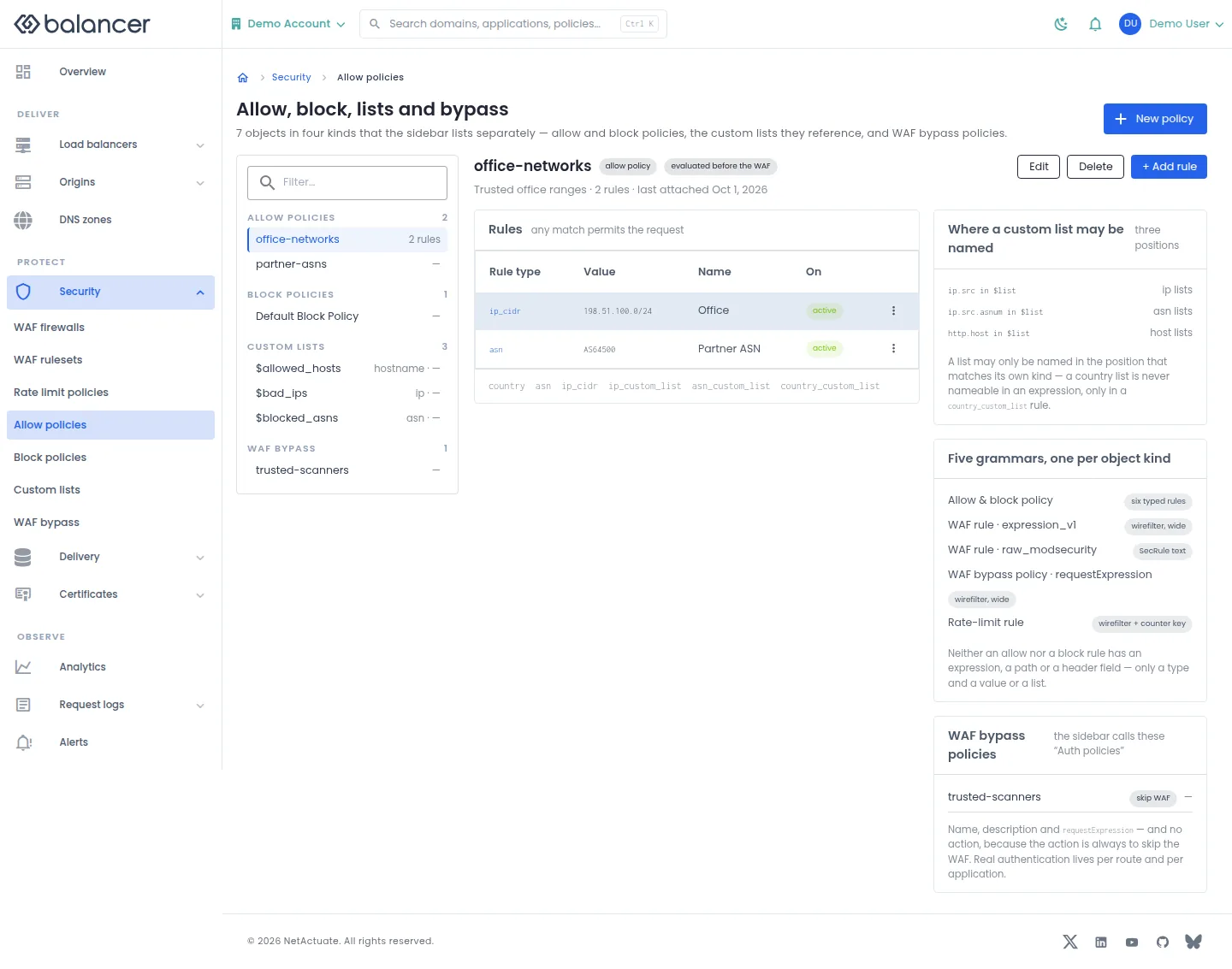
Maintain typed source rules in reusable allow or block policies.
- Open Security, then Allow policies or Block policies. Select the policy.
- Select Edit to change metadata, or + Add rule to add a rule. Choose Type and its value, then submit.
- Verify Rule type, Value and On in the list. Check application or route settings separately to verify attachment.
| Field | Required | Description | Matching API field |
|---|---|---|---|
| Name | No | Policy name, up to 64 characters. | name |
| Description (optional) | No | Up to 255 characters. | description |
| Type | Yes, for a rule | Select a source rule type. | rule.type |
| ASN | For ASN rules | Autonomous system number. | rule.value |
| IP CIDR | For IP rules | Valid IP network in CIDR form. | rule.value |
| Name (optional) | No | Optional rule name. | name (rule) |
| Country | For country rules | Select a country code. | rule.value |
| Custom list | For list-backed rules | Select a list of the matching kind. Validation: Select a custom list. | rule.customListId |
| Enabled | No | Enable or disable this rule. | rule.isDisabled |
API equivalent
Create an allow policy before adding rules. Use the API host shown in the Balancer portal in place of https://<your-api-host>. Set $BALANCER_API_KEY to your credential for this context.
curl --fail-with-body --silent --show-error --request POST \
  --url "https://<your-api-host>/allow-policies" \
  --header "x-api-key: $BALANCER_API_KEY" \
  --header "Content-Type: application/json" \
  --data '{"name":"example.com"}'
Expect HTTP 200 with code set to 200. The response acknowledges the stored change. Reopen the portal screen or run the read example below to verify it.
API reference: Create a reusable allow policy.
Verify with the API
Use the API host shown in the Balancer portal in place of https://<your-api-host>. Set $BALANCER_API_KEY to your credential for this context.
curl --fail-with-body --silent --show-error --request GET \
  --url "https://<your-api-host>/allow-policies" \
  --header "x-api-key: $BALANCER_API_KEY"
Expect HTTP 200 with code set to 200. The response includes data.meta.total, data.meta.offset, data.meta.limit, data.meta.suggestedFilters. Compare the returned configuration with the screen. A successful configuration read does not verify that an edge has applied it.
API reference: List reusable allow policies.
Allow and block policy rules (alternate view 2)
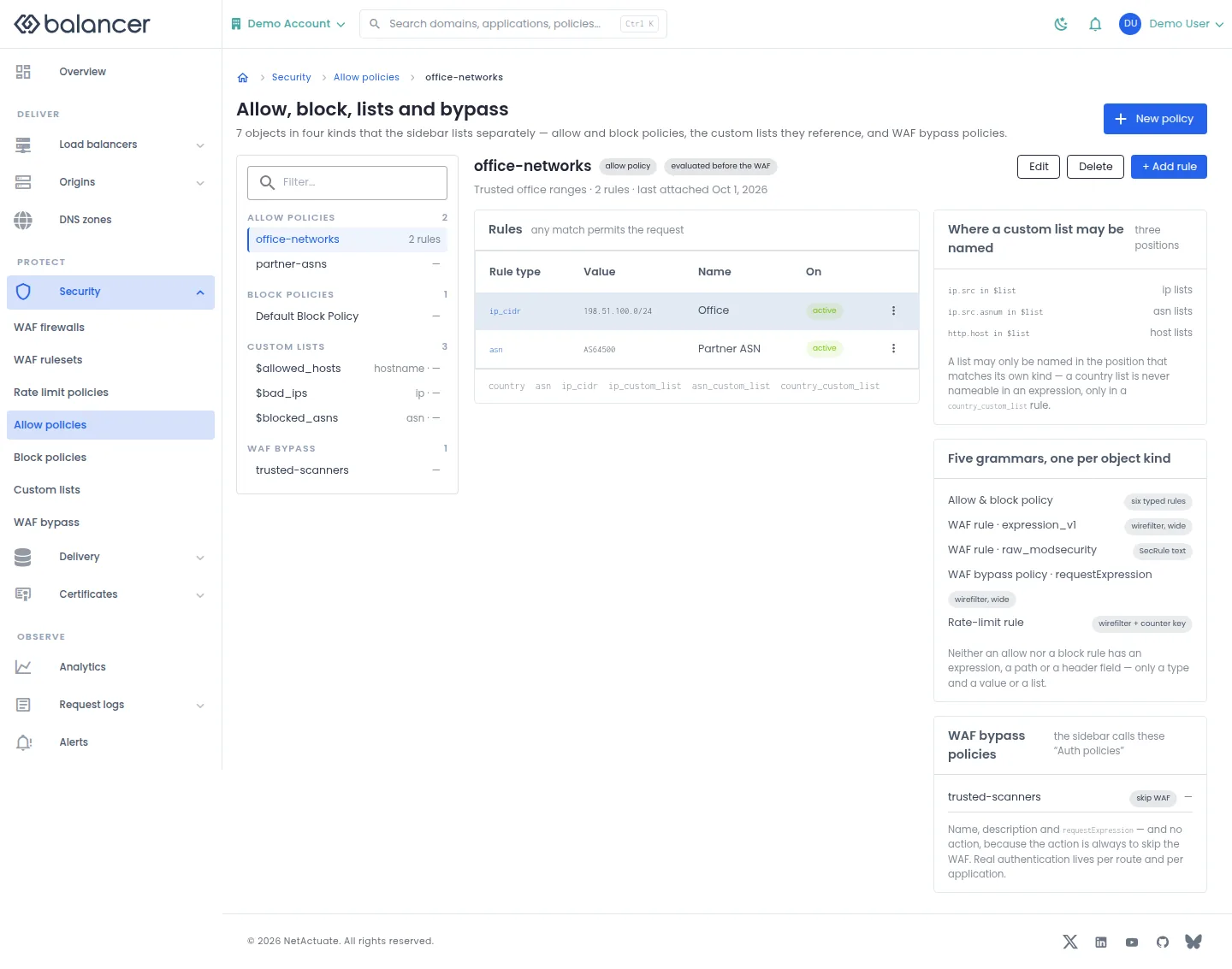
Maintain typed source rules in reusable allow or block policies.
- Open Security, then Allow policies or Block policies. Select the policy.
- Select Edit to change metadata, or + Add rule to add a rule. Choose Type and its value, then submit.
- Verify Rule type, Value and On in the list. Check application or route settings separately to verify attachment.
| Field | Required | Description | Matching API field |
|---|---|---|---|
| Name | No | Policy name, up to 64 characters. | name |
| Description (optional) | No | Up to 255 characters. | description |
| Type | Yes, for a rule | Select a source rule type. | rule.type |
| ASN | For ASN rules | Autonomous system number. | rule.value |
| IP CIDR | For IP rules | Valid IP network in CIDR form. | rule.value |
| Name (optional) | No | Optional rule name. | name (rule) |
| Country | For country rules | Select a country code. | rule.value |
| Custom list | For list-backed rules | Select a list of the matching kind. Validation: Select a custom list. | rule.customListId |
| Enabled | No | Enable or disable this rule. | rule.isDisabled |
Verify with the API
Use the API host shown in the Balancer portal in place of https://<your-api-host>. Set $BALANCER_API_KEY to your credential for this context. Set $ALLOW_POLICY_ID to the resource identifiers you want to inspect.
curl --fail-with-body --silent --show-error --request GET \
  --url "https://<your-api-host>/allow-policies/$ALLOW_POLICY_ID" \
  --header "x-api-key: $BALANCER_API_KEY"
Expect HTTP 200 with code set to 200. The response includes data.allowPolicyId, data.name, data.description, data.version. Compare the returned configuration with the screen. A successful configuration read does not verify that an edge has applied it.
API reference: Return details of a reusable allow policy.
Allow and block policy rules (alternate view 3)
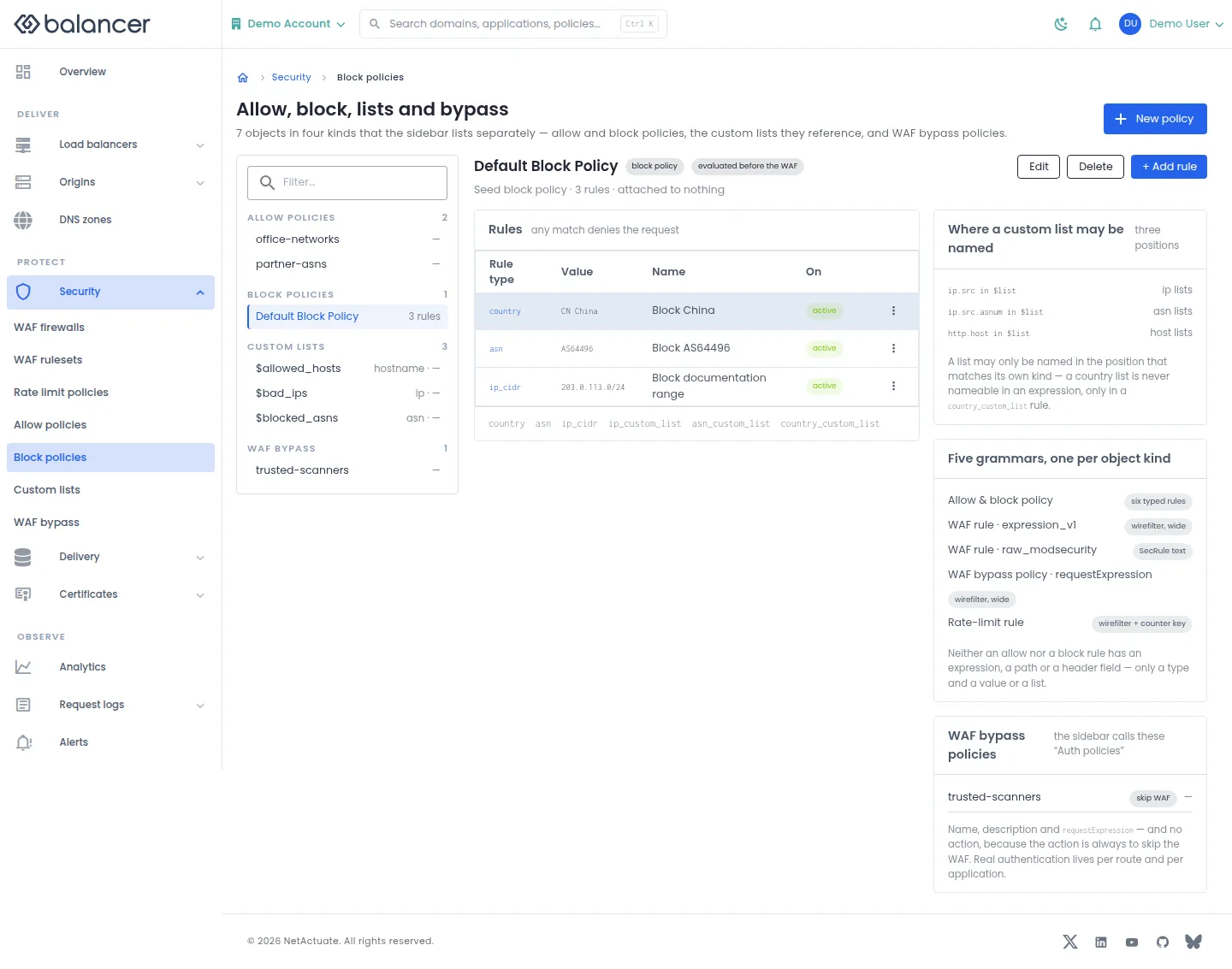
Maintain typed source rules in reusable allow or block policies.
- Open Security, then Allow policies or Block policies. Select the policy.
- Select Edit to change metadata, or + Add rule to add a rule. Choose Type and its value, then submit.
- Verify Rule type, Value and On in the list. Check application or route settings separately to verify attachment.
| Field | Required | Description | Matching API field |
|---|---|---|---|
| Name | No | Policy name, up to 64 characters. | name |
| Description (optional) | No | Up to 255 characters. | description |
| Type | Yes, for a rule | Select a source rule type. | rule.type |
| ASN | For ASN rules | Autonomous system number. | rule.value |
| IP CIDR | For IP rules | Valid IP network in CIDR form. | rule.value |
| Name (optional) | No | Optional rule name. | name (rule) |
| Country | For country rules | Select a country code. | rule.value |
| Custom list | For list-backed rules | Select a list of the matching kind. Validation: Select a custom list. | rule.customListId |
| Enabled | No | Enable or disable this rule. | rule.isDisabled |
API equivalent
Create a block policy before adding rules. Use the API host shown in the Balancer portal in place of https://<your-api-host>. Set $BALANCER_API_KEY to your credential for this context.
curl --fail-with-body --silent --show-error --request POST \
  --url "https://<your-api-host>/block-policies" \
  --header "x-api-key: $BALANCER_API_KEY" \
  --header "Content-Type: application/json" \
  --data '{"name":"example.com"}'
Expect HTTP 200 with code set to 200. The response acknowledges the stored change. Reopen the portal screen or run the read example below to verify it.
API reference: Create a reusable block policy.
Verify with the API
Use the API host shown in the Balancer portal in place of https://<your-api-host>. Set $BALANCER_API_KEY to your credential for this context.
curl --fail-with-body --silent --show-error --request GET \
  --url "https://<your-api-host>/block-policies" \
  --header "x-api-key: $BALANCER_API_KEY"
Expect HTTP 200 with code set to 200. The response includes data.meta.total, data.meta.offset, data.meta.limit, data.meta.suggestedFilters. Compare the returned configuration with the screen. A successful configuration read does not verify that an edge has applied it.
API reference: List reusable block policies.
Allow and block policy rules (alternate view 4)
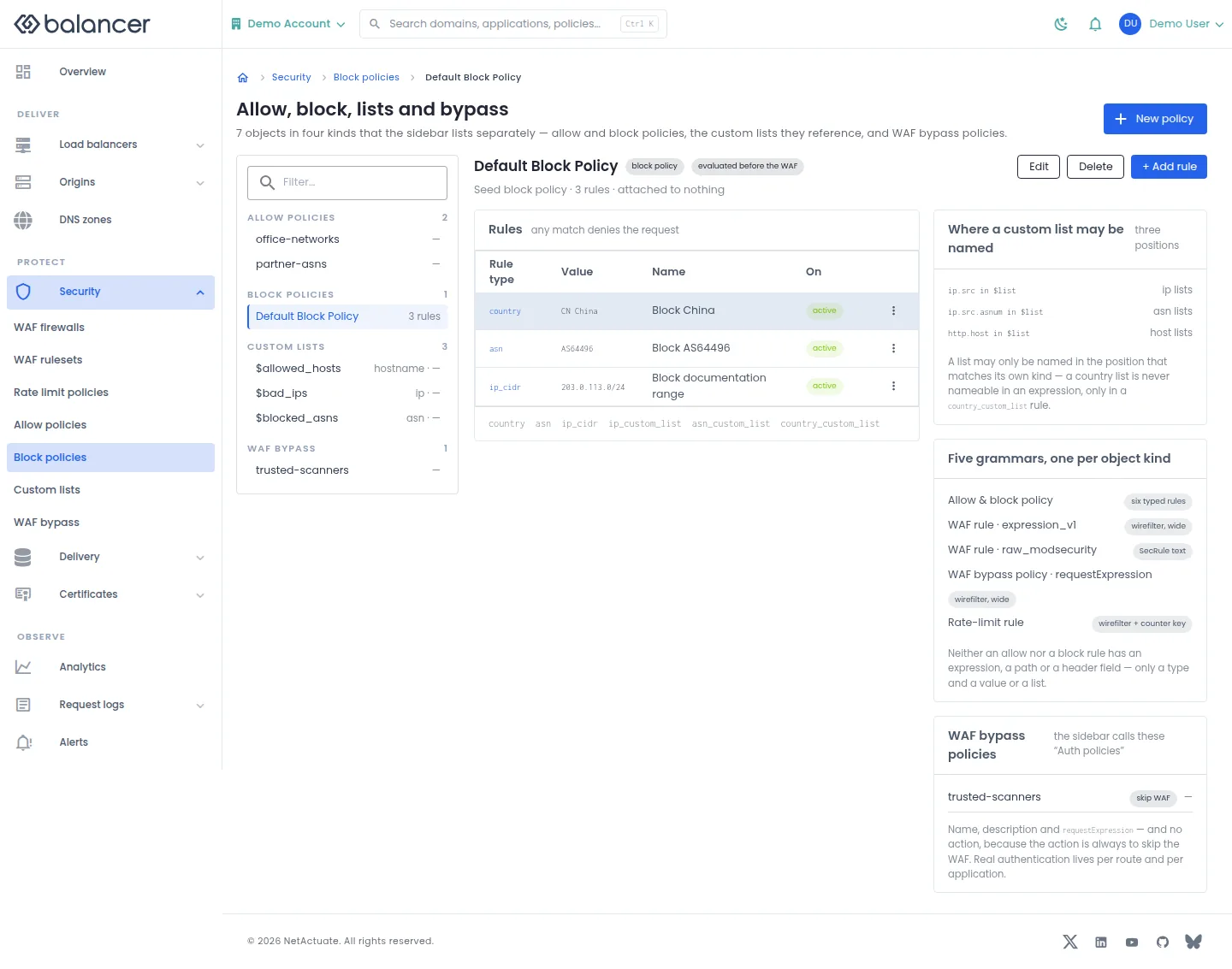
Maintain typed source rules in reusable allow or block policies.
- Open Security, then Allow policies or Block policies. Select the policy.
- Select Edit to change metadata, or + Add rule to add a rule. Choose Type and its value, then submit.
- Verify Rule type, Value and On in the list. Check application or route settings separately to verify attachment.
| Field | Required | Description | Matching API field |
|---|---|---|---|
| Name | No | Policy name, up to 64 characters. | name |
| Description (optional) | No | Up to 255 characters. | description |
| Type | Yes, for a rule | Select a source rule type. | rule.type |
| ASN | For ASN rules | Autonomous system number. | rule.value |
| IP CIDR | For IP rules | Valid IP network in CIDR form. | rule.value |
| Name (optional) | No | Optional rule name. | name (rule) |
| Country | For country rules | Select a country code. | rule.value |
| Custom list | For list-backed rules | Select a list of the matching kind. Validation: Select a custom list. | rule.customListId |
| Enabled | No | Enable or disable this rule. | rule.isDisabled |
Verify with the API
Use the API host shown in the Balancer portal in place of https://<your-api-host>. Set $BALANCER_API_KEY to your credential for this context. Set $BLOCK_POLICY_ID to the resource identifiers you want to inspect.
curl --fail-with-body --silent --show-error --request GET \
  --url "https://<your-api-host>/block-policies/$BLOCK_POLICY_ID" \
  --header "x-api-key: $BALANCER_API_KEY"
Expect HTTP 200 with code set to 200. The response includes data.blockPolicyId, data.name, data.description, data.version. Compare the returned configuration with the screen. A successful configuration read does not verify that an edge has applied it.
API reference: Return details of a reusable block policy.
Custom lists
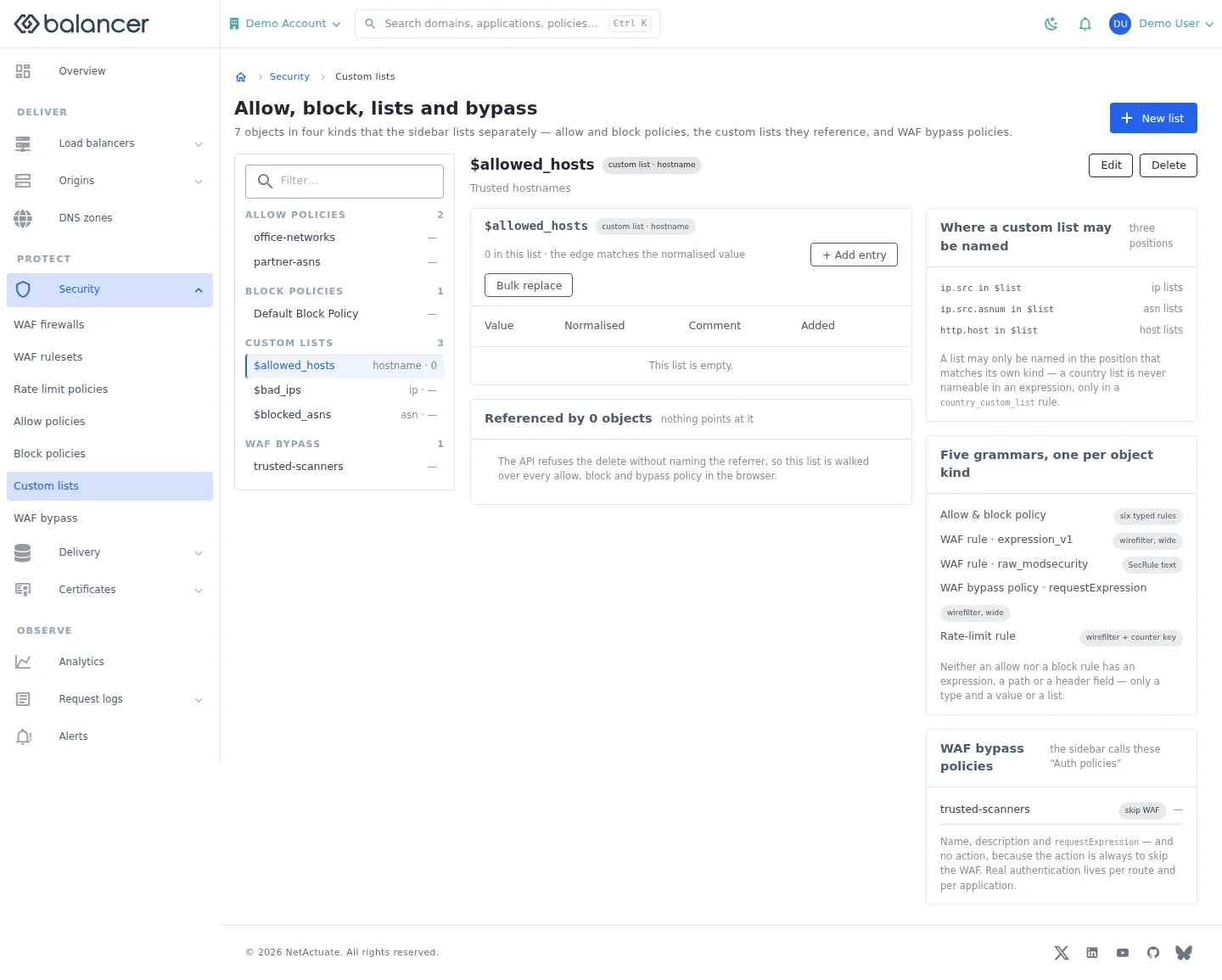
Maintain typed values referenced by policy rules and supported expressions.
- Open Security, then Custom lists. Select New list to create a list with Name, Kind and an optional description.
- Select a list, then + Add entry. Enter Value and optionally Comment (optional), then submit.
- Verify Value and Normalised. Use Bulk replace only when you intend to replace the list contents.
| Field | Required | Description | Matching API field |
|---|---|---|---|
| Name | Yes | Typed list name. | name |
| Kind | Yes, at creation | Select list value type. | kind |
| Description (optional) | No | Up to 255 characters. | description |
| Value | Yes, per entry | 1-255 characters. Validation: Value is required. | value |
| Comment (optional) | No | Up to 255 characters. | comment |
| Values (one per line) | For bulk replacement | Replaces the existing entries. | items |
Verify with the API
Use the API host shown in the Balancer portal in place of https://<your-api-host>. Set $BALANCER_API_KEY to your credential for this context.
curl --fail-with-body --silent --show-error --request GET \
  --url "https://<your-api-host>/custom-lists" \
  --header "x-api-key: $BALANCER_API_KEY"
Expect HTTP 200 with code set to 200. The response includes data.meta.total, data.meta.offset, data.meta.limit, data.meta.suggestedFilters. Compare the returned configuration with the screen. A successful configuration read does not verify that an edge has applied it.
API reference: List custom lists associated with your account.
Custom lists (alternate view 2)
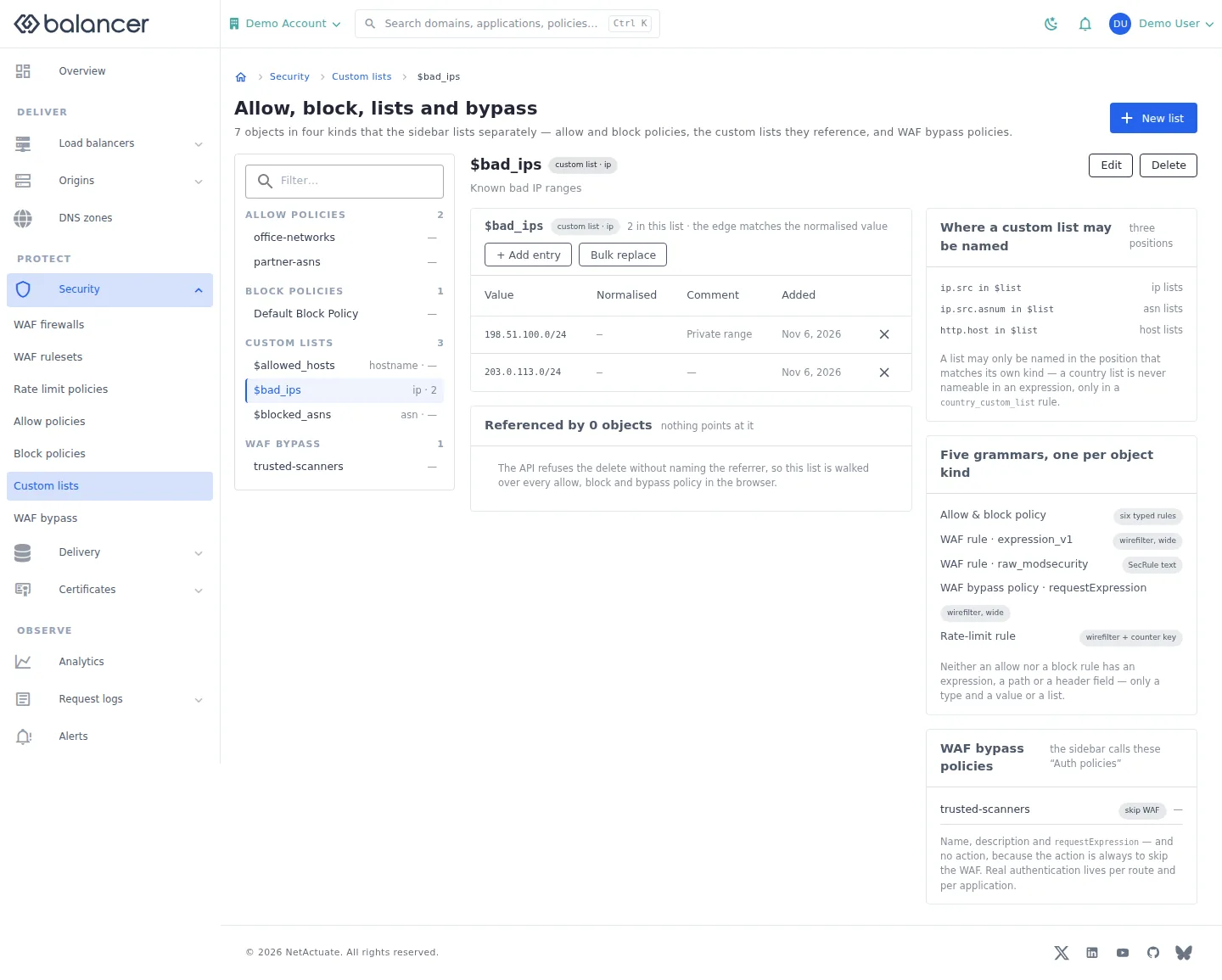
Maintain typed values referenced by policy rules and supported expressions.
- Open Security, then Custom lists. Select New list to create a list with Name, Kind and an optional description.
- Select a list, then + Add entry. Enter Value and optionally Comment (optional), then submit.
- Verify Value and Normalised. Use Bulk replace only when you intend to replace the list contents.
| Field | Required | Description | Matching API field |
|---|---|---|---|
| Name | Yes | Typed list name. | name |
| Kind | Yes, at creation | Select list value type. | kind |
| Description (optional) | No | Up to 255 characters. | description |
| Value | Yes, per entry | 1-255 characters. Validation: Value is required. | value |
| Comment (optional) | No | Up to 255 characters. | comment |
| Values (one per line) | For bulk replacement | Replaces the existing entries. | items |
Verify with the API
Use the API host shown in the Balancer portal in place of https://<your-api-host>. Set $BALANCER_API_KEY to your credential for this context. Set $CUSTOM_LIST_ID to the resource identifiers you want to inspect.
curl --fail-with-body --silent --show-error --request GET \
  --url "https://<your-api-host>/custom-lists/$CUSTOM_LIST_ID" \
  --header "x-api-key: $BALANCER_API_KEY"
Expect HTTP 200 with code set to 200. The response includes data.customListId, data.name, data.description, data.version. Compare the returned configuration with the screen. A successful configuration read does not verify that an edge has applied it.
API reference: Get custom list.
WAF bypass policies
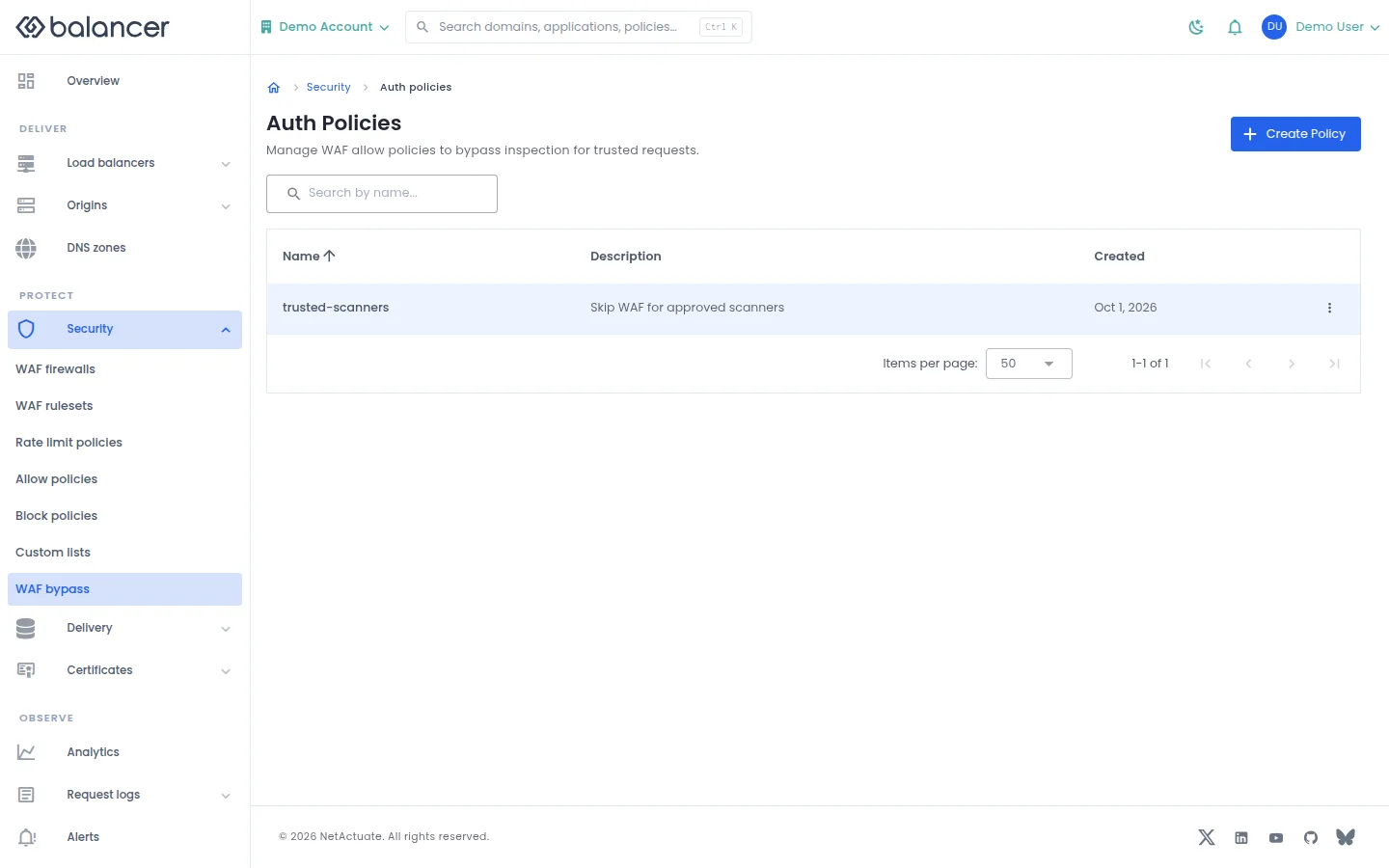
List policies whose matching requests bypass WAF inspection.
- Open Security, then WAF bypass.
- Select Create Policy, enter policy metadata and submit.
- Open the policy and verify its rules before attaching it.
| Field | Required | Description | Matching API field |
|---|---|---|---|
| Name | Yes | 1-64 characters. | name |
| Description (optional) | No | Up to 255 characters. | description |
Verify with the API
Use the API host shown in the Balancer portal in place of https://<your-api-host>. Set $BALANCER_API_KEY to your credential for this context.
curl --fail-with-body --silent --show-error --request GET \
  --url "https://<your-api-host>/waf-allow-policies" \
  --header "x-api-key: $BALANCER_API_KEY"
Expect HTTP 200 with code set to 200. The response includes data.meta.total, data.meta.offset, data.meta.limit, data.meta.suggestedFilters. Compare the returned configuration with the screen. A successful configuration read does not verify that an edge has applied it.
API reference: List reusable WAF allow policies.
WAF bypass policy
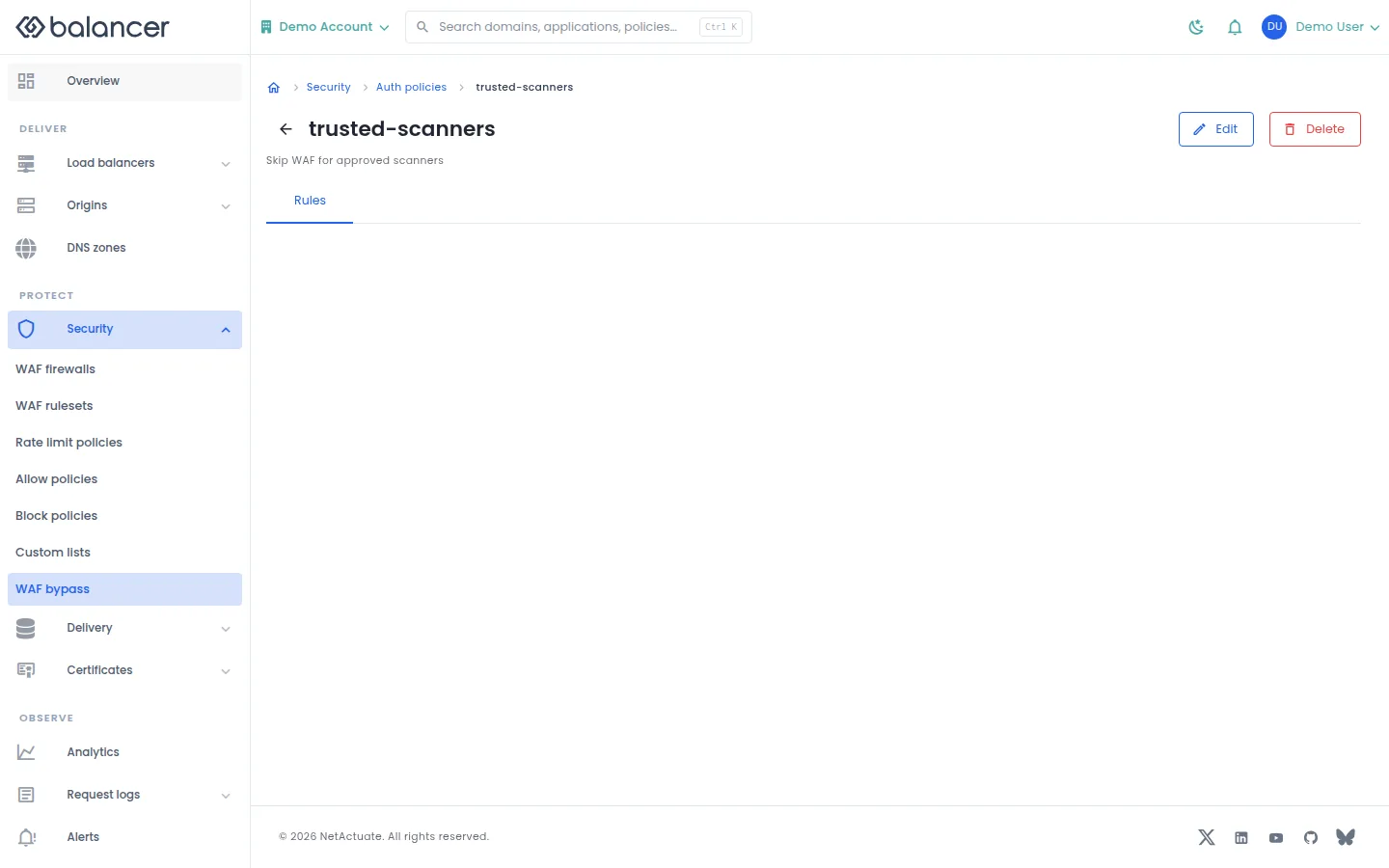
Review a bypass policy and open its rules.
- Open a policy under WAF bypass.
- Select Edit for metadata or Rules for request expressions. Verify changes after saving.
| Field | Required | Description | Matching API field |
|---|---|---|---|
| Name | Yes | 1-64 characters. | name |
| Description (optional) | No | Up to 255 characters. | description |
Verify with the API
Use the API host shown in the Balancer portal in place of https://<your-api-host>. Set $BALANCER_API_KEY to your credential for this context. Set $WAF_ALLOW_POLICY_ID to the resource identifiers you want to inspect.
curl --fail-with-body --silent --show-error --request GET \
  --url "https://<your-api-host>/waf-allow-policies/$WAF_ALLOW_POLICY_ID" \
  --header "x-api-key: $BALANCER_API_KEY"
Expect HTTP 200 with code set to 200. The response includes data.wafAllowPolicyId, data.name, data.description, data.version. Compare the returned configuration with the screen. A successful configuration read does not verify that an edge has applied it.
API reference: Return details of a reusable WAF allow policy.
WAF bypass rules
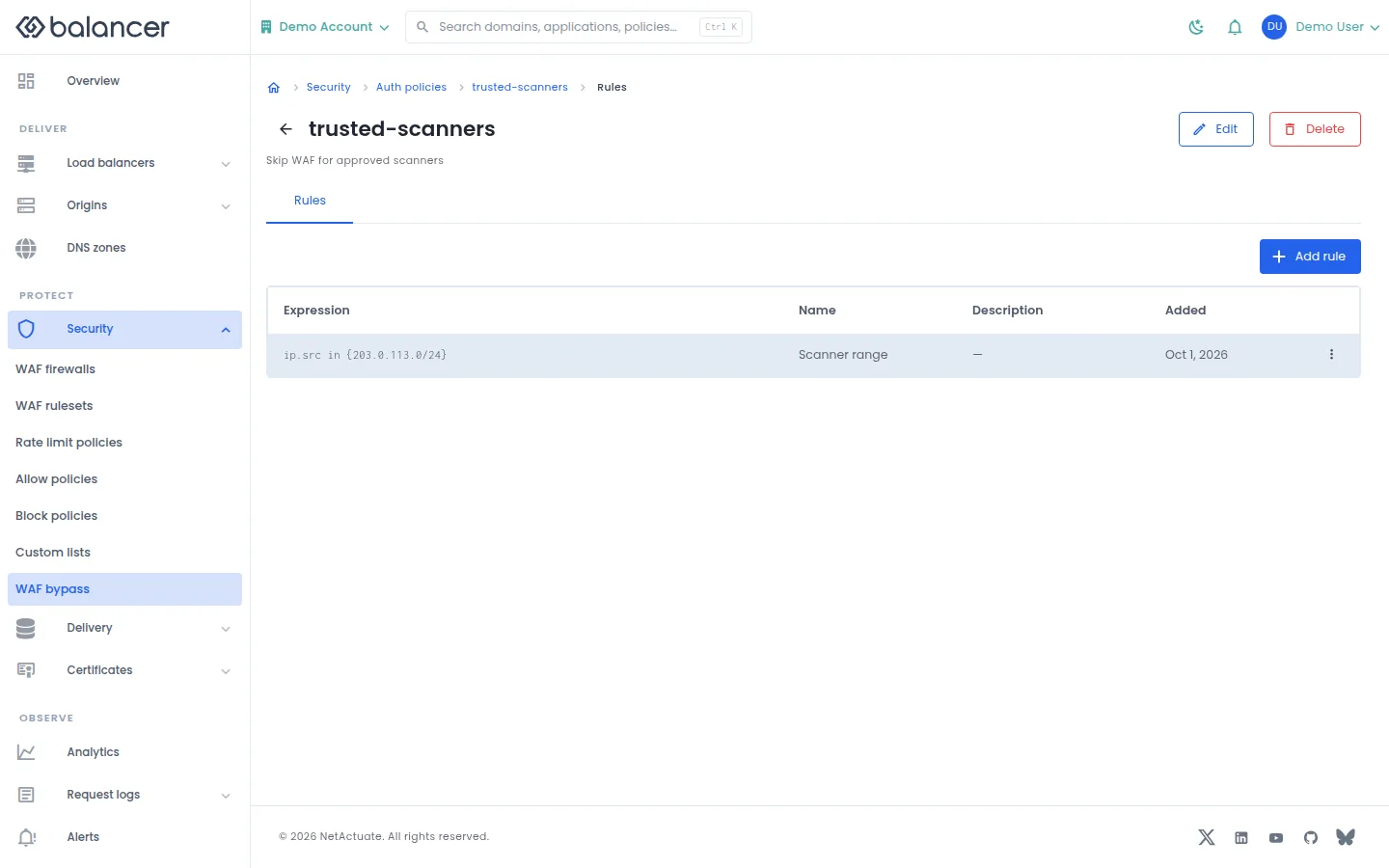
Manage request expressions that match the bypass policy.
- Open the policy and select Rules, then Add rule.
- Enter the expression and optional rule metadata, then submit.
- Verify Expression, Name and Description in the list.
| Field | Required | Description | Matching API field |
|---|---|---|---|
| Expression | Yes | Request matching expression. | requestExpression |
| Name | No | Optional rule name. | name |
| Description | No | Optional rule description. | description |
Verify with the API
Use the API host shown in the Balancer portal in place of https://<your-api-host>. Set $BALANCER_API_KEY to your credential for this context. Set $WAF_ALLOW_POLICY_ID to the resource identifiers you want to inspect.
curl --fail-with-body --silent --show-error --request GET \
  --url "https://<your-api-host>/waf-allow-policies/$WAF_ALLOW_POLICY_ID/rules" \
  --header "x-api-key: $BALANCER_API_KEY"
Expect HTTP 200 with code set to 200. The response includes data.meta.total, data.meta.offset, data.meta.limit, data.meta.suggestedFilters. Compare the returned configuration with the screen. A successful configuration read does not verify that an edge has applied it.
API reference: List rules for a WAF allow policy.
Related
- Task guide: waf.
- Task guide: rate limiting.
- Task guide: source policies.
- Task guide: waf allow.
- Concepts: policies.
- Delete a reusable allow policy after verifying it is not assigned.
- Delete a reusable block policy after verifying it is not assigned.
- Delete a reusable custom list after verifying it is not referenced.
- Delete a reusable rate-limit policy.
- Delete a reusable WAF allow policy after verifying it is not assigned.
- Delete a WAF firewall.
- Delete a private WAF ruleset.
- List reusable allow policies.
- Return details of a reusable allow policy.
- List reusable block policies.
- Return details of a reusable block policy.
- List custom lists associated with your account.
- Get custom list.
- List reusable rate-limit policies.
- Return details of a reusable rate-limit policy.
- List rate-limit policy rules.
- List reusable WAF allow policies.
- Return details of a reusable WAF allow policy.
- List rules for a WAF allow policy.
- List WAF firewalls associated with your account.
- Get WAF firewall.
- List managed-rule dearms for a WAF firewall.
- Returns the ordered list of ruleset bindings for a WAF firewall.
- List readable WAF rulesets,.
- Get one readable WAF ruleset.
- Returns the ordered list of readable WAF rules inside one ruleset.
- Update a reusable allow policy.
- Update a reusable block policy.
- Update a reusable custom list.
- Update a reusable rate-limit policy.
- Update a reusable WAF allow policy.
- Update a WAF firewall.
- Update a private WAF ruleset.
- Create a reusable allow policy.
- Create a reusable block policy.
- Create a reusable account-wide custom list.
- Create a reusable rate-limit policy.
- Create a rate-limit policy rule.
- Create a reusable WAF allow policy.
- Create a WAF allow-policy rule.
- Create a new WAF firewall.
- Create a managed-rule dearm on a WAF firewall.
- Create an ordered ruleset binding inside a WAF firewall.
- Create a new private WAF ruleset.
- Create an ordered WAF rule inside a private WAF ruleset.