Certificates
Use Certificates to request or upload SSL certificates, inspect DNS validation and manage client certificates for origin mTLS.
Note: Balancer is in beta. Endpoints, fields and behavior may change before general availability, and the feature must be enabled on your account before use. Contact your NetActuate account manager to request access.
Before you begin
Choose the account that owns the resources. Use a credential with write access when changing configuration.
SSL certificates
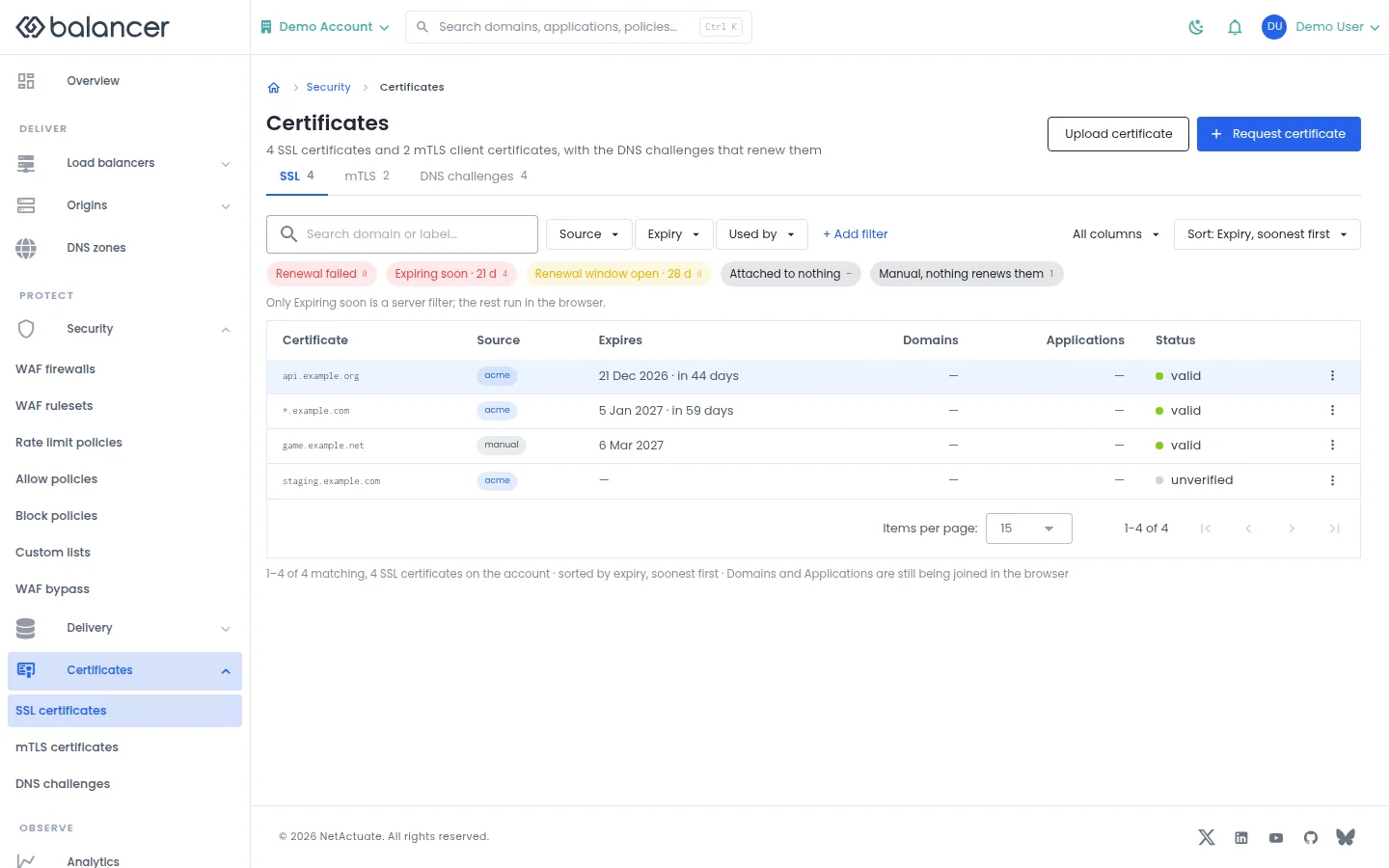
List certificates, expiry, domains, application usage and issuance status.
- Open Certificates, then SSL. Use Source, Expiry or Used by to narrow the list.
- Select Request certificate for managed issuance, or Upload certificate for your own certificate and private key. Complete the corresponding fields below.
- Verify the entry and Status. Open it to inspect issuance or renewal.
| Field | Required | Description | Matching API field |
|---|---|---|---|
| Domain | Yes, for issuance or upload | Non-empty domain name. Validation: Domain is required. | domain |
| Name | For upload | 1-64 characters; optional for managed issuance. | name |
| Description | No | Up to 255 characters. | description |
| Certificate (PEM) | For upload | Non-empty certificate. Validation: Certificate PEM is required. | certificate |
| Private Key (PEM) | For upload | Non-empty private key. Validation: Private key PEM is required. | privateKey |
| DNS Challenge Mode | No, for managed issuance | Managed or external DNS validation. | dnsChallengeMode |
API equivalent
Request managed issuance using external DNS validation. Publish the challenge displayed in DNS challenges and verify issuance separately. Use the API host shown in the Balancer portal in place of https://<your-api-host>. Set $BALANCER_API_KEY to your credential for this context.
curl --fail-with-body --silent --show-error --request POST \
  --url "https://<your-api-host>/ssl-certificates" \
  --header "x-api-key: $BALANCER_API_KEY" \
  --header "Content-Type: application/json" \
  --data '{"domain":"example.com","doLetsEncrypt":true,"dnsChallengeMode":"external"}'
Expect HTTP 200 with code set to 200. The response acknowledges the stored change. Reopen the portal screen or run the read example below to verify it.
API reference: Creates an SSL certificate.
Verify with the API
Use the API host shown in the Balancer portal in place of https://<your-api-host>. Set $BALANCER_API_KEY to your credential for this context.
curl --fail-with-body --silent --show-error --request GET \
  --url "https://<your-api-host>/ssl-certificates" \
  --header "x-api-key: $BALANCER_API_KEY"
Expect HTTP 200 with code set to 200. The response includes data.meta.total, data.meta.offset, data.meta.limit, data.meta.suggestedFilters. Compare the returned configuration with the screen. A successful configuration read does not verify that an edge has applied it.
API reference: List SSL certificates associated with your account.
SSL certificates (alternate view 2)
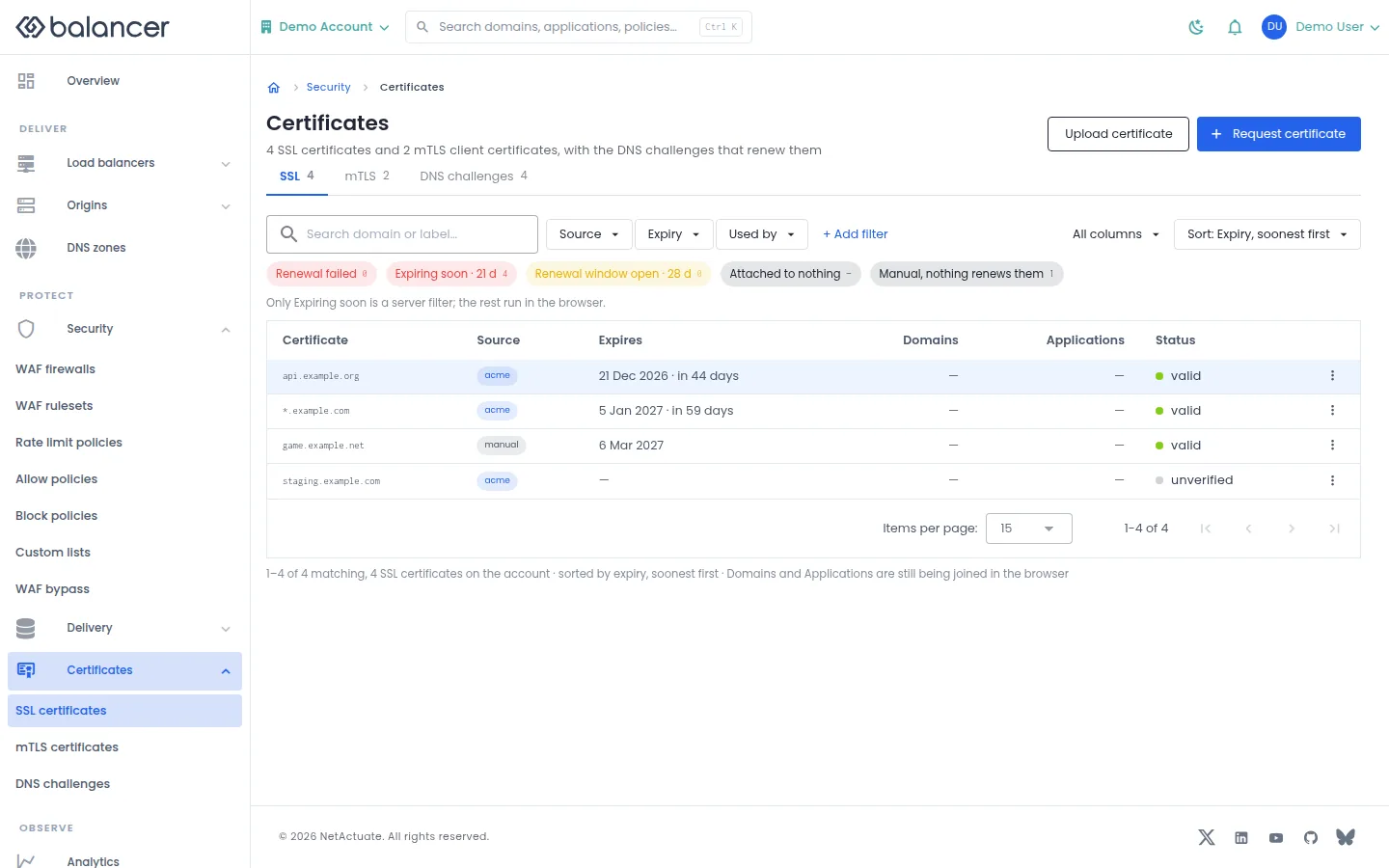
List certificates, expiry, domains, application usage and issuance status.
- Open Certificates, then SSL. Use Source, Expiry or Used by to narrow the list.
- Select Request certificate for managed issuance, or Upload certificate for your own certificate and private key. Complete the corresponding fields below.
- Verify the entry and Status. Open it to inspect issuance or renewal.
| Field | Required | Description | Matching API field |
|---|---|---|---|
| Domain | Yes, for issuance or upload | Non-empty domain name. Validation: Domain is required. | domain |
| Name | For upload | 1-64 characters; optional for managed issuance. | name |
| Description | No | Up to 255 characters. | description |
| Certificate (PEM) | For upload | Non-empty certificate. Validation: Certificate PEM is required. | certificate |
| Private Key (PEM) | For upload | Non-empty private key. Validation: Private key PEM is required. | privateKey |
| DNS Challenge Mode | No, for managed issuance | Managed or external DNS validation. | dnsChallengeMode |
Verify with the API
Use the API host shown in the Balancer portal in place of https://<your-api-host>. Set $BALANCER_API_KEY to your credential for this context.
curl --fail-with-body --silent --show-error --request GET \
  --url "https://<your-api-host>/ssl-certificates" \
  --header "x-api-key: $BALANCER_API_KEY"
Expect HTTP 200 with code set to 200. The response includes data.meta.total, data.meta.offset, data.meta.limit, data.meta.suggestedFilters. Compare the returned configuration with the screen. A successful configuration read does not verify that an edge has applied it.
API reference: List SSL certificates associated with your account.
SSL certificate details
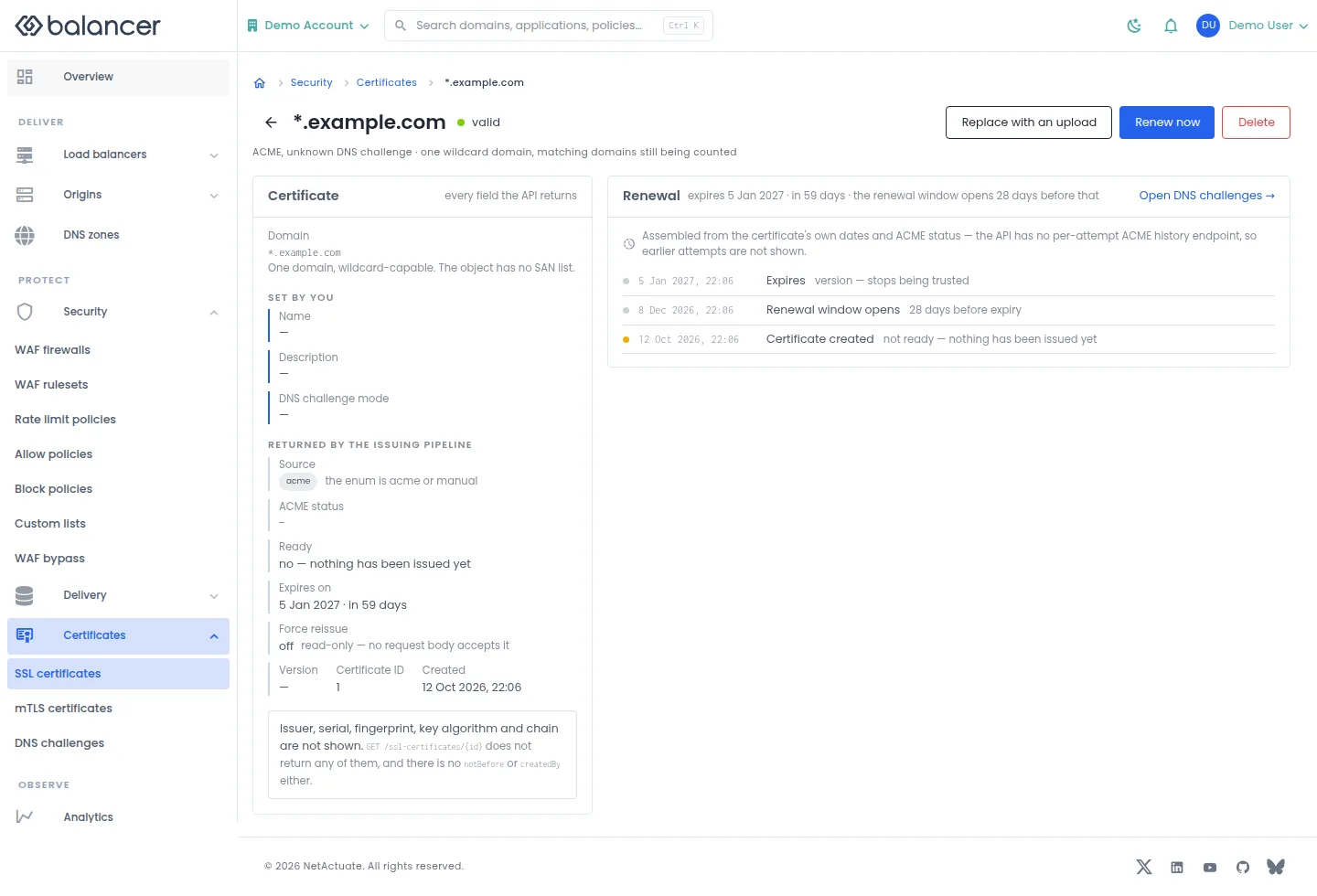
Inspect a certificate and its renewal state.
- Open a certificate from SSL. Review Certificate and Renewal.
- Select Renew now to request renewal, or Replace with an upload to replace certificate material. Review the result and reload the certificate.
- Before using Delete, check application usage and review the confirmation.
| Field | Required | Description | Matching API field |
|---|---|---|---|
| Domain | Yes, for issuance or upload | Non-empty domain name. Validation: Domain is required. | domain |
| Name | For upload | 1-64 characters; optional for managed issuance. | name |
| Description | No | Up to 255 characters. | description |
| Certificate (PEM) | For upload | Non-empty certificate. Validation: Certificate PEM is required. | certificate |
| Private Key (PEM) | For upload | Non-empty private key. Validation: Private key PEM is required. | privateKey |
| DNS Challenge Mode | No, for managed issuance | Managed or external DNS validation. | dnsChallengeMode |
Verify with the API
Use the API host shown in the Balancer portal in place of https://<your-api-host>. Set $BALANCER_API_KEY to your credential for this context. Set $SSL_CERTIFICATE_ID to the resource identifiers you want to inspect.
curl --fail-with-body --silent --show-error --request GET \
  --url "https://<your-api-host>/ssl-certificates/$SSL_CERTIFICATE_ID" \
  --header "x-api-key: $BALANCER_API_KEY"
Expect HTTP 200 with code set to 200. The response includes data.sslCertificateId, data.domain, data.name, data.description. Compare the returned configuration with the screen. A successful configuration read does not verify that an edge has applied it.
API reference: Get SSL certificate details.
DNS challenges
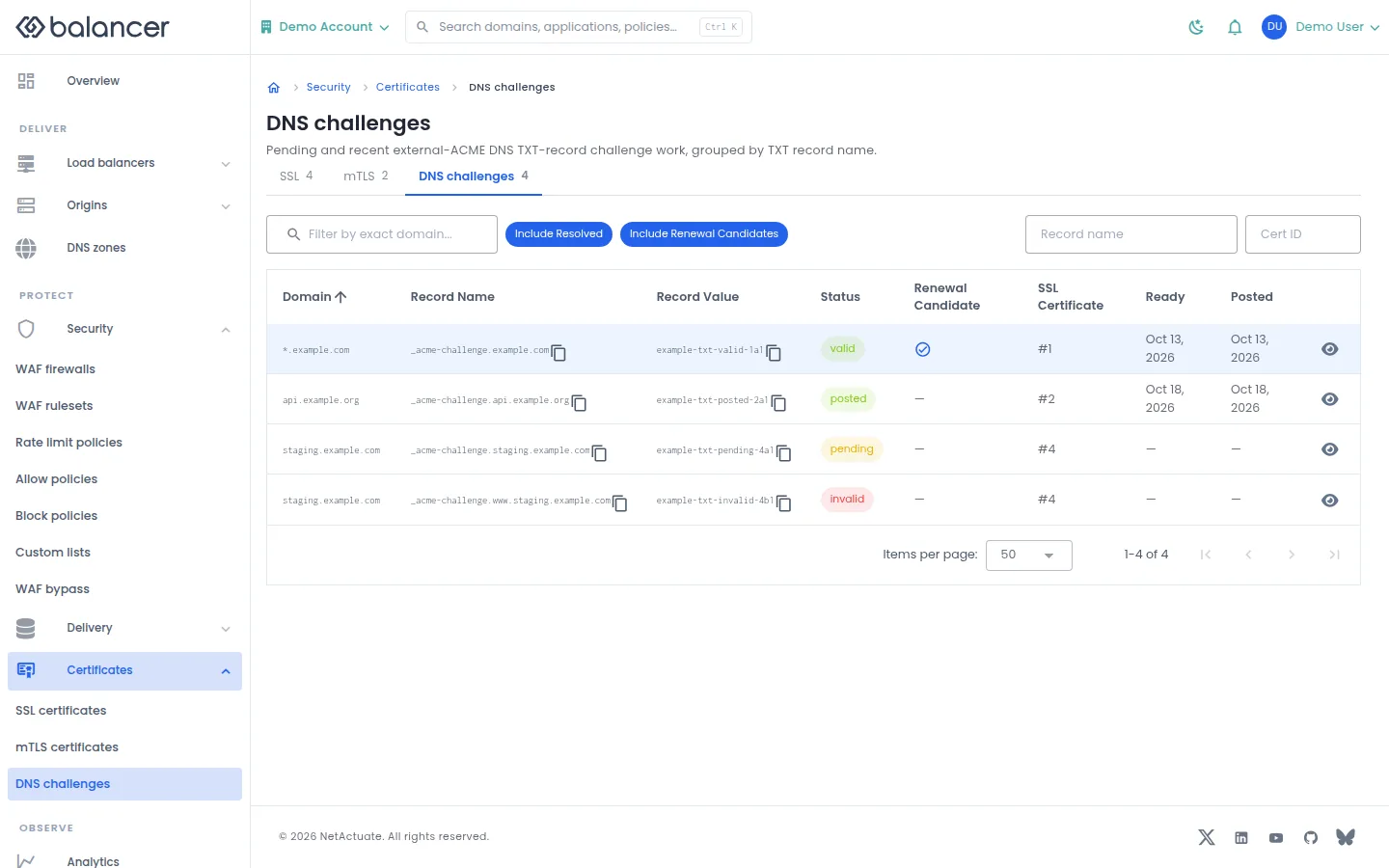
Inspect DNS records required for certificate validation.
- Open Certificates, then DNS challenges.
- Review Domain, Record Name, Record Value, Status and Posted.
- For external DNS validation, publish the displayed TXT record with your DNS provider. Return here and verify the validation state.
Verify with the API
Use the API host shown in the Balancer portal in place of https://<your-api-host>. Set $BALANCER_API_KEY to your credential for this context.
curl --fail-with-body --silent --show-error --request GET \
  --url "https://<your-api-host>/ssl-certificates/dns-challenges" \
  --header "x-api-key: $BALANCER_API_KEY"
Expect HTTP 200 with code set to 200. The response includes data.meta.renewalWindowDays, data.meta.expiringSoonWindowDays, data.meta.dnsChallengeMode, data.data[].recordName. Compare the returned configuration with the screen. A successful configuration read does not verify that an edge has applied it.
API reference: Returns external DNS ACME challenge work grouped by TXT record name.
mTLS certificates
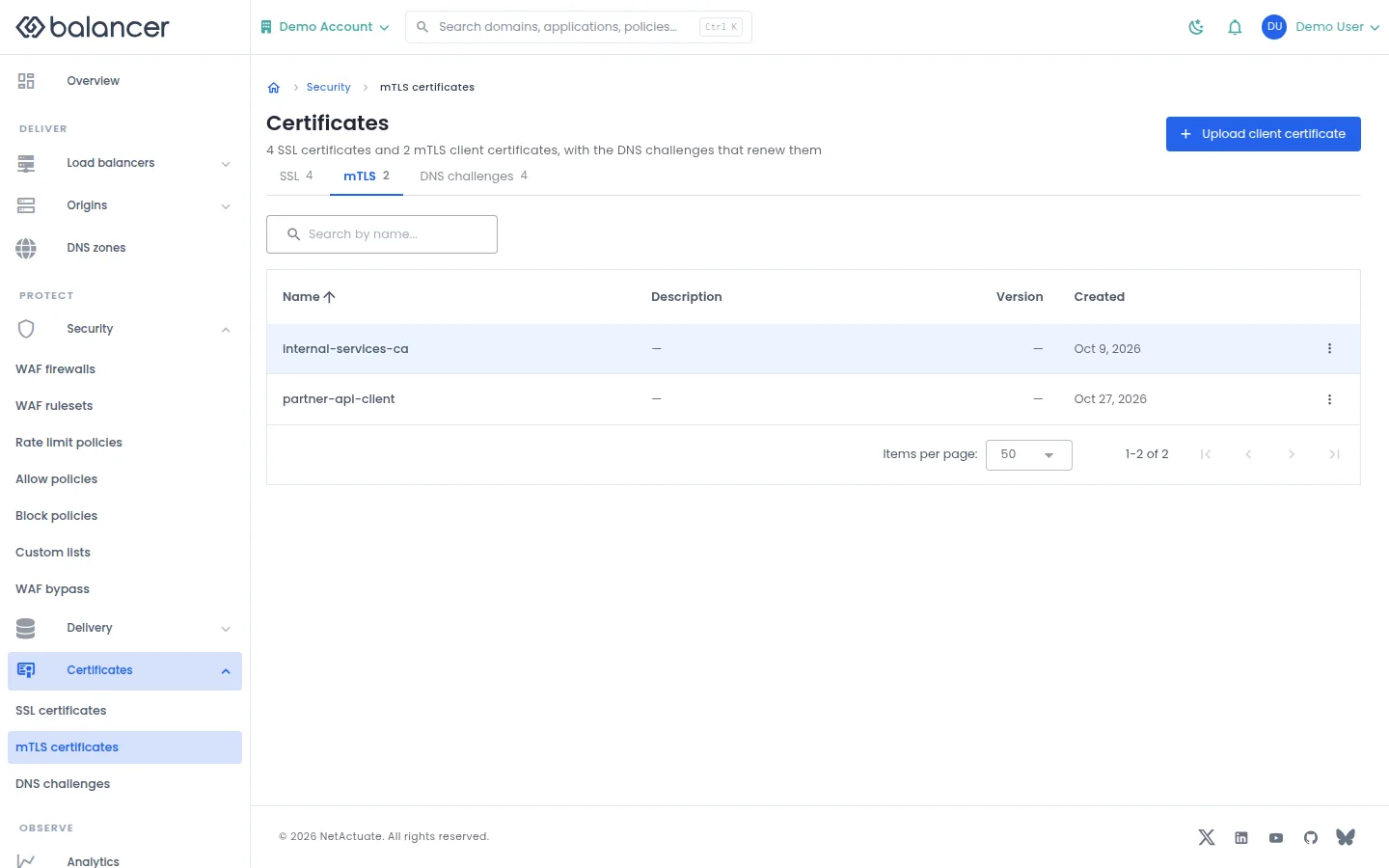
Manage client certificates presented to an origin that requires mutual TLS.
- Open Certificates, then mTLS. Select Upload client certificate.
- Enter Name, Client Certificate (PEM), Private Key (PEM) and optionally Description (optional). Select Upload Certificate.
- Verify the certificate appears. Select it in application settings when configuring TLS to the origin.
| Field | Required | Description | Matching API field |
|---|---|---|---|
| Name | Yes | 1-64 characters. | name |
| Description (optional) | No | Up to 255 characters. | description |
| Client Certificate (PEM) | Yes | Non-empty certificate. Validation: Certificate PEM is required. | certificate |
| Private Key (PEM) | Yes | Non-empty private key. Validation: Private key PEM is required. | privateKey |
Verify with the API
Use the API host shown in the Balancer portal in place of https://<your-api-host>. Set $BALANCER_API_KEY to your credential for this context.
curl --fail-with-body --silent --show-error --request GET \
  --url "https://<your-api-host>/mtls-certificates" \
  --header "x-api-key: $BALANCER_API_KEY"
Expect HTTP 200 with code set to 200. The response includes data.meta.total, data.meta.offset, data.meta.limit, data.meta.suggestedFilters. Compare the returned configuration with the screen. A successful configuration read does not verify that an edge has applied it.
API reference: List mTLS client certificates.
mTLS certificates (alternate view 2)
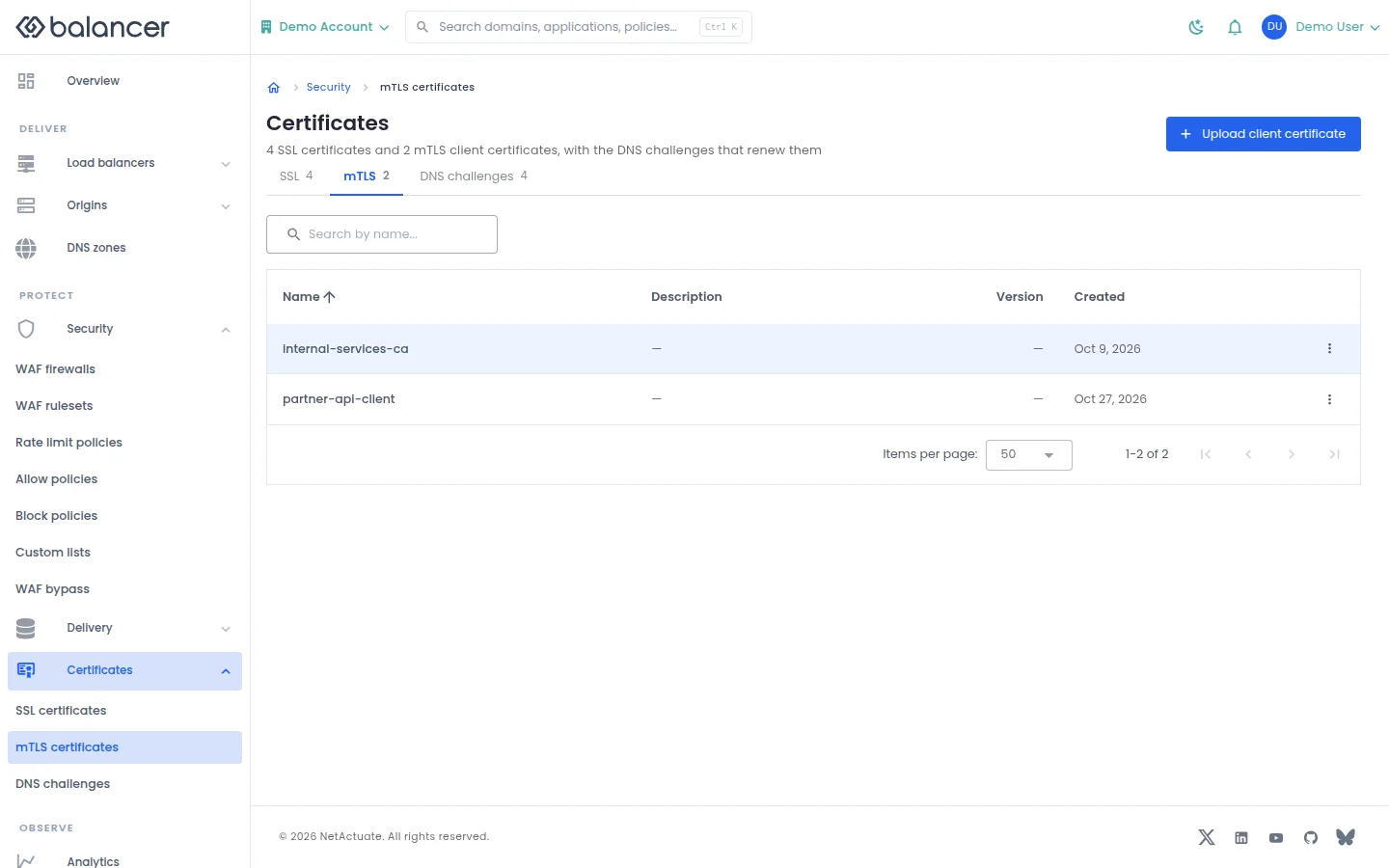
Manage client certificates presented to an origin that requires mutual TLS.
- Open Certificates, then mTLS. Select Upload client certificate.
- Enter Name, Client Certificate (PEM), Private Key (PEM) and optionally Description (optional). Select Upload Certificate.
- Verify the certificate appears. Select it in application settings when configuring TLS to the origin.
| Field | Required | Description | Matching API field |
|---|---|---|---|
| Name | Yes | 1-64 characters. | name |
| Description (optional) | No | Up to 255 characters. | description |
| Client Certificate (PEM) | Yes | Non-empty certificate. Validation: Certificate PEM is required. | certificate |
| Private Key (PEM) | Yes | Non-empty private key. Validation: Private key PEM is required. | privateKey |
Verify with the API
Use the API host shown in the Balancer portal in place of https://<your-api-host>. Set $BALANCER_API_KEY to your credential for this context.
curl --fail-with-body --silent --show-error --request GET \
  --url "https://<your-api-host>/mtls-certificates" \
  --header "x-api-key: $BALANCER_API_KEY"
Expect HTTP 200 with code set to 200. The response includes data.meta.total, data.meta.offset, data.meta.limit, data.meta.suggestedFilters. Compare the returned configuration with the screen. A successful configuration read does not verify that an edge has applied it.
API reference: List mTLS client certificates.
mTLS certificate details
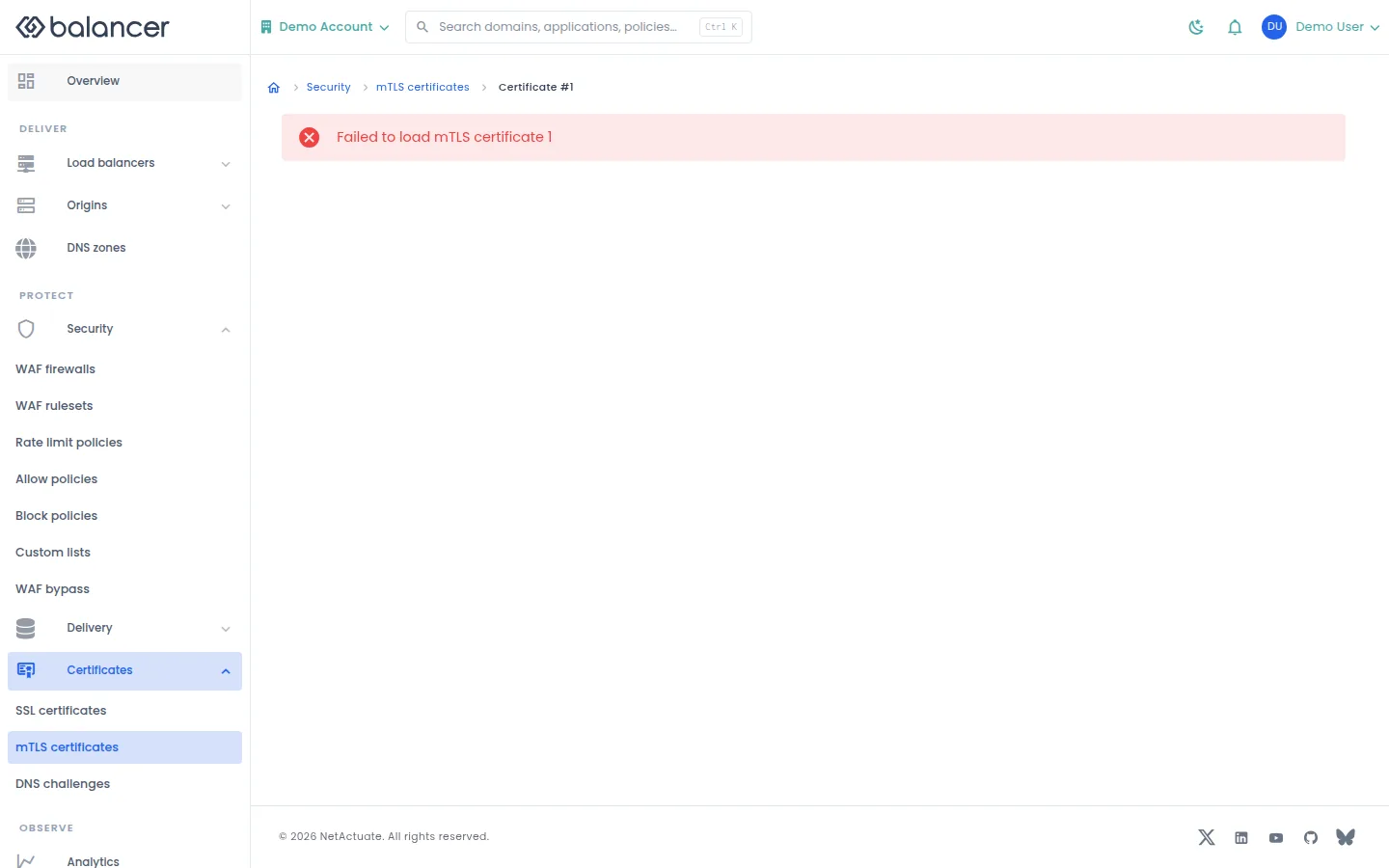
Inspect an individual mTLS certificate. If no details load, return to the list and retry.
- Open Certificates, then mTLS, and select the certificate.
- Verify its metadata against the certificate you uploaded. Do not interpret an empty detail view as a successful upload.
Verify with the API
Use the API host shown in the Balancer portal in place of https://<your-api-host>. Set $BALANCER_API_KEY to your credential for this context. Set $MTLS_CERTIFICATE_ID to the resource identifiers you want to inspect.
curl --fail-with-body --silent --show-error --request GET \
  --url "https://<your-api-host>/mtls-certificates/$MTLS_CERTIFICATE_ID" \
  --header "x-api-key: $BALANCER_API_KEY"
Expect HTTP 200 with code set to 200. The response includes data.mtlsCertificateId, data.name, data.description, data.version. Compare the returned configuration with the screen. A successful configuration read does not verify that an edge has applied it.
API reference: Get mTLS client certificate.
Related
- Task guide: tls certificates.
- Task guide: mtls.
- Concepts: tls.
- Delete an mTLS client certificate.
- Delete an SSL certificate.
- List mTLS client certificates.
- Get mTLS client certificate.
- List SSL certificates associated with your account.
- Returns external DNS ACME challenge work grouped by TXT record name.
- Get SSL certificate details.
- Update an SSL certificate.
- Upload an mTLS client certificate and private key.
- Creates an SSL certificate.