Delivery
Use Delivery to manage cache policies, image transforms and reusable error documents.
Note: Balancer is in beta. Endpoints, fields and behavior may change before general availability, and the feature must be enabled on your account before use. Contact your NetActuate account manager to request access.
Cache policy overview
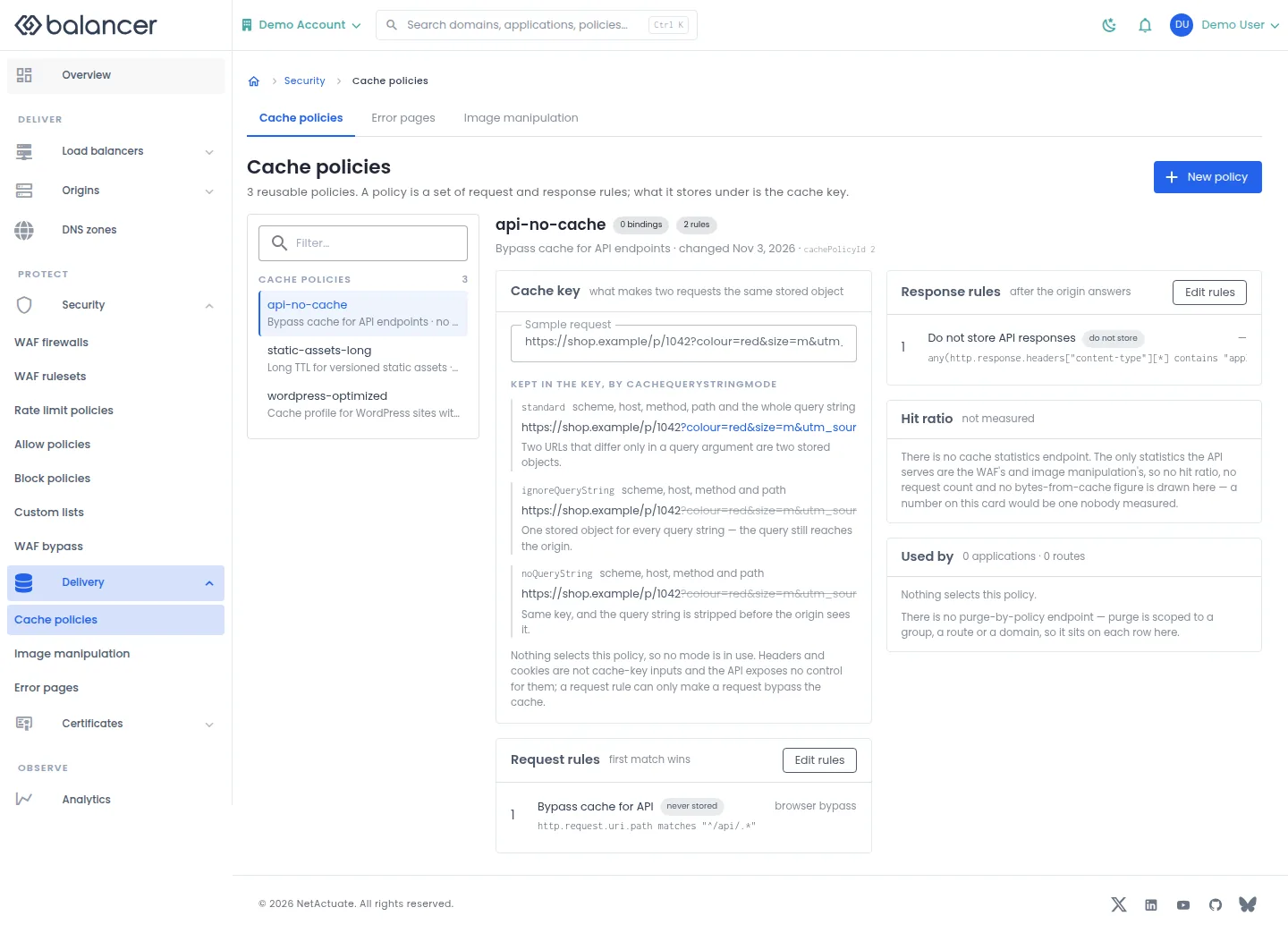
Inspect a reusable cache policy and its request and response rules.
- Open Delivery, then Cache policies, and select a policy.
- Use Sample request to inspect the policy preview.
- Select Edit rules, Request Rules or Response Rules to manage the matching stage. Verify attachment in application or route settings.
Verify with the API
Use the API host shown in the Balancer portal in place of https://<your-api-host>. Set $BALANCER_API_KEY to your credential for this context.
curl --fail-with-body --silent --show-error --request GET \
  --url "https://<your-api-host>/cache-policies" \
  --header "x-api-key: $BALANCER_API_KEY"
Expect HTTP 200 with code set to 200. The response includes data.meta.total, data.meta.offset, data.meta.limit, data.meta.suggestedFilters. Compare the returned configuration with the screen. A successful configuration read does not verify that an edge has applied it.
API reference: List cache policies associated with your account.
Cache policy overview (alternate view 2)
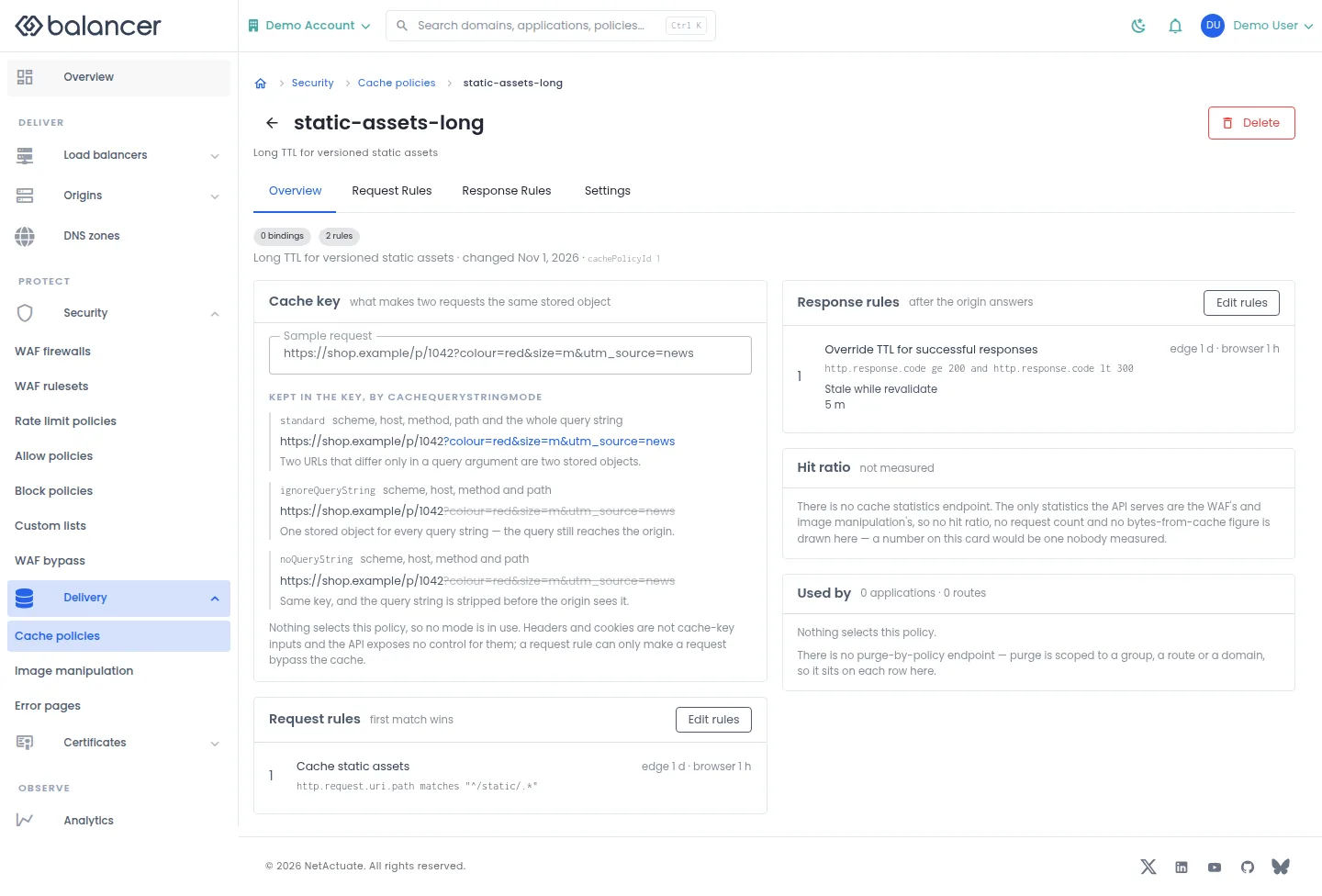
Inspect a reusable cache policy and its request and response rules.
- Open Delivery, then Cache policies, and select a policy.
- Use Sample request to inspect the policy preview.
- Select Edit rules, Request Rules or Response Rules to manage the matching stage. Verify attachment in application or route settings.
Verify with the API
Use the API host shown in the Balancer portal in place of https://<your-api-host>. Set $BALANCER_API_KEY to your credential for this context. Set $CACHE_POLICY_ID to the resource identifiers you want to inspect.
curl --fail-with-body --silent --show-error --request GET \
  --url "https://<your-api-host>/cache-policies/$CACHE_POLICY_ID" \
  --header "x-api-key: $BALANCER_API_KEY"
Expect HTTP 200 with code set to 200. The response includes data.cachePolicyId, data.name, data.description, data.version. Compare the returned configuration with the screen. A successful configuration read does not verify that an edge has applied it.
API reference: Get cache policy.
Cache request rules
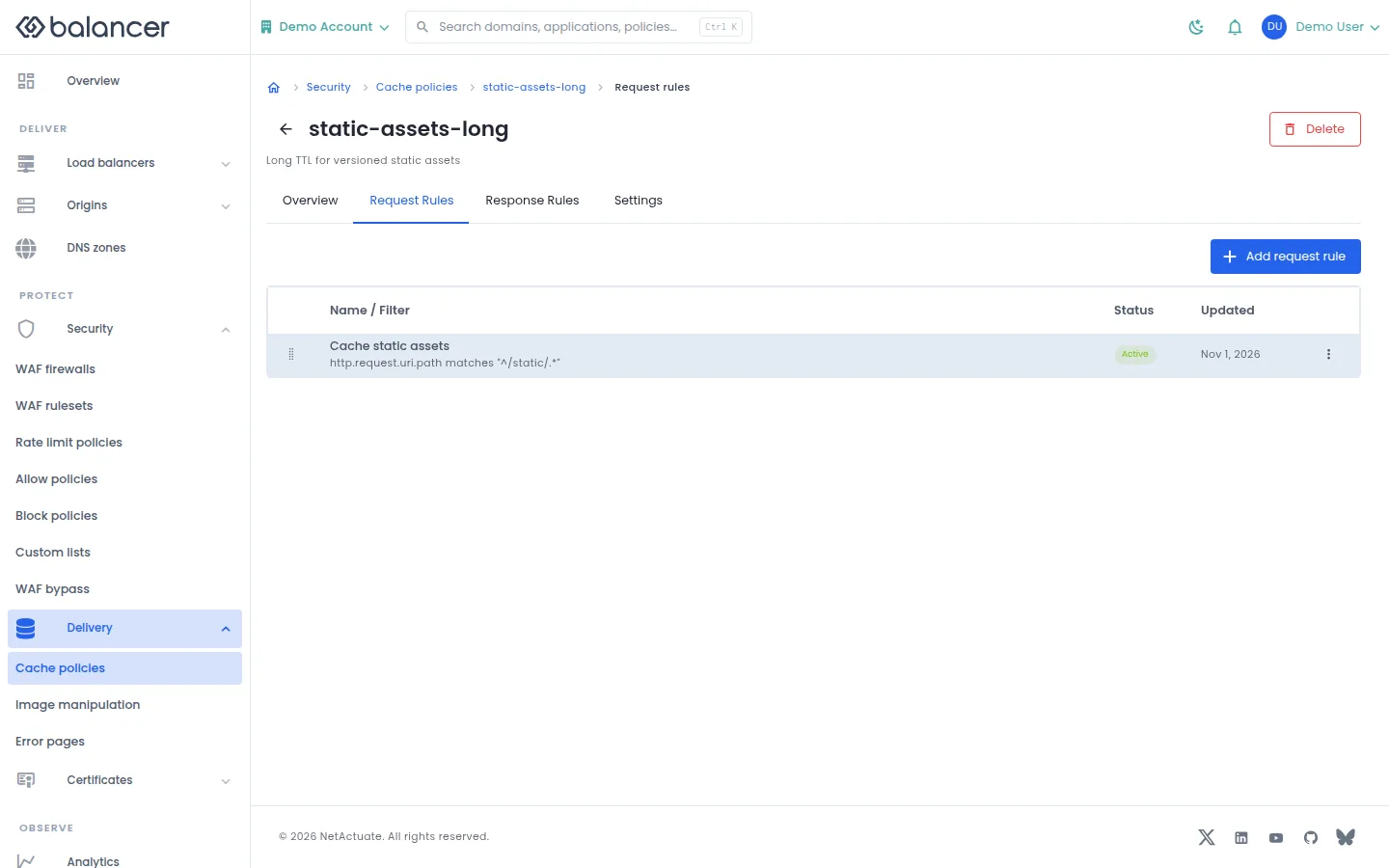
Manage rules applied to requests before a cache lookup.
- Open a cache policy and select Request Rules, then Add request rule.
- Set the filter expression and cache behavior, then submit.
- Verify the rule and Status in the list.
| Field | Required | Description | Matching API field |
|---|---|---|---|
| Name (optional) | No | Up to 64 characters. | name |
| Filter expression | Yes | Non-empty matching expression. | filterExpression |
| Enabled | No | New rules are enabled unless disabled. | isDisabled |
| Edge TTL mode | No | Choose origin-respecting behavior or override. | edgeTtlMode |
| Edge TTL (seconds) | For an edge TTL override | Non-negative whole seconds. | edgeTtlSeconds |
| Browser TTL mode | No | Choose bypass, respect origin or override. | browserTtlMode |
| Browser TTL (seconds) | For a browser TTL override | Non-negative whole seconds. | browserTtlSeconds |
| Append (end) / Before rule / After rule | No | Placement is converted into a priority, 1-100000000. | priority |
| Bypass cache | Yes | Mark a matching request as bypass or eligible. | doBypassCache |
API equivalent
Add a request rule that bypasses the cache for example.com. Use the API host shown in the Balancer portal in place of https://<your-api-host>. Set $BALANCER_API_KEY to your credential for this context. Set $CACHE_POLICY_ID to the selected resources.
curl --fail-with-body --silent --show-error --request POST \
  --url "https://<your-api-host>/cache-policies/$CACHE_POLICY_ID/request-rules" \
  --header "x-api-key: $BALANCER_API_KEY" \
  --header "Content-Type: application/json" \
  --data '{"priority":1000,"filterExpression":"http.host eq \"example.com\"","doBypassCache":true}'
Expect HTTP 200 with code set to 200. The response acknowledges the stored change. Reopen the portal screen or run the read example below to verify it.
API reference: Create an ordered request rule for a cache policy.
Verify with the API
Use the API host shown in the Balancer portal in place of https://<your-api-host>. Set $BALANCER_API_KEY to your credential for this context. Set $CACHE_POLICY_ID to the resource identifiers you want to inspect.
curl --fail-with-body --silent --show-error --request GET \
  --url "https://<your-api-host>/cache-policies/$CACHE_POLICY_ID/request-rules" \
  --header "x-api-key: $BALANCER_API_KEY"
Expect HTTP 200 with code set to 200. The response includes data.meta.total, data.meta.offset, data.meta.limit, data.meta.suggestedFilters. Compare the returned configuration with the screen. A successful configuration read does not verify that an edge has applied it.
API reference: Returns the ordered list of request rules for a cache policy.
Cache response rules
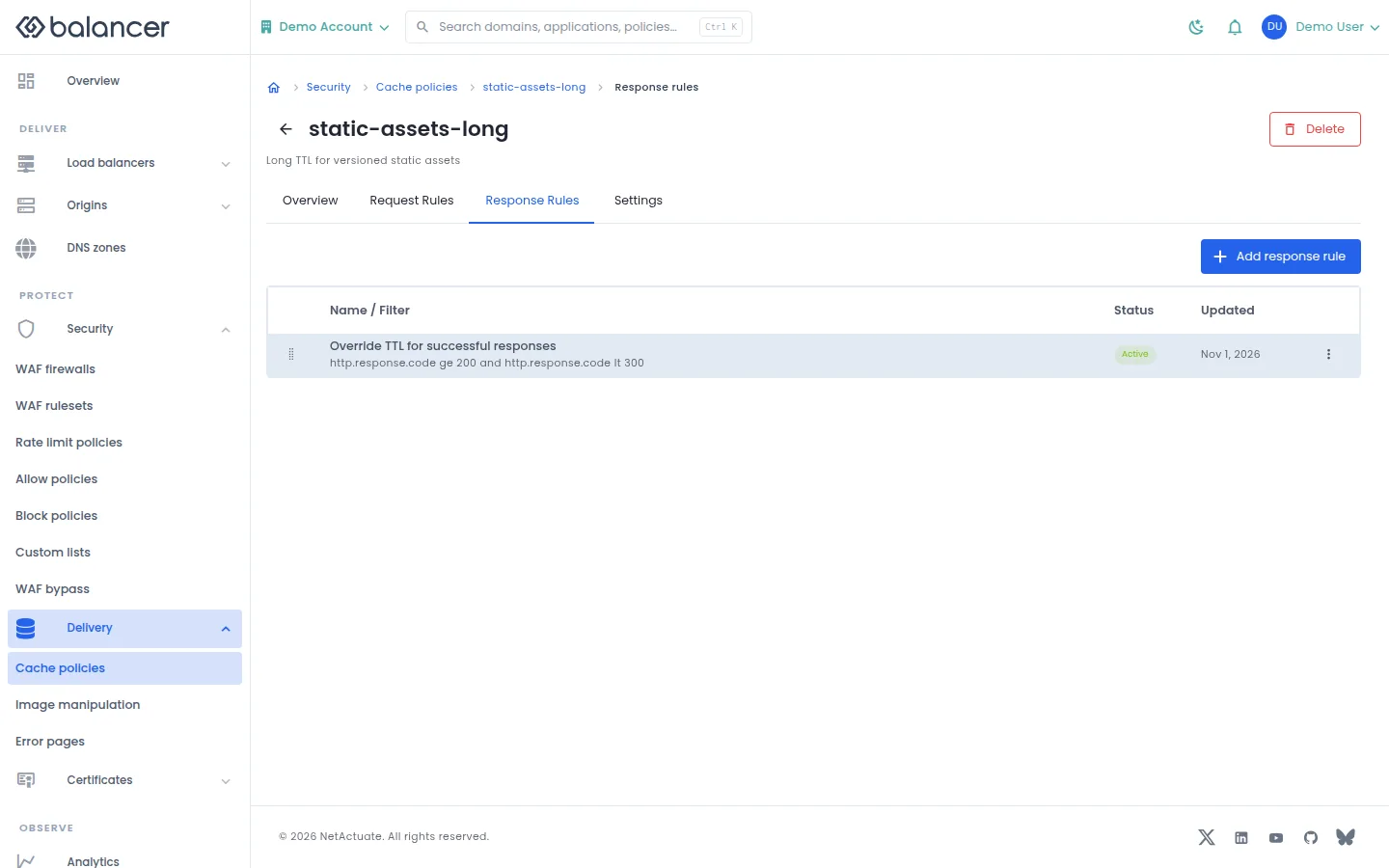
Manage rules applied when deciding how to store an origin response.
- Open a cache policy and select Response Rules, then Add response rule.
- Set the filter expression and storage or TTL behavior, then submit.
- Verify the rule and Status in the list.
| Field | Required | Description | Matching API field |
|---|---|---|---|
| Name (optional) | No | Up to 64 characters. | name |
| Filter expression | Yes | Non-empty matching expression. | filterExpression |
| Enabled | No | New rules are enabled unless disabled. | isDisabled |
| Edge TTL mode | No | Choose origin-respecting behavior or override. | edgeTtlMode |
| Edge TTL (seconds) | For an edge TTL override | Non-negative whole seconds. | edgeTtlSeconds |
| Browser TTL mode | No | Choose bypass, respect origin or override. | browserTtlMode |
| Browser TTL (seconds) | For a browser TTL override | Non-negative whole seconds. | browserTtlSeconds |
| Append (end) / Before rule / After rule | No | Placement is converted into a priority, 1-100000000. | priority |
| Do not store (prevent edge caching) | No | Do not store the response. | doNotStore |
| Strip Set-Cookie | No | Remove the response header. | stripSetCookie |
| Strip ETag | No | Remove the response header. | stripEtag |
| Strip Last-Modified | No | Remove the response header. | stripLastModified |
| Stale-while-revalidate (seconds) | No | Non-negative whole seconds. | staleWhileRevalidateSeconds |
| Keep seconds (for validator-based revalidation) | No | Non-negative whole seconds. | keepSeconds |
| Directive | For a directive action | Select cache-control directive. | cacheControlDirectiveActions.directive |
| Operation | For a directive action | Select the action on the directive. | cacheControlDirectiveActions.operation |
| Scope | For a directive action | Select scope. | cacheControlDirectiveActions.scope |
API equivalent
Add a response rule that prevents storage for example.com. Use the API host shown in the Balancer portal in place of https://<your-api-host>. Set $BALANCER_API_KEY to your credential for this context. Set $CACHE_POLICY_ID to the selected resources.
curl --fail-with-body --silent --show-error --request POST \
  --url "https://<your-api-host>/cache-policies/$CACHE_POLICY_ID/response-rules" \
  --header "x-api-key: $BALANCER_API_KEY" \
  --header "Content-Type: application/json" \
  --data '{"priority":1000,"filterExpression":"http.host eq \"example.com\"","doNotStore":true}'
Expect HTTP 200 with code set to 200. The response acknowledges the stored change. Reopen the portal screen or run the read example below to verify it.
API reference: Create an ordered response rule for a cache policy.
Verify with the API
Use the API host shown in the Balancer portal in place of https://<your-api-host>. Set $BALANCER_API_KEY to your credential for this context. Set $CACHE_POLICY_ID to the resource identifiers you want to inspect.
curl --fail-with-body --silent --show-error --request GET \
  --url "https://<your-api-host>/cache-policies/$CACHE_POLICY_ID/response-rules" \
  --header "x-api-key: $BALANCER_API_KEY"
Expect HTTP 200 with code set to 200. The response includes data.meta.total, data.meta.offset, data.meta.limit, data.meta.suggestedFilters. Compare the returned configuration with the screen. A successful configuration read does not verify that an edge has applied it.
API reference: Returns the ordered list of response rules for a cache policy.
Cache policy settings
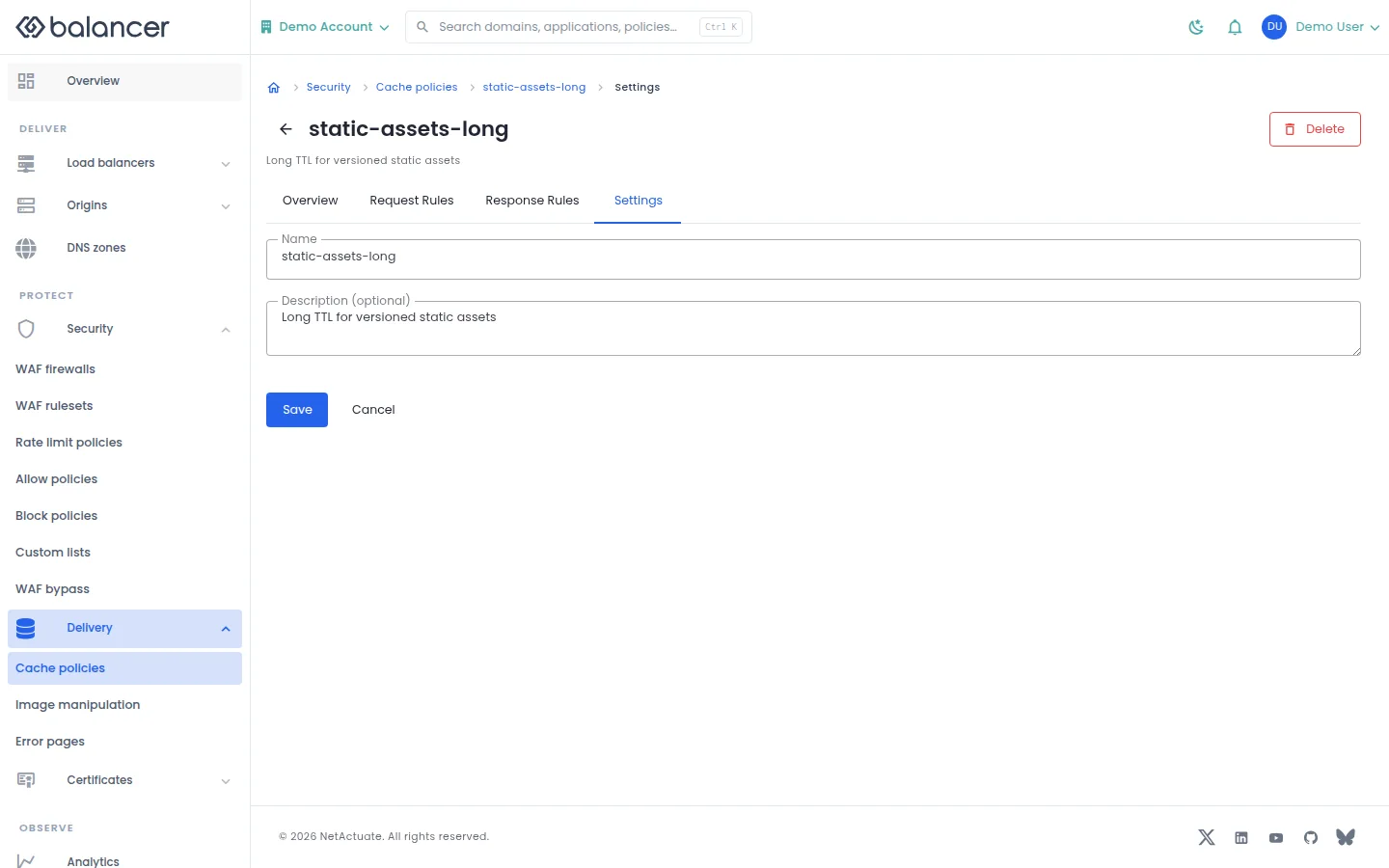
Rename a cache policy or update its description.
- Open the cache policy and select Settings.
- Edit Name and Description (optional), then select Save.
- Reload Settings and verify the values. Select Cancel to discard unsaved changes.
| Field | Required | Description | Matching API field |
|---|---|---|---|
| Name | Yes | 1-64 characters. | name |
| Description (optional) | No | Up to 255 characters. | description |
API equivalent
Update cache policy metadata. Use the API host shown in the Balancer portal in place of https://<your-api-host>. Set $BALANCER_API_KEY to your credential for this context. Set $CACHE_POLICY_ID to the selected resources.
curl --fail-with-body --silent --show-error --request PATCH \
  --url "https://<your-api-host>/cache-policies/$CACHE_POLICY_ID" \
  --header "x-api-key: $BALANCER_API_KEY" \
  --header "Content-Type: application/json" \
  --data '{"description":"Static content for example.com"}'
Expect HTTP 200 with code set to 200. The response acknowledges the stored change. Reopen the portal screen or run the read example below to verify it.
API reference: Update a cache policy.
Verify with the API
Use the API host shown in the Balancer portal in place of https://<your-api-host>. Set $BALANCER_API_KEY to your credential for this context. Set $CACHE_POLICY_ID to the resource identifiers you want to inspect.
curl --fail-with-body --silent --show-error --request GET \
  --url "https://<your-api-host>/cache-policies/$CACHE_POLICY_ID" \
  --header "x-api-key: $BALANCER_API_KEY"
Expect HTTP 200 with code set to 200. The response includes data.cachePolicyId, data.name, data.description, data.version. Compare the returned configuration with the screen. A successful configuration read does not verify that an edge has applied it.
API reference: Get cache policy.
Image policy overview
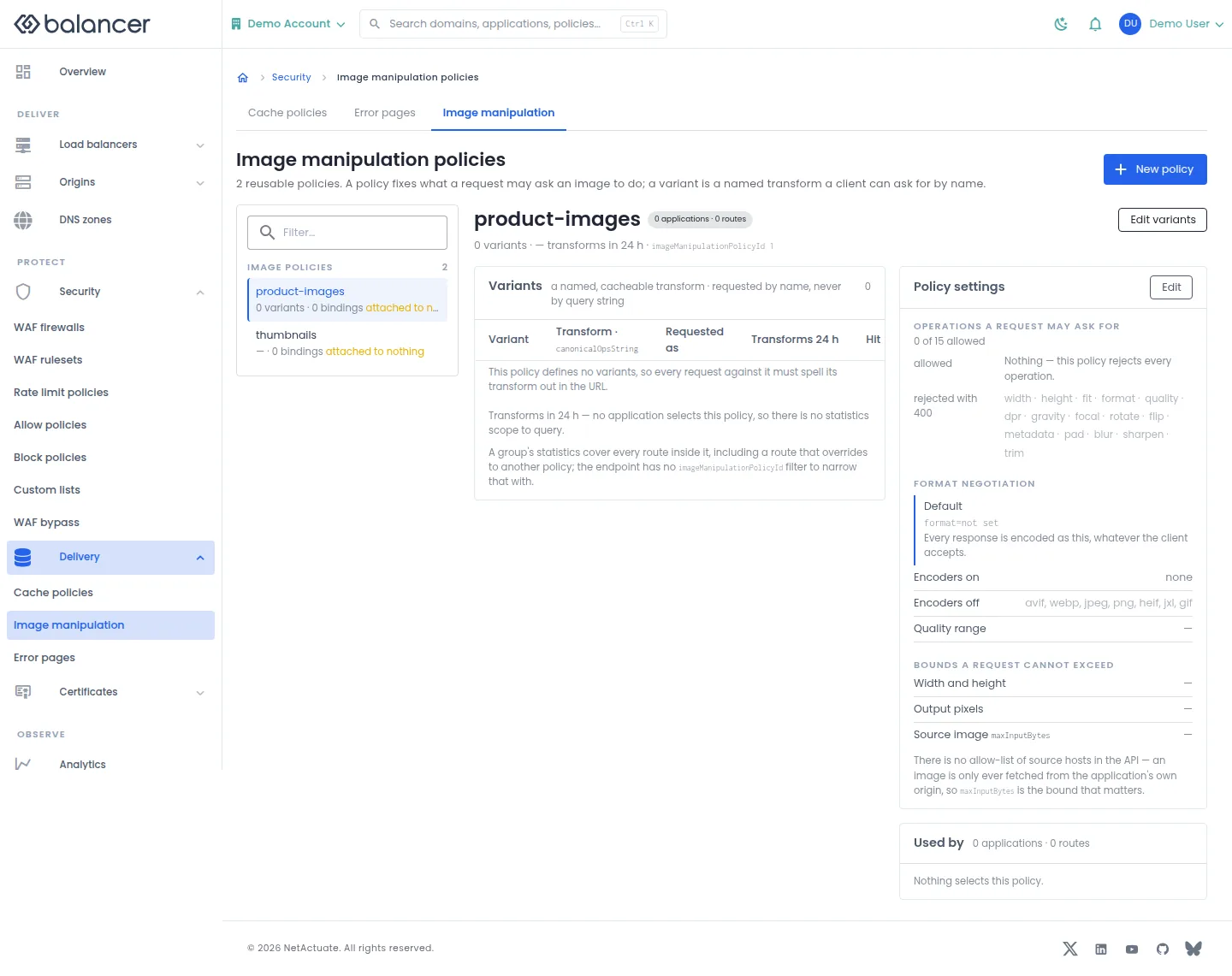
Inspect image policy variants, transforms and usage.
- Open Delivery, then Image manipulation, and select a policy.
- Select Edit variants for named transforms or Edit for policy settings.
- Verify the variant names and canonical transform strings before using them in request URLs.
| Field | Required | Description | Matching API field |
|---|---|---|---|
| Name | Yes, when creating a policy | 1-64 characters. | name |
API equivalent
Create an image policy before configuring transforms and variants. Use the API host shown in the Balancer portal in place of https://<your-api-host>. Set $BALANCER_API_KEY to your credential for this context.
curl --fail-with-body --silent --show-error --request POST \
  --url "https://<your-api-host>/image-manipulation-policies" \
  --header "x-api-key: $BALANCER_API_KEY" \
  --header "Content-Type: application/json" \
  --data '{"name":"example.com"}'
Expect HTTP 200 with code set to 200. The response acknowledges the stored change. Reopen the portal screen or run the read example below to verify it.
API reference: Create a new reusable image manipulation policy.
Verify with the API
Use the API host shown in the Balancer portal in place of https://<your-api-host>. Set $BALANCER_API_KEY to your credential for this context.
curl --fail-with-body --silent --show-error --request GET \
  --url "https://<your-api-host>/image-manipulation-policies" \
  --header "x-api-key: $BALANCER_API_KEY"
Expect HTTP 200 with code set to 200. The response includes data.meta.total, data.meta.offset, data.meta.limit, data.meta.suggestedFilters. Compare the returned configuration with the screen. A successful configuration read does not verify that an edge has applied it.
API reference: List image manipulation policies.
Image policy overview (alternate view 2)
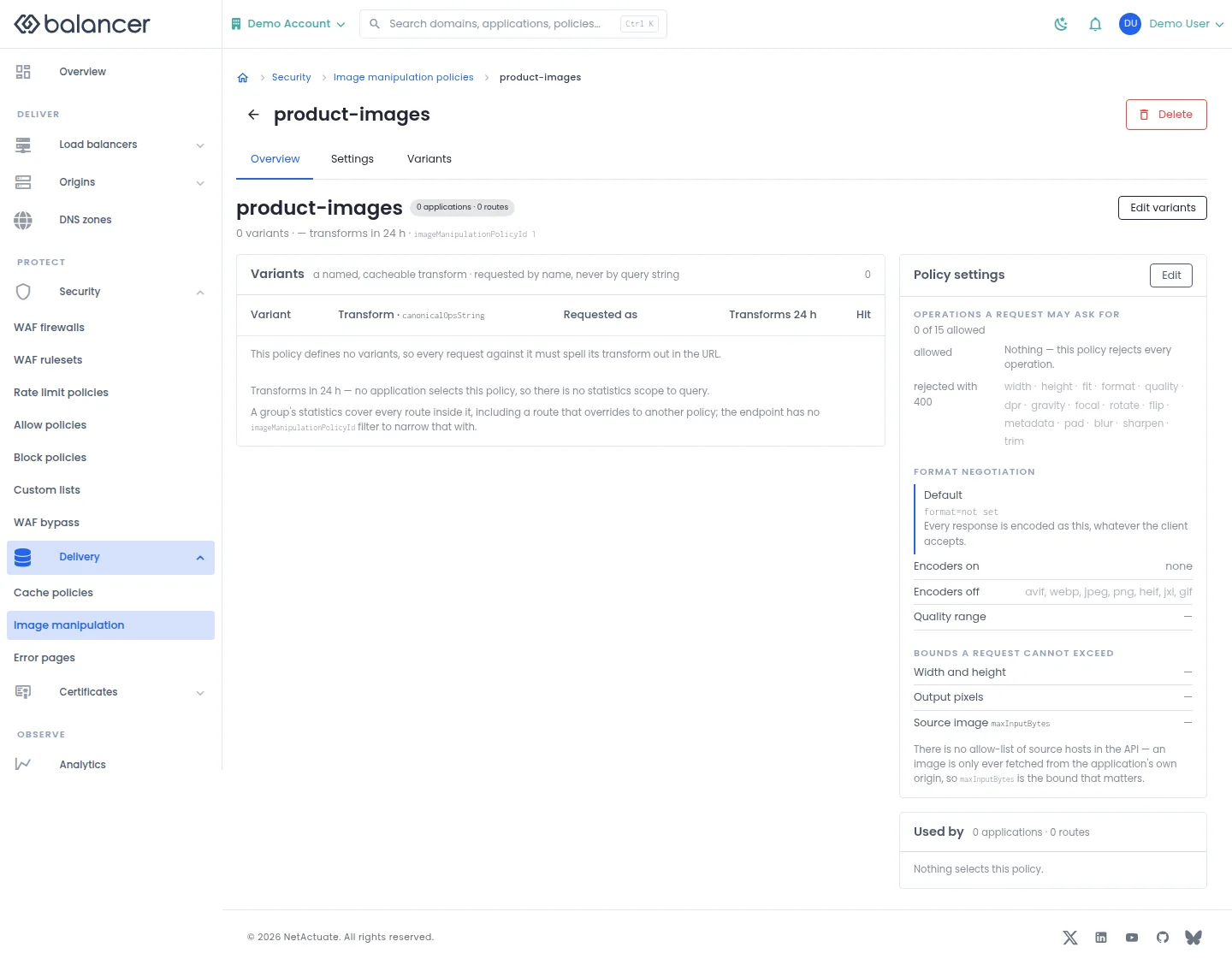
Inspect image policy variants, transforms and usage.
- Open Delivery, then Image manipulation, and select a policy.
- Select Edit variants for named transforms or Edit for policy settings.
- Verify the variant names and canonical transform strings before using them in request URLs.
Verify with the API
Use the API host shown in the Balancer portal in place of https://<your-api-host>. Set $BALANCER_API_KEY to your credential for this context. Set $IMAGE_MANIPULATION_POLICY_ID to the resource identifiers you want to inspect.
curl --fail-with-body --silent --show-error --request GET \
  --url "https://<your-api-host>/image-manipulation-policies/$IMAGE_MANIPULATION_POLICY_ID" \
  --header "x-api-key: $BALANCER_API_KEY"
Expect HTTP 200 with code set to 200. The response includes data.name, data.version, data.ops.width.enabled, data.ops.height.enabled. Compare the returned configuration with the screen. A successful configuration read does not verify that an edge has applied it.
API reference: Get one image manipulation policy.
Image policy settings
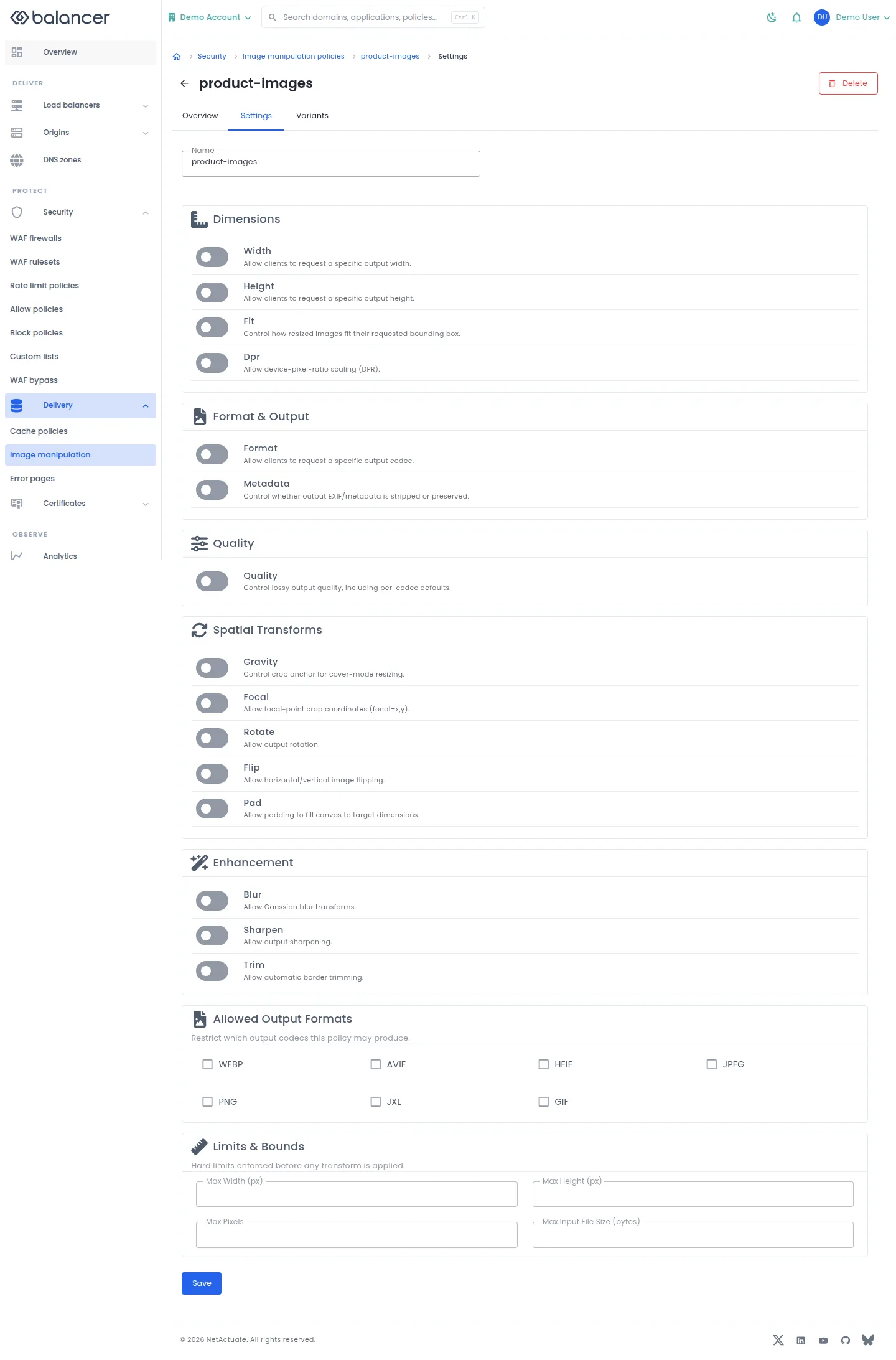
Set allowed image transforms, formats and input limits.
- Open an image policy and select Settings.
- Review the defaults, quality bounds, format options and maximum input dimensions.
- Select Save, reload and verify the settings.
| Field | Required | Description | Matching API field |
|---|---|---|---|
| Name | Yes when supplied | 1-64 characters. | name |
| Default fit mode | No | cover, contain, fill or scale-down. | ops.fit.default |
| Maximum DPR | No | Maximum device pixel ratio. | ops.dpr.max |
| Default output format | No | auto, webp, avif, heif, jpeg, png, gif or jxl. | ops.format.default |
| Default metadata handling | No | strip or keep. | ops.metadata.default |
| Min quality | No | 1-100 on the displayed control. | ops.quality.min |
| Max quality | No | 1-100 on the displayed control. | ops.quality.max |
| Default gravity | No | Crop anchor. | ops.gravity.default |
| Default rotation | No | Rotation value. | ops.rotate.default |
| Max blur sigma | No | Maximum allowed blur. | ops.blur.maxSigma |
| Max sharpen sigma | No | Maximum allowed sharpening. | ops.sharpen.maxSigma |
| Max Width (px) | No | 1-8192 pixels. | bounds.maxWidth |
| Max Height (px) | No | 1-8192 pixels. | bounds.maxHeight |
| Max Pixels | No | 1-100000000 pixels. | bounds.maxPixels |
| Max Input File Size (bytes) | No | 1-67108864 bytes. | bounds.maxInputBytes |
| Width | No | Allow this operation when enabled. | ops.width.enabled |
| Height | No | Allow this operation when enabled. | ops.height.enabled |
| Fit | No | Allow this operation when enabled. | ops.fit.enabled |
| Dpr | No | Allow this operation when enabled. | ops.dpr.enabled |
| Format | No | Allow this operation when enabled. | ops.format.enabled |
| Metadata | No | Allow this operation when enabled. | ops.metadata.enabled |
| Quality | No | Allow this operation when enabled. | ops.quality.enabled |
| Gravity | No | Allow this operation when enabled. | ops.gravity.enabled |
| Focal | No | Allow this operation when enabled. | ops.focal.enabled |
| Rotate | No | Allow this operation when enabled. | ops.rotate.enabled |
| Flip | No | Allow this operation when enabled. | ops.flip.enabled |
| Pad | No | Allow this operation when enabled. | ops.pad.enabled |
| Blur | No | Allow this operation when enabled. | ops.blur.enabled |
| Sharpen | No | Allow this operation when enabled. | ops.sharpen.enabled |
| Trim | No | Allow this operation when enabled. | ops.trim.enabled |
| WEBP | No | Enable this output format. | outputFormats.webp.enabled |
| AVIF | No | Enable this output format. | outputFormats.avif.enabled |
| HEIF | No | Enable this output format. | outputFormats.heif.enabled |
| JPEG | No | Enable this output format. | outputFormats.jpeg.enabled |
| PNG | No | Enable this output format. | outputFormats.png.enabled |
| JXL | No | Enable this output format. | outputFormats.jxl.enabled |
| GIF | No | Enable this output format. | outputFormats.gif.enabled |
| JPEG (quality) | No | Per-codec quality default, 1-100 on the displayed control. | ops.quality.defaults.jpeg |
| WEBP (quality) | No | Per-codec quality default, 1-100 on the displayed control. | ops.quality.defaults.webp |
| AVIF (quality) | No | Per-codec quality default, 1-100 on the displayed control. | ops.quality.defaults.avif |
| JXL (quality) | No | Per-codec quality default, 1-100 on the displayed control. | ops.quality.defaults.jxl |
API equivalent
Set the maximum output dimensions on the selected policy. Use the API host shown in the Balancer portal in place of https://<your-api-host>. Set $BALANCER_API_KEY to your credential for this context. Set $IMAGE_MANIPULATION_POLICY_ID to the selected resources.
curl --fail-with-body --silent --show-error --request PATCH \
  --url "https://<your-api-host>/image-manipulation-policies/$IMAGE_MANIPULATION_POLICY_ID" \
  --header "x-api-key: $BALANCER_API_KEY" \
  --header "Content-Type: application/json" \
  --data '{"bounds":{"maxWidth":1920,"maxHeight":1080}}'
Expect HTTP 200 with code set to 200. The response acknowledges the stored change. Reopen the portal screen or run the read example below to verify it.
API reference: Update an image manipulation policy.
Verify with the API
Use the API host shown in the Balancer portal in place of https://<your-api-host>. Set $BALANCER_API_KEY to your credential for this context. Set $IMAGE_MANIPULATION_POLICY_ID to the resource identifiers you want to inspect.
curl --fail-with-body --silent --show-error --request GET \
  --url "https://<your-api-host>/image-manipulation-policies/$IMAGE_MANIPULATION_POLICY_ID" \
  --header "x-api-key: $BALANCER_API_KEY"
Expect HTTP 200 with code set to 200. The response includes data.name, data.version, data.ops.width.enabled, data.ops.height.enabled. Compare the returned configuration with the screen. A successful configuration read does not verify that an edge has applied it.
API reference: Get one image manipulation policy.
Image variants
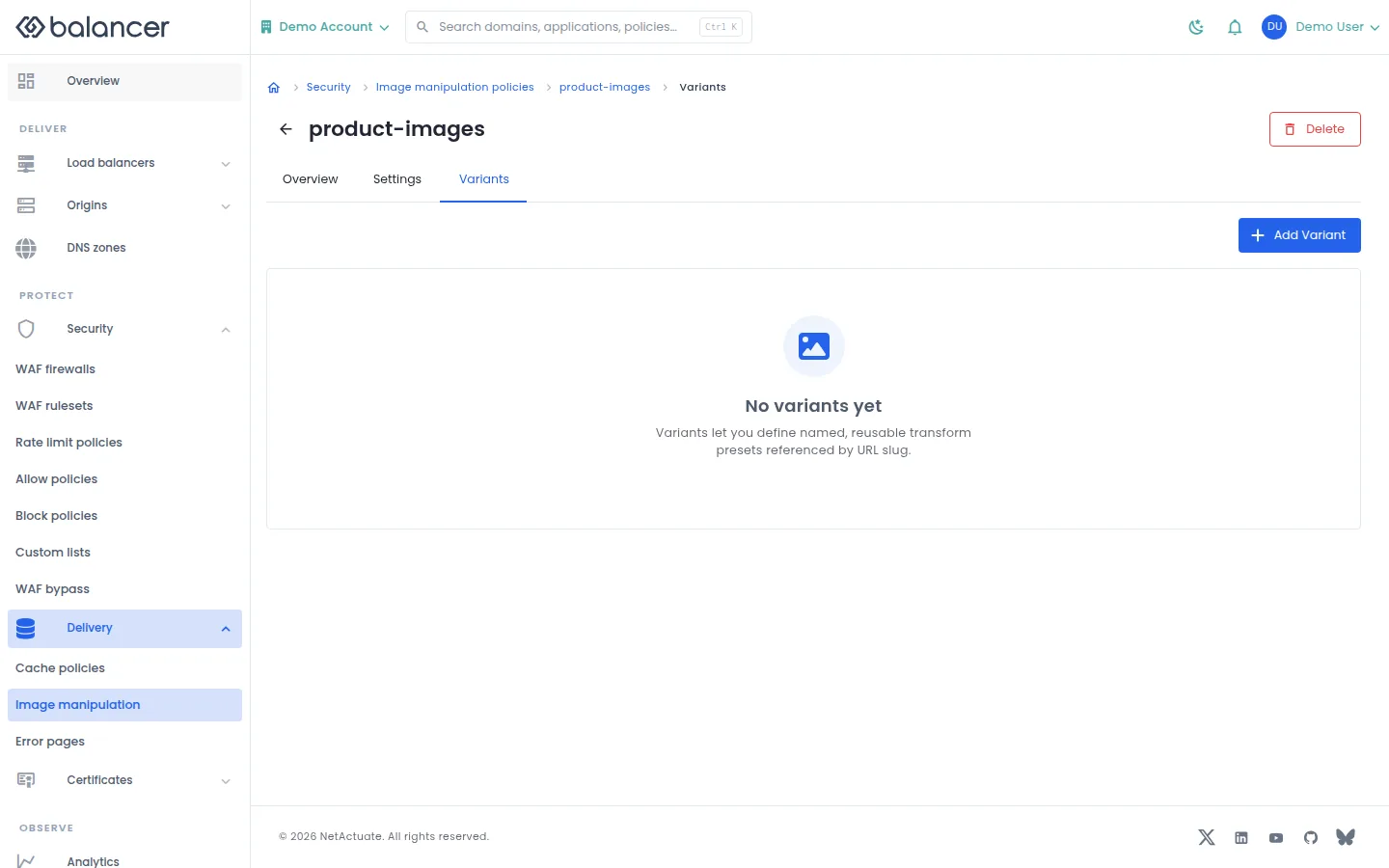
Manage named transform strings within an image policy.
- Open the image policy and select Variants, then Add Variant.
- Enter Name and Ops String, then submit.
- Verify the variant in the list and use its name when requesting that transform.
| Field | Required | Description | Matching API field |
|---|---|---|---|
| Name | Yes | 1-64 characters. | name |
| Ops String | No | Up to 256 characters; empty transform strings are accepted by this form. | canonicalOpsString |
API equivalent
Add a named width transform. Enable the Width operation in the policy before using the variant. Use the API host shown in the Balancer portal in place of https://<your-api-host>. Set $BALANCER_API_KEY to your credential for this context. Set $IMAGE_MANIPULATION_POLICY_ID to the selected resources.
curl --fail-with-body --silent --show-error --request POST \
  --url "https://<your-api-host>/image-manipulation-policies/$IMAGE_MANIPULATION_POLICY_ID/variants" \
  --header "x-api-key: $BALANCER_API_KEY" \
  --header "Content-Type: application/json" \
  --data '{"name":"thumbnail","canonicalOpsString":"w=320"}'
Expect HTTP 200 with code set to 200. The response acknowledges the stored change. Reopen the portal screen or run the read example below to verify it.
API reference: Create a new named image manipulation variant inside one policy.
Verify with the API
Use the API host shown in the Balancer portal in place of https://<your-api-host>. Set $BALANCER_API_KEY to your credential for this context. Set $IMAGE_MANIPULATION_POLICY_ID to the resource identifiers you want to inspect.
curl --fail-with-body --silent --show-error --request GET \
  --url "https://<your-api-host>/image-manipulation-policies/$IMAGE_MANIPULATION_POLICY_ID/variants" \
  --header "x-api-key: $BALANCER_API_KEY"
Expect HTTP 200 with code set to 200. The response includes data.meta.total, data.meta.offset, data.meta.limit, data.meta.suggestedFilters. Compare the returned configuration with the screen. A successful configuration read does not verify that an edge has applied it.
API reference: List variants for one image manipulation policy.
Error pages
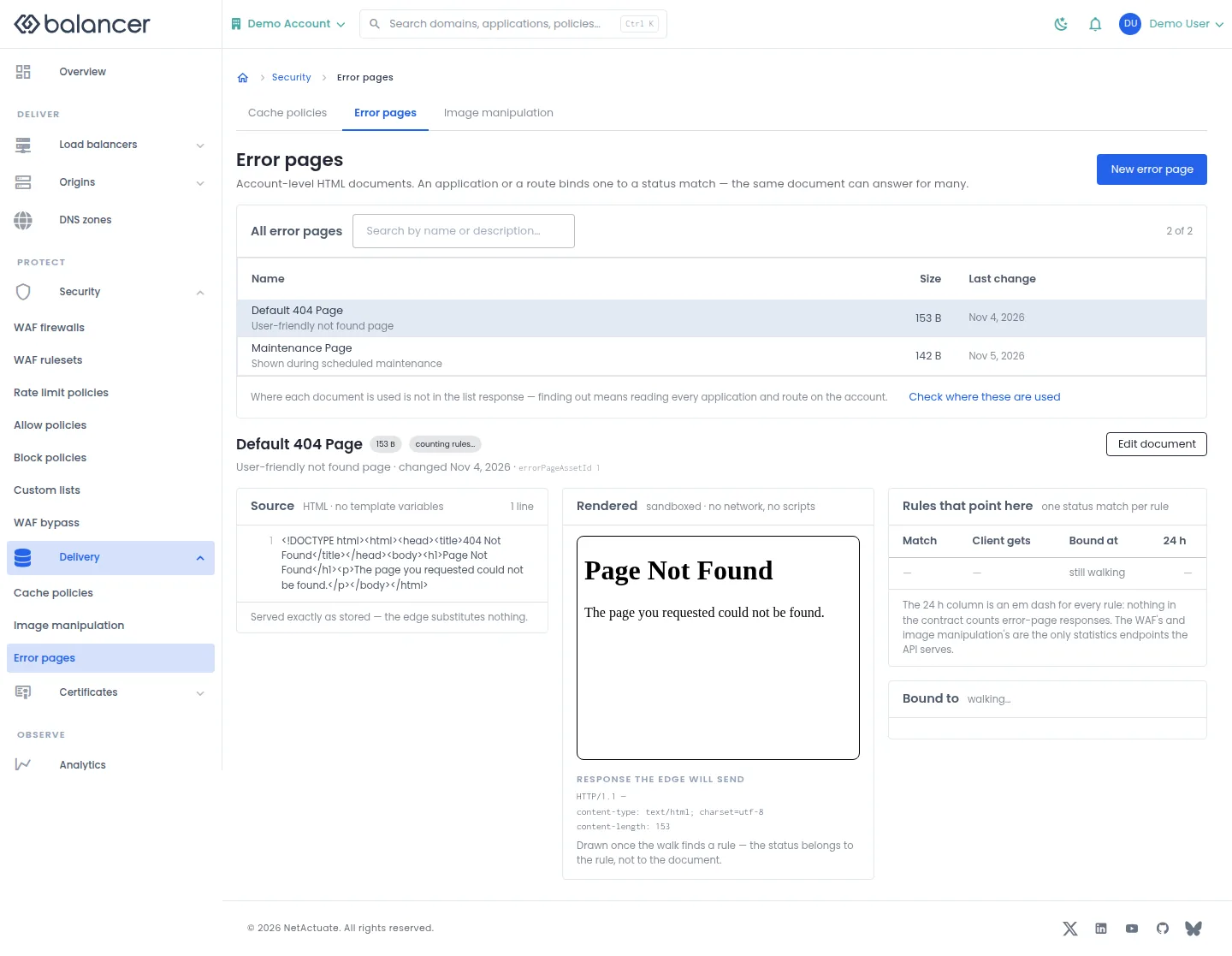
Manage reusable error documents and inspect where they are bound.
- Open Delivery, then Error pages. Select New error page.
- Enter Name, Content Type and HTML Body, then save.
- Select Edit document to change a document, or Check where these are used to review bindings. Verify the saved preview.
| Field | Required | Description | Matching API field |
|---|---|---|---|
| Name | Yes | 1-64 characters. | name |
| Description (optional) | No | Up to 255 characters. | description |
| Content Type | No | Response content type. | contentType |
| HTML Body | Yes | Non-empty document. Validation: Body is required. | body |
API equivalent
Create a reusable error document. Bind it through an application or route error page rule. Use the API host shown in the Balancer portal in place of https://<your-api-host>. Set $BALANCER_API_KEY to your credential for this context.
curl --fail-with-body --silent --show-error --request POST \
  --url "https://<your-api-host>/error-page-assets" \
  --header "x-api-key: $BALANCER_API_KEY" \
  --header "Content-Type: application/json" \
  --data '{"name":"example.com","contentType":"text/html","body":"<p>Please try again later.</p>"}'
Expect HTTP 200 with code set to 200. The response acknowledges the stored change. Reopen the portal screen or run the read example below to verify it.
API reference: Create a new reusable custom error page asset.
Verify with the API
Use the API host shown in the Balancer portal in place of https://<your-api-host>. Set $BALANCER_API_KEY to your credential for this context.
curl --fail-with-body --silent --show-error --request GET \
  --url "https://<your-api-host>/error-page-assets" \
  --header "x-api-key: $BALANCER_API_KEY"
Expect HTTP 200 with code set to 200. The response includes data.meta.total, data.meta.offset, data.meta.limit, data.meta.suggestedFilters. Compare the returned configuration with the screen. A successful configuration read does not verify that an edge has applied it.
API reference: List custom error page assets.
Error pages (alternate view 2)
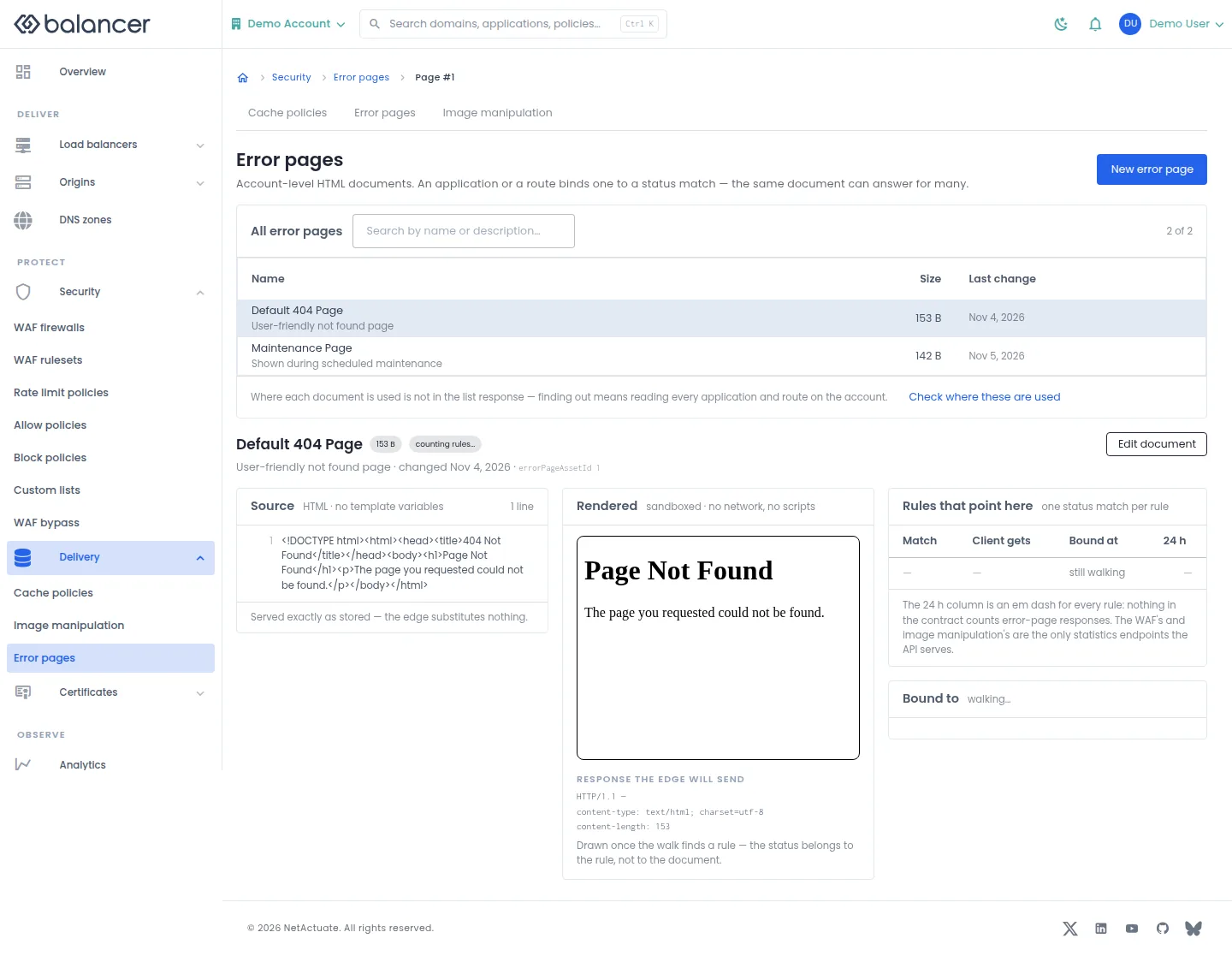
Manage reusable error documents and inspect where they are bound.
- Open Delivery, then Error pages. Select New error page.
- Enter Name, Content Type and HTML Body, then save.
- Select Edit document to change a document, or Check where these are used to review bindings. Verify the saved preview.
| Field | Required | Description | Matching API field |
|---|---|---|---|
| Name | Yes | 1-64 characters. | name |
| Description (optional) | No | Up to 255 characters. | description |
| Content Type | No | Response content type. | contentType |
| HTML Body | Yes | Non-empty document. Validation: Body is required. | body |
Verify with the API
Use the API host shown in the Balancer portal in place of https://<your-api-host>. Set $BALANCER_API_KEY to your credential for this context.
curl --fail-with-body --silent --show-error --request GET \
  --url "https://<your-api-host>/error-page-assets" \
  --header "x-api-key: $BALANCER_API_KEY"
Expect HTTP 200 with code set to 200. The response includes data.meta.total, data.meta.offset, data.meta.limit, data.meta.suggestedFilters. Compare the returned configuration with the screen. A successful configuration read does not verify that an edge has applied it.
API reference: List custom error page assets.
Error page usage
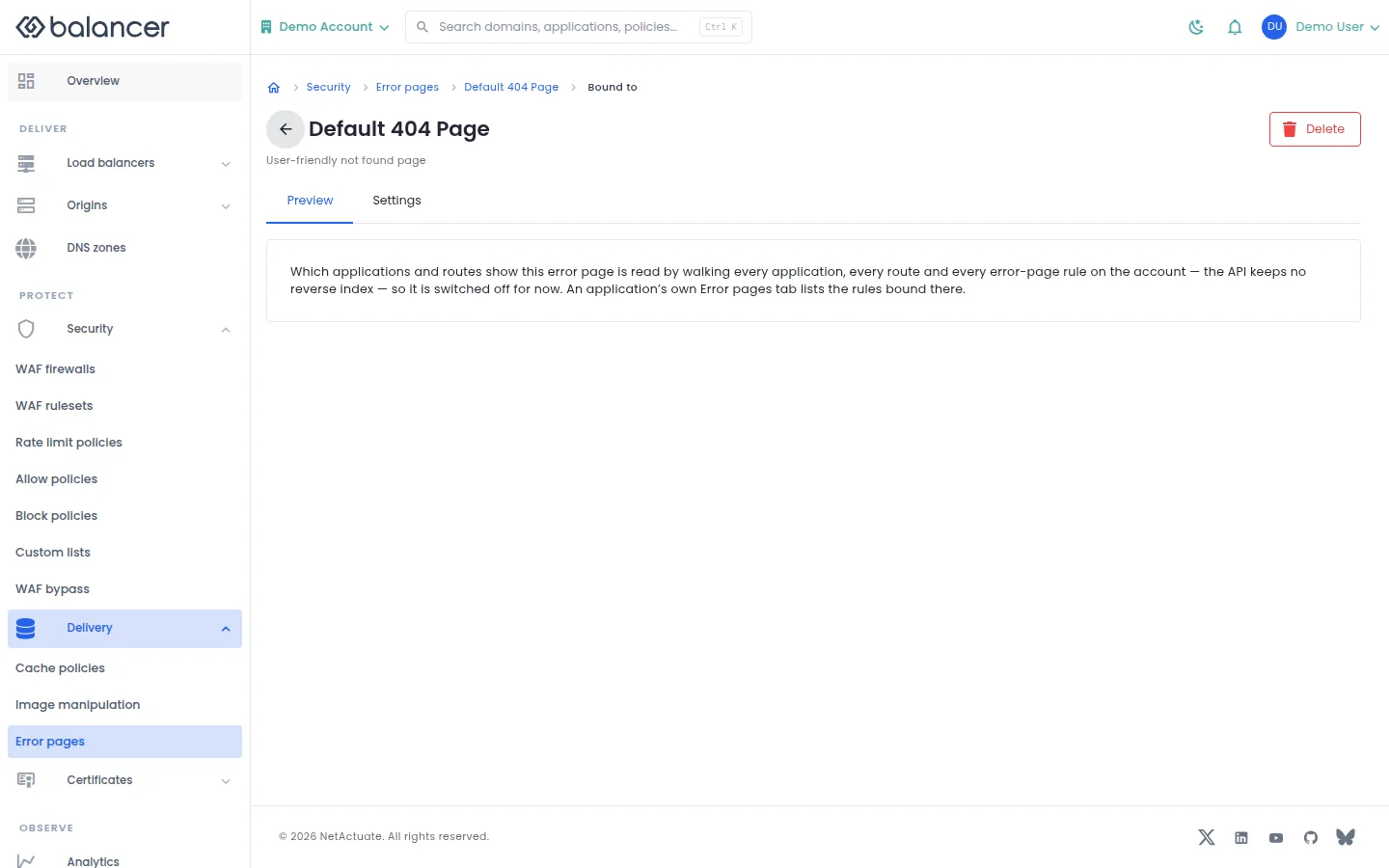
Review the application and route rules that reference an error document.
- Open an error page usage view.
- Review its bindings before editing or deleting the document. Select Preview to inspect the content or Settings to edit it.
Verify with the API
Use the API host shown in the Balancer portal in place of https://<your-api-host>. Set $BALANCER_API_KEY to your credential for this context. Set $ERROR_PAGE_ASSET_ID to the resource identifiers you want to inspect.
curl --fail-with-body --silent --show-error --request GET \
  --url "https://<your-api-host>/error-page-assets/$ERROR_PAGE_ASSET_ID" \
  --header "x-api-key: $BALANCER_API_KEY"
Expect HTTP 200 with code set to 200. The response includes data.errorPageAssetId, data.name, data.description, data.contentType. Compare the returned configuration with the screen. A successful configuration read does not verify that an edge has applied it.
API reference: Get custom error page asset.
Error page preview
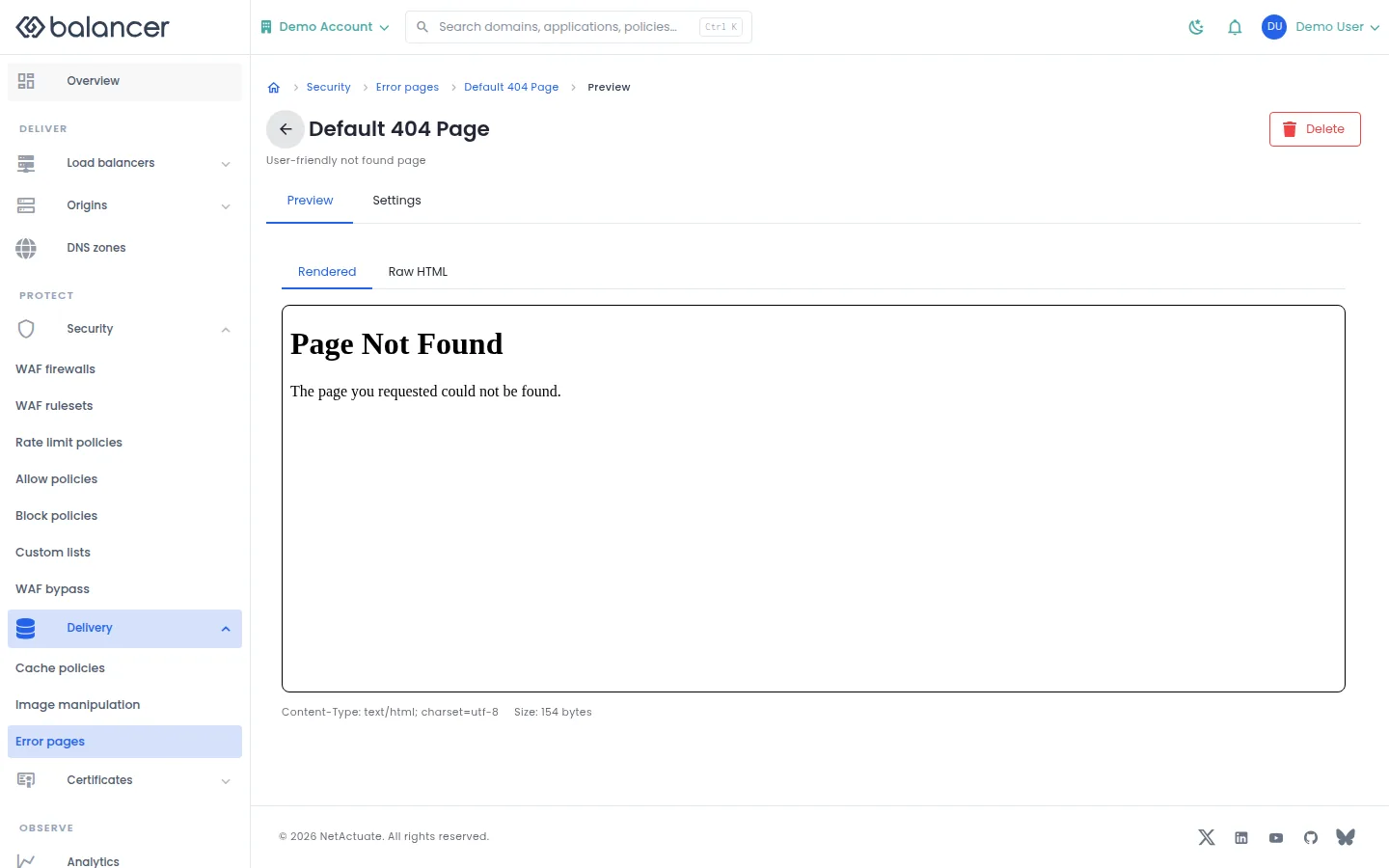
Inspect a document as rendered content or source text.
- Open an error document and select Preview.
- Switch between Rendered and Raw HTML. Verify that the intended content is present.
Verify with the API
Use the API host shown in the Balancer portal in place of https://<your-api-host>. Set $BALANCER_API_KEY to your credential for this context. Set $ERROR_PAGE_ASSET_ID to the resource identifiers you want to inspect.
curl --fail-with-body --silent --show-error --request GET \
  --url "https://<your-api-host>/error-page-assets/$ERROR_PAGE_ASSET_ID" \
  --header "x-api-key: $BALANCER_API_KEY"
Expect HTTP 200 with code set to 200. The response includes data.errorPageAssetId, data.name, data.description, data.contentType. Compare the returned configuration with the screen. A successful configuration read does not verify that an edge has applied it.
API reference: Get custom error page asset.
Error page settings
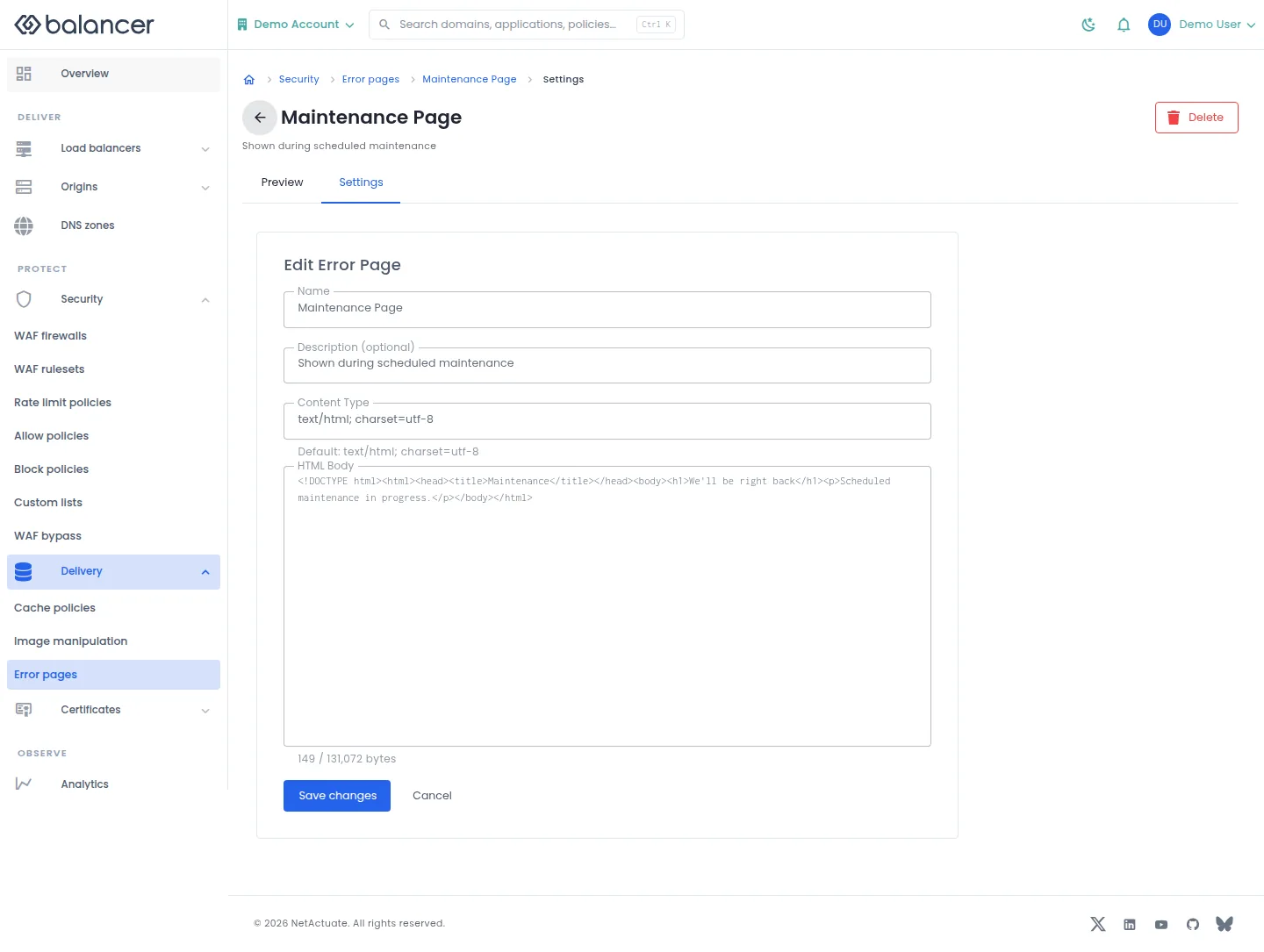
Edit the reusable document served by error page bindings.
- Open the document and select Settings.
- Edit Name, Description (optional), Content Type or HTML Body. Select Save changes.
- Open Preview and verify the saved content.
| Field | Required | Description | Matching API field |
|---|---|---|---|
| Name | Yes | 1-64 characters. | name |
| Description (optional) | No | Up to 255 characters. | description |
| Content Type | No | Response content type. | contentType |
| HTML Body | Yes | Non-empty document. Validation: Body is required. | body |
API equivalent
Update the selected error document. Use the API host shown in the Balancer portal in place of https://<your-api-host>. Set $BALANCER_API_KEY to your credential for this context. Set $ERROR_PAGE_ASSET_ID to the selected resources.
curl --fail-with-body --silent --show-error --request PATCH \
  --url "https://<your-api-host>/error-page-assets/$ERROR_PAGE_ASSET_ID" \
  --header "x-api-key: $BALANCER_API_KEY" \
  --header "Content-Type: application/json" \
  --data '{"body":"<p>Please try again later.</p>"}'
Expect HTTP 200 with code set to 200. The response acknowledges the stored change. Reopen the portal screen or run the read example below to verify it.
API reference: Update a custom error page asset.
Verify with the API
Use the API host shown in the Balancer portal in place of https://<your-api-host>. Set $BALANCER_API_KEY to your credential for this context. Set $ERROR_PAGE_ASSET_ID to the resource identifiers you want to inspect.
curl --fail-with-body --silent --show-error --request GET \
  --url "https://<your-api-host>/error-page-assets/$ERROR_PAGE_ASSET_ID" \
  --header "x-api-key: $BALANCER_API_KEY"
Expect HTTP 200 with code set to 200. The response includes data.errorPageAssetId, data.name, data.description, data.contentType. Compare the returned configuration with the screen. A successful configuration read does not verify that an edge has applied it.
API reference: Get custom error page asset.
Related
- Task guide: caching purge.
- Task guide: images.
- Task guide: error pages.
- Concepts: caching.
- Delete a cache policy.
- Delete a custom error page asset.
- Delete an image manipulation policy.
- List cache policies associated with your account.
- Get cache policy.
- Returns the ordered list of request rules for a cache policy.
- Returns the ordered list of response rules for a cache policy.
- List custom error page assets.
- Get custom error page asset.
- List image manipulation policies.
- Get one image manipulation policy.
- List variants for one image manipulation policy.
- Update a cache policy.
- Update a custom error page asset.
- Update an image manipulation policy.
- Create a new reusable cache policy container.
- Create an ordered request rule for a cache policy.
- Create an ordered response rule for a cache policy.
- Create a new reusable custom error page asset.
- Create a new reusable image manipulation policy.
- Create a new named image manipulation variant inside one policy.