Account and profile
Use Account to edit your profile, set display preferences, manage MFA and create API keys for the current account.
Note: Balancer is in beta. Endpoints, fields and behavior may change before general availability, and the feature must be enabled on your account before use. Contact your NetActuate account manager to request access.
Profile
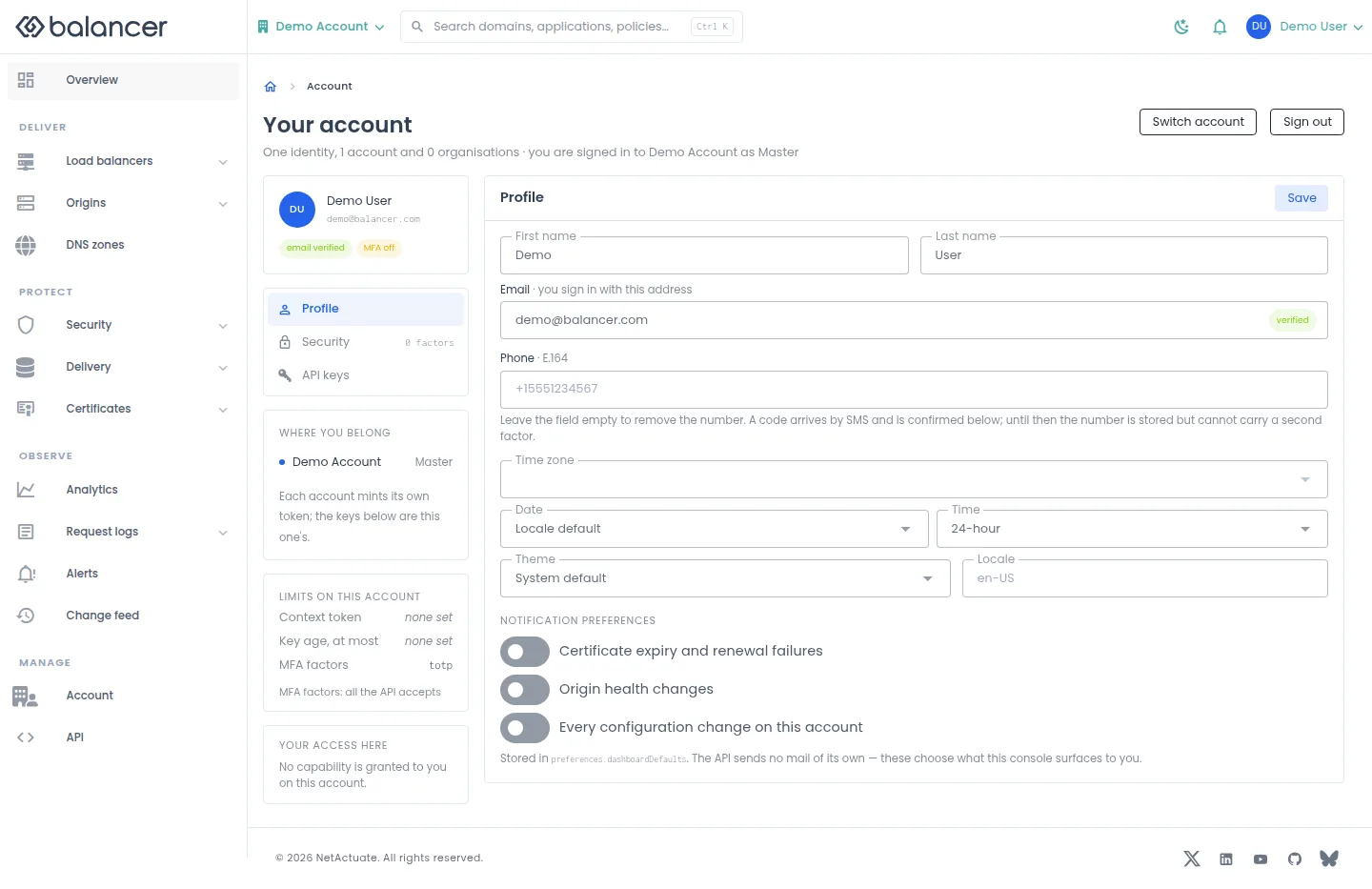
Edit your identity, display preferences and notification preferences. These preferences do not configure alert delivery.
- Open Account, then Profile.
- Update First name, Last name, Time zone, Date, Time, Theme or Locale as needed.
- Select Save. Reopen Profile and verify the saved values.
| Field | Required | Description | Matching API field |
|---|---|---|---|
| Yes | Valid email. Validation: Enter a valid email address. | user.email | |
| Phone | No | Phone number; an empty value clears it. | user.phone |
| First name | Yes | 1-64 characters. Validation: First name is required. | user.firstName |
| Last name | Yes | 1-64 characters. Validation: Last name is required. | user.lastName |
| Time zone | No | Preferred time zone. | user.preferences.timezone |
| Date | No | Date format; initially locale when unset. | user.preferences.dateFormat |
| Time | No | 12h or 24h; initially 12h when unset. | user.preferences.timeFormat |
| Theme | No | system, light or dark; initially system when unset. | user.preferences.themeMode |
| Locale | No | Preferred locale. | user.preferences.locale |
| Certificate expiry and renewal failures | No | Save the preference; does not configure notification delivery. | user.preferences.dashboardDefaults.notifications.certificateExpiry |
| Origin health changes | No | Save the preference. | user.preferences.dashboardDefaults.notifications.originHealth |
| Every configuration change on this account | No | Save the preference. | user.preferences.dashboardDefaults.notifications.configurationChanges |
Verify with the API
Use the API host shown in the Balancer portal in place of https://<your-api-host>. Set $BALANCER_API_KEY to your credential for this context.
curl --fail-with-body --silent --show-error --request GET \
  --url "https://<your-api-host>/user" \
  --header "x-api-key: $BALANCER_API_KEY"
Expect HTTP 200 with code set to 200. The response includes data.account.name, data.organization.organizationId, data.organization.name, data.organization.isAdmin. Compare the returned configuration with the screen. A successful configuration read does not verify that an edge has applied it.
API reference: Get your profile and preferences.
Profile (alternate view 2)
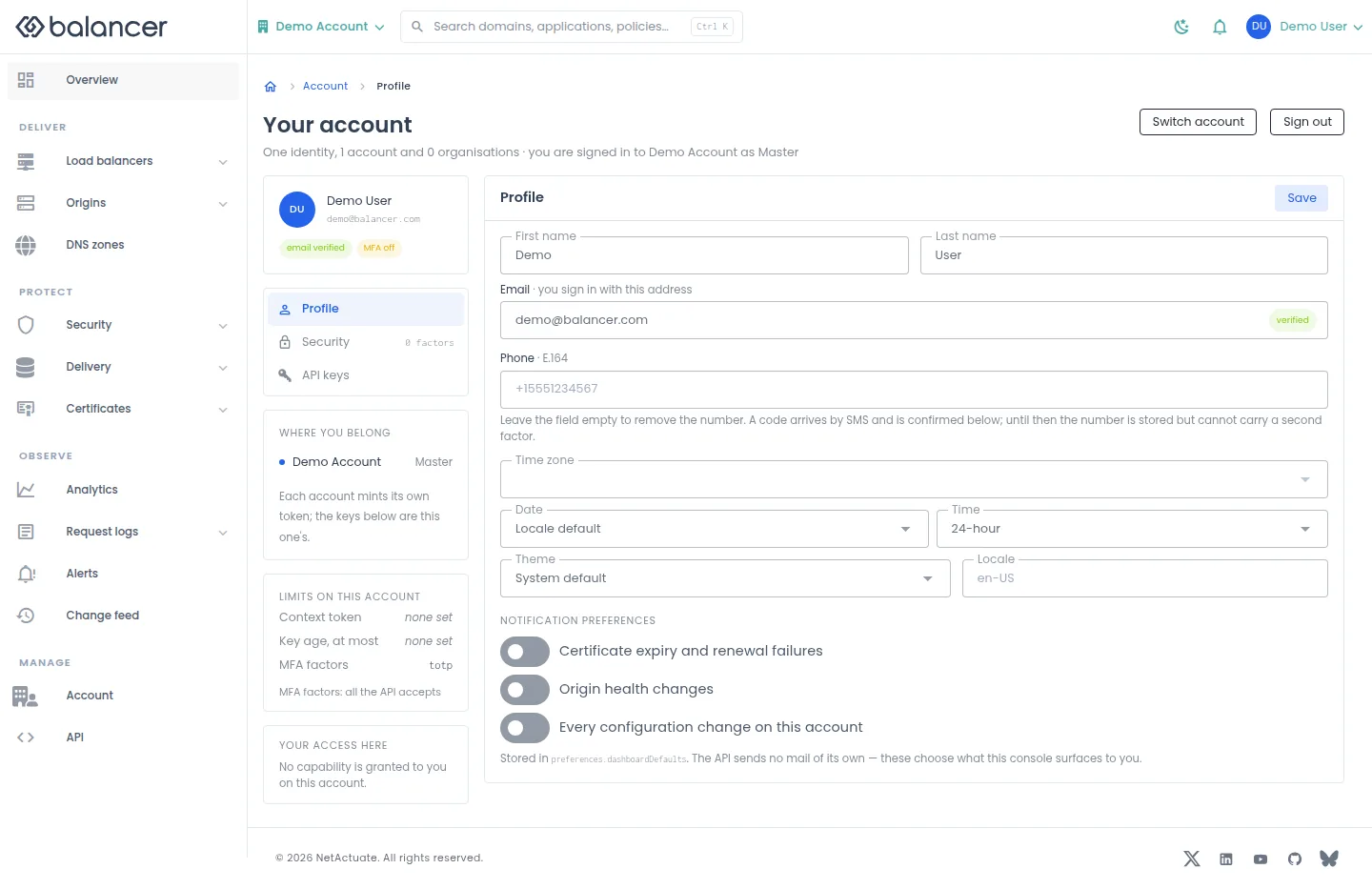
Edit your identity, display preferences and notification preferences. These preferences do not configure alert delivery.
- Open Account, then Profile.
- Update First name, Last name, Time zone, Date, Time, Theme or Locale as needed.
- Select Save. Reopen Profile and verify the saved values.
| Field | Required | Description | Matching API field |
|---|---|---|---|
| Yes | Valid email. Validation: Enter a valid email address. | user.email | |
| Phone | No | Phone number; an empty value clears it. | user.phone |
| First name | Yes | 1-64 characters. Validation: First name is required. | user.firstName |
| Last name | Yes | 1-64 characters. Validation: Last name is required. | user.lastName |
| Time zone | No | Preferred time zone. | user.preferences.timezone |
| Date | No | Date format; initially locale when unset. | user.preferences.dateFormat |
| Time | No | 12h or 24h; initially 12h when unset. | user.preferences.timeFormat |
| Theme | No | system, light or dark; initially system when unset. | user.preferences.themeMode |
| Locale | No | Preferred locale. | user.preferences.locale |
| Certificate expiry and renewal failures | No | Save the preference; does not configure notification delivery. | user.preferences.dashboardDefaults.notifications.certificateExpiry |
| Origin health changes | No | Save the preference. | user.preferences.dashboardDefaults.notifications.originHealth |
| Every configuration change on this account | No | Save the preference. | user.preferences.dashboardDefaults.notifications.configurationChanges |
API equivalent
Set your theme preference. Use the API host shown in the Balancer portal in place of https://<your-api-host>. Set $BALANCER_API_KEY to your credential for this context.
curl --fail-with-body --silent --show-error --request PATCH \
  --url "https://<your-api-host>/user" \
  --header "x-api-key: $BALANCER_API_KEY" \
  --header "Content-Type: application/json" \
  --data '{"user":{"preferences":{"themeMode":"dark"}}}'
Expect HTTP 200 with code set to 200. The response acknowledges the stored change. Reopen the portal screen or run the read example below to verify it.
API reference: Update the current Balancer user's profile and UI preferences.
Verify with the API
Use the API host shown in the Balancer portal in place of https://<your-api-host>. Set $BALANCER_API_KEY to your credential for this context.
curl --fail-with-body --silent --show-error --request GET \
  --url "https://<your-api-host>/user" \
  --header "x-api-key: $BALANCER_API_KEY"
Expect HTTP 200 with code set to 200. The response includes data.account.name, data.organization.organizationId, data.organization.name, data.organization.isAdmin. Compare the returned configuration with the screen. A successful configuration read does not verify that an edge has applied it.
API reference: Get your profile and preferences.
Profile (alternate view 3)
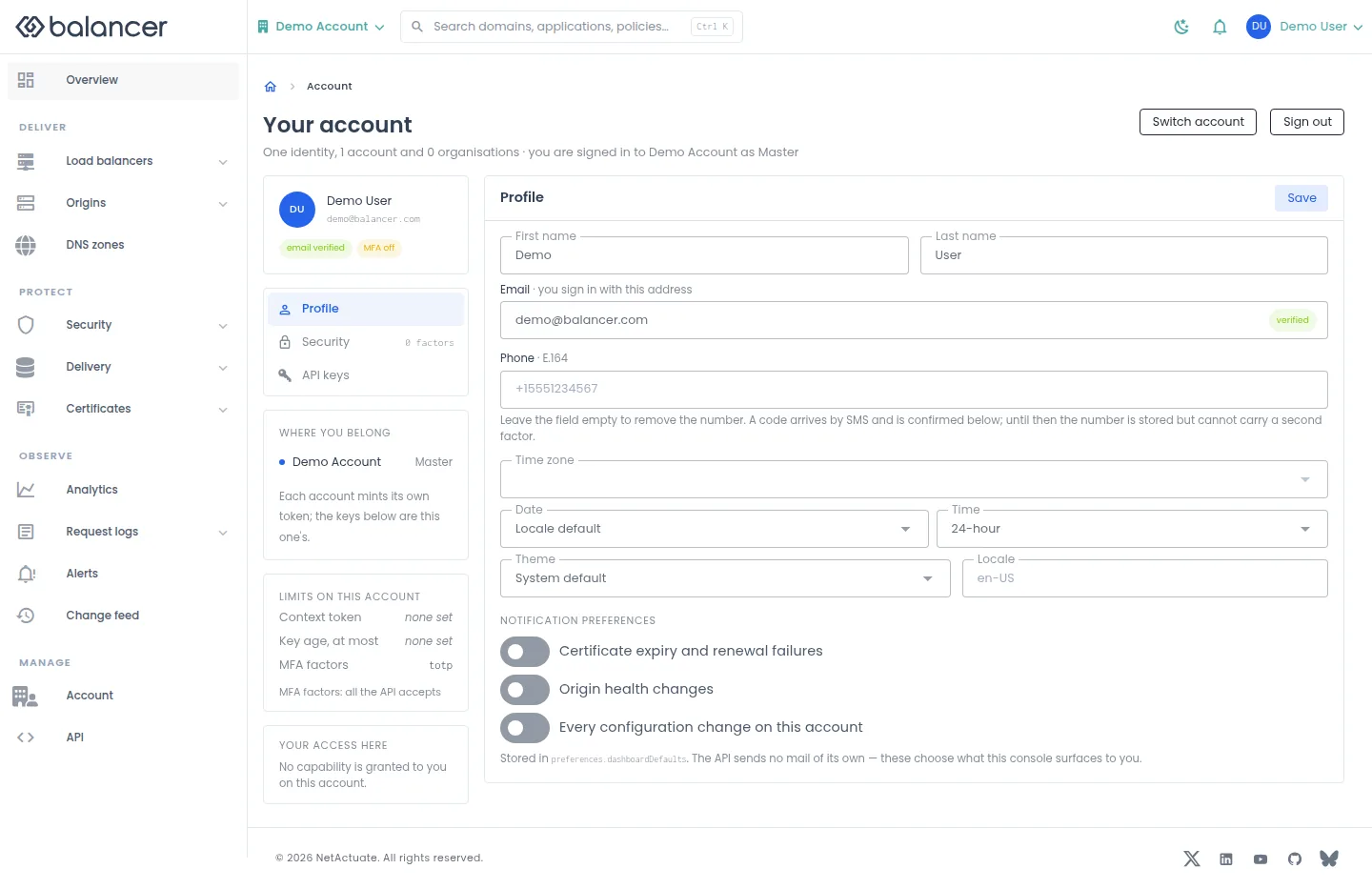
Edit your identity, display preferences and notification preferences. These preferences do not configure alert delivery.
- Open Account, then Profile.
- Update First name, Last name, Time zone, Date, Time, Theme or Locale as needed.
- Select Save. Reopen Profile and verify the saved values.
| Field | Required | Description | Matching API field |
|---|---|---|---|
| Yes | Valid email. Validation: Enter a valid email address. | user.email | |
| Phone | No | Phone number; an empty value clears it. | user.phone |
| First name | Yes | 1-64 characters. Validation: First name is required. | user.firstName |
| Last name | Yes | 1-64 characters. Validation: Last name is required. | user.lastName |
| Time zone | No | Preferred time zone. | user.preferences.timezone |
| Date | No | Date format; initially locale when unset. | user.preferences.dateFormat |
| Time | No | 12h or 24h; initially 12h when unset. | user.preferences.timeFormat |
| Theme | No | system, light or dark; initially system when unset. | user.preferences.themeMode |
| Locale | No | Preferred locale. | user.preferences.locale |
| Certificate expiry and renewal failures | No | Save the preference; does not configure notification delivery. | user.preferences.dashboardDefaults.notifications.certificateExpiry |
| Origin health changes | No | Save the preference. | user.preferences.dashboardDefaults.notifications.originHealth |
| Every configuration change on this account | No | Save the preference. | user.preferences.dashboardDefaults.notifications.configurationChanges |
Verify with the API
Use the API host shown in the Balancer portal in place of https://<your-api-host>. Set $BALANCER_API_KEY to your credential for this context.
curl --fail-with-body --silent --show-error --request GET \
  --url "https://<your-api-host>/user" \
  --header "x-api-key: $BALANCER_API_KEY"
Expect HTTP 200 with code set to 200. The response includes data.account.name, data.organization.organizationId, data.organization.name, data.organization.isAdmin. Compare the returned configuration with the screen. A successful configuration read does not verify that an edge has applied it.
API reference: Get your profile and preferences.
Security and MFA
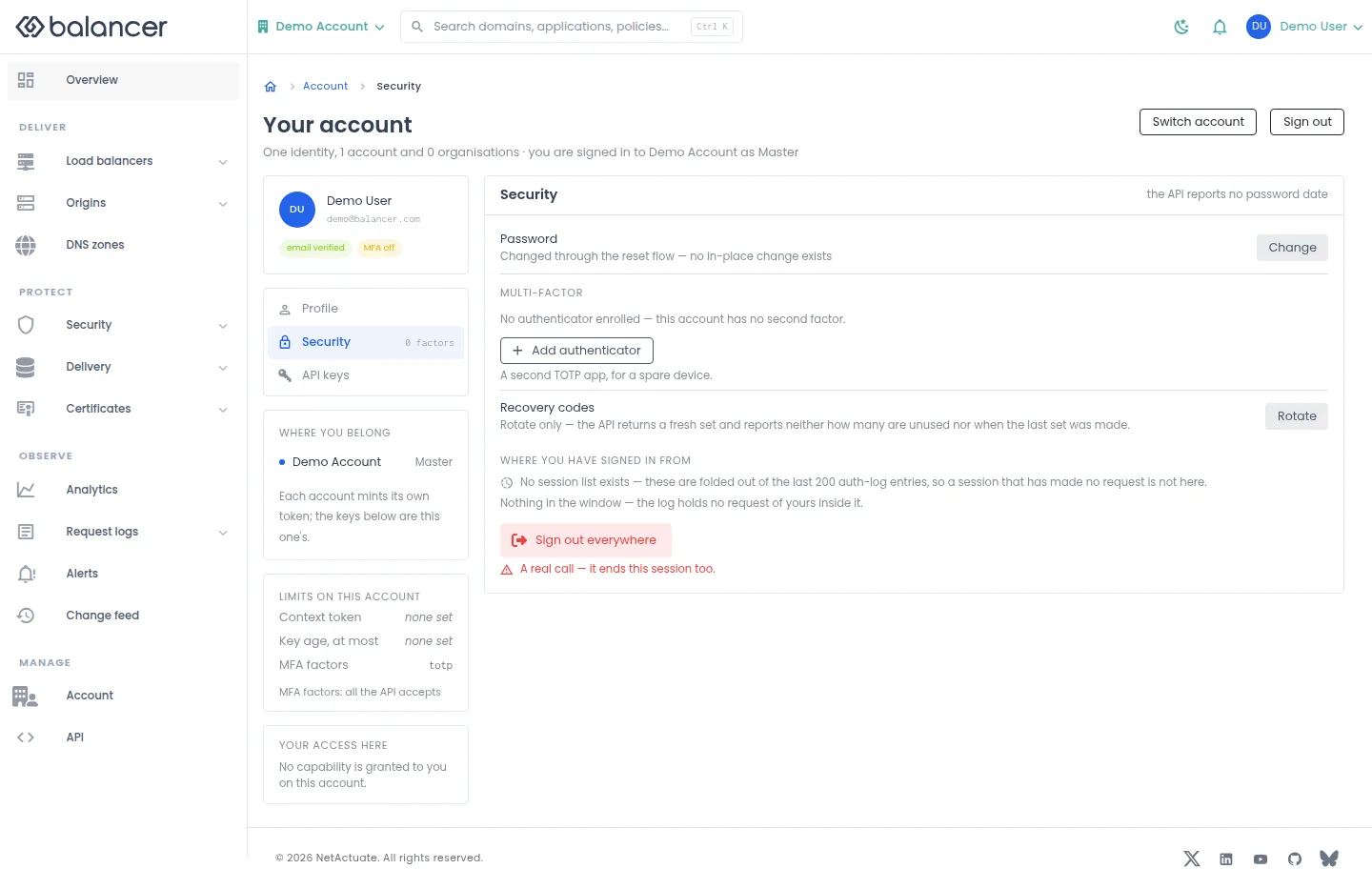
Manage authenticator factors, rotate recovery codes and end sessions. Password changes use the password reset flow.
- Open Account, then Security. Select Change beside Password to start a reset.
- Select Add authenticator, enter Name (e.g. iPhone, Authy), scan the enrollment code, then enter 6-digit code to finish enrollment. Verify the factor appears.
- Select Rotate beside Recovery codes and store the replacement set securely.
- To end all your sessions, select Sign out everywhere and confirm. Expect your current session to end too.
| Field | Required | Description | Matching API field |
|---|---|---|---|
| Name (e.g. iPhone, Authy) | Yes, to start enrollment | 1-64 characters. Validation: Name is required. | name |
| 6-digit code | Yes, to confirm enrollment | Code from the enrolled authenticator. | code |
Verify with the API
Use the API host shown in the Balancer portal in place of https://<your-api-host>. Set $BALANCER_API_KEY to your credential for this context.
curl --fail-with-body --silent --show-error --request GET \
  --url "https://<your-api-host>/user/mfa-factors" \
  --header "x-api-key: $BALANCER_API_KEY"
Expect HTTP 200 with code set to 200. The response includes data.mfaFactors[].mfaFactorId, data.mfaFactors[].type, data.mfaFactors[].name, data.mfaFactors[].destination. Compare the returned configuration with the screen. A successful configuration read does not verify that an edge has applied it.
API reference: Returns the current user's MFA factors.
API keys
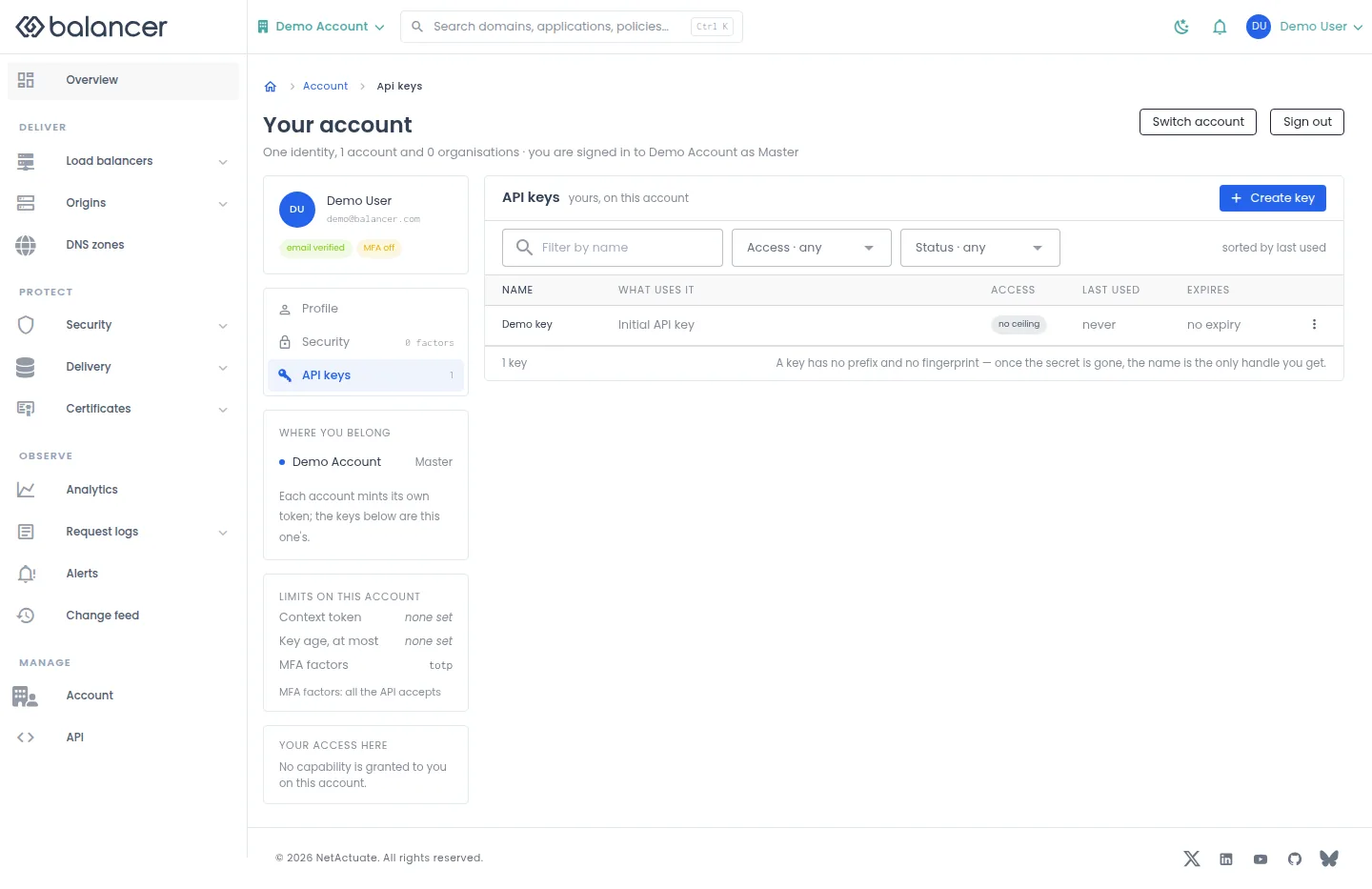
Create and manage credentials for the current account. The access you can select is bounded by your own access.
- Open Account, then API keys. Select Create key.
- Enter Name and, if needed, Description (optional), Expires on (optional) and Access (optional). Submit the dialog.
- Store the revealed credential securely. Return to API keys to verify its name and expiry.
- Use the key row actions to edit or revoke a key. Verify that a revoked key no longer appears.
| Field | Required | Description | Matching API field |
|---|---|---|---|
| Name | Yes | 1-64 characters. Validation: Name is required. | apiKey.name |
| Description (optional) | No | Up to 255 characters. | apiKey.description |
| Expires on (optional) | No | Expiry date, converted to an ISO timestamp. | apiKey.expiresOn |
| Access (optional) | No | read-only, write or admin, subject to your access ceiling. | apiKey.accessMode |
API equivalent
Create a read-only API key. Store the returned credential securely; the verification read lists metadata. Use the API host shown in the Balancer portal in place of https://<your-api-host>. Set $BALANCER_API_KEY to your credential for this context.
curl --fail-with-body --silent --show-error --request POST \
  --url "https://<your-api-host>/user/api-keys" \
  --header "x-api-key: $BALANCER_API_KEY" \
  --header "Content-Type: application/json" \
  --data '{"apiKey":{"name":"example.com","accessMode":"read-only"}}'
Expect HTTP 200 with code set to 200. The response acknowledges the stored change. Reopen the portal screen or run the read example below to verify it.
API reference: Create an API key for your account user.
Verify with the API
Use the API host shown in the Balancer portal in place of https://<your-api-host>. Set $BALANCER_API_KEY to your credential for this context.
curl --fail-with-body --silent --show-error --request GET \
  --url "https://<your-api-host>/user/api-keys" \
  --header "x-api-key: $BALANCER_API_KEY"
Expect HTTP 200 with code set to 200. Compare the returned configuration with the screen. A successful configuration read does not verify that an edge has applied it.
API reference: Returns your account user's API keys.
Related
- Task guide: account access.
- Concepts: accounts.
- Get your profile and preferences.
- Returns your account user's API keys.
- Returns the current user's MFA factors.
- Update the current Balancer user's profile and UI preferences.
- Create an API key for your account user.
- Create an MFA factor for the current user.