Analytics and request logs
Use Analytics and Request logs to inspect traffic and configure access log export.
Note: Balancer is in beta. Endpoints, fields and behavior may change before general availability, and the feature must be enabled on your account before use. Contact your NetActuate account manager to request access.
Analytics
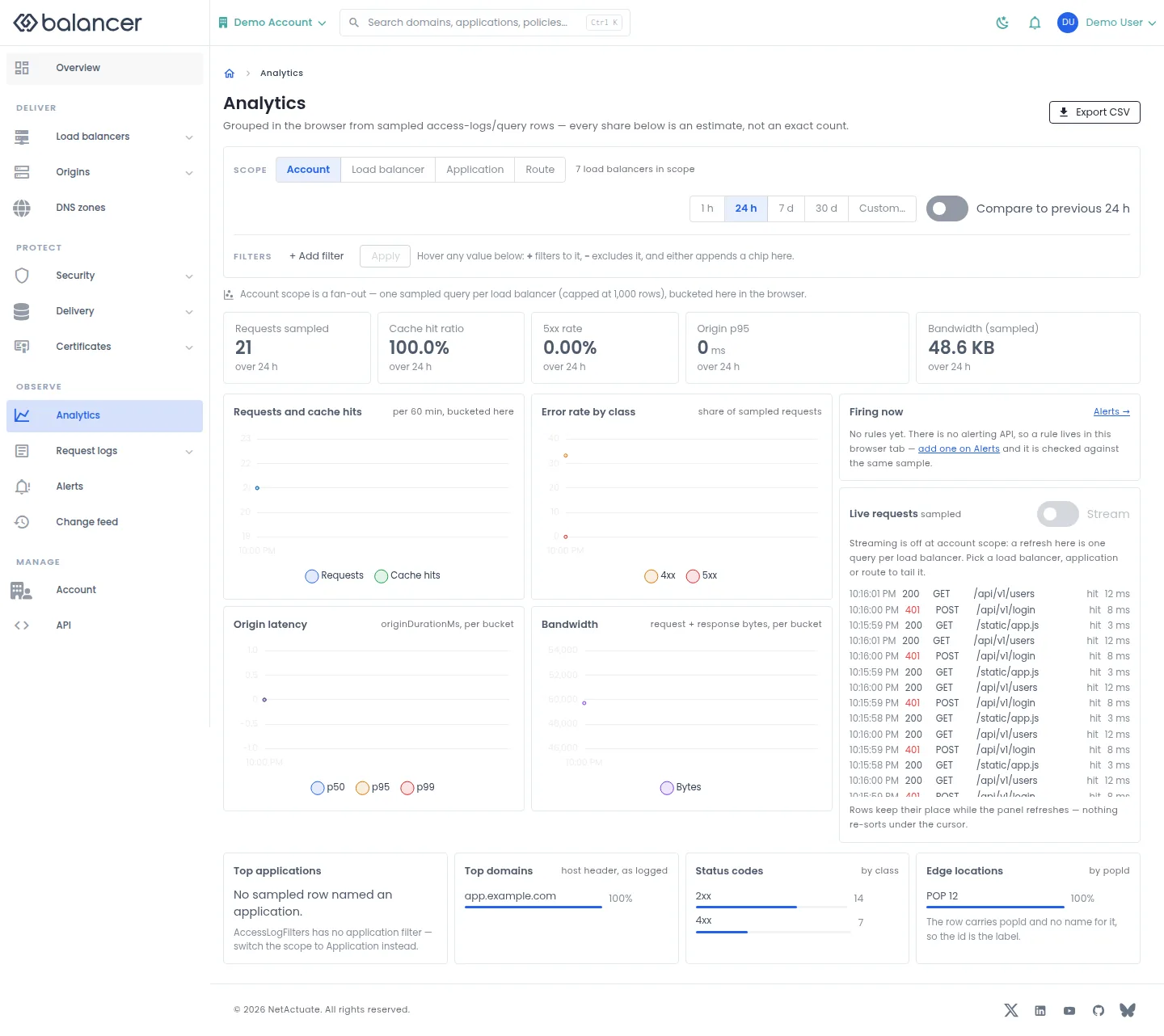
Explore traffic at account, load balancer, application or route scope.
- Open Analytics, then choose Account, Load balancer, Application or Route.
- Choose 1 h, 24 h, 7 d, 30 d or Custom.... Use + Add filter, then Apply.
- Select Compare to previous 24 h when available. Verify the scope and period before reading the charts.
- Select Export CSV to export the displayed results.
API equivalent
Query up to 100 access log records for the last 60 minutes. Charts based on sampled records are not a complete traffic count. Use the API host shown in the Balancer portal in place of https://<your-api-host>. Set $BALANCER_API_KEY to your credential for this context. Set $HTTP_LB_ID to the selected resources.
curl --fail-with-body --silent --show-error --request POST \
  --url "https://<your-api-host>/http-loadbalancers/$HTTP_LB_ID/access-logs/query" \
  --header "x-api-key: $BALANCER_API_KEY" \
  --header "Content-Type: application/json" \
  --data '{"timeRange":{"pastMinutes":60},"limit":100}'
Expect HTTP 200 with code set to 200. Review the returned records and selected time range; an empty result does not establish that no traffic occurred.
API reference: Query managed access logs for an HTTP load balancer.
Verify with the API
Use the API host shown in the Balancer portal in place of https://<your-api-host>. Set $BALANCER_API_KEY to your credential for this context.
curl --fail-with-body --silent --show-error --request GET \
  --url "https://<your-api-host>/http-loadbalancers" \
  --header "x-api-key: $BALANCER_API_KEY"
Expect HTTP 200 with code set to 200. The response includes data.meta, data.data[], data.meta.total, data.meta.offset. Compare the returned configuration with the screen. A successful configuration read does not verify that an edge has applied it.
API reference: List HTTP load balancers associated with your account.
Load balancer traffic
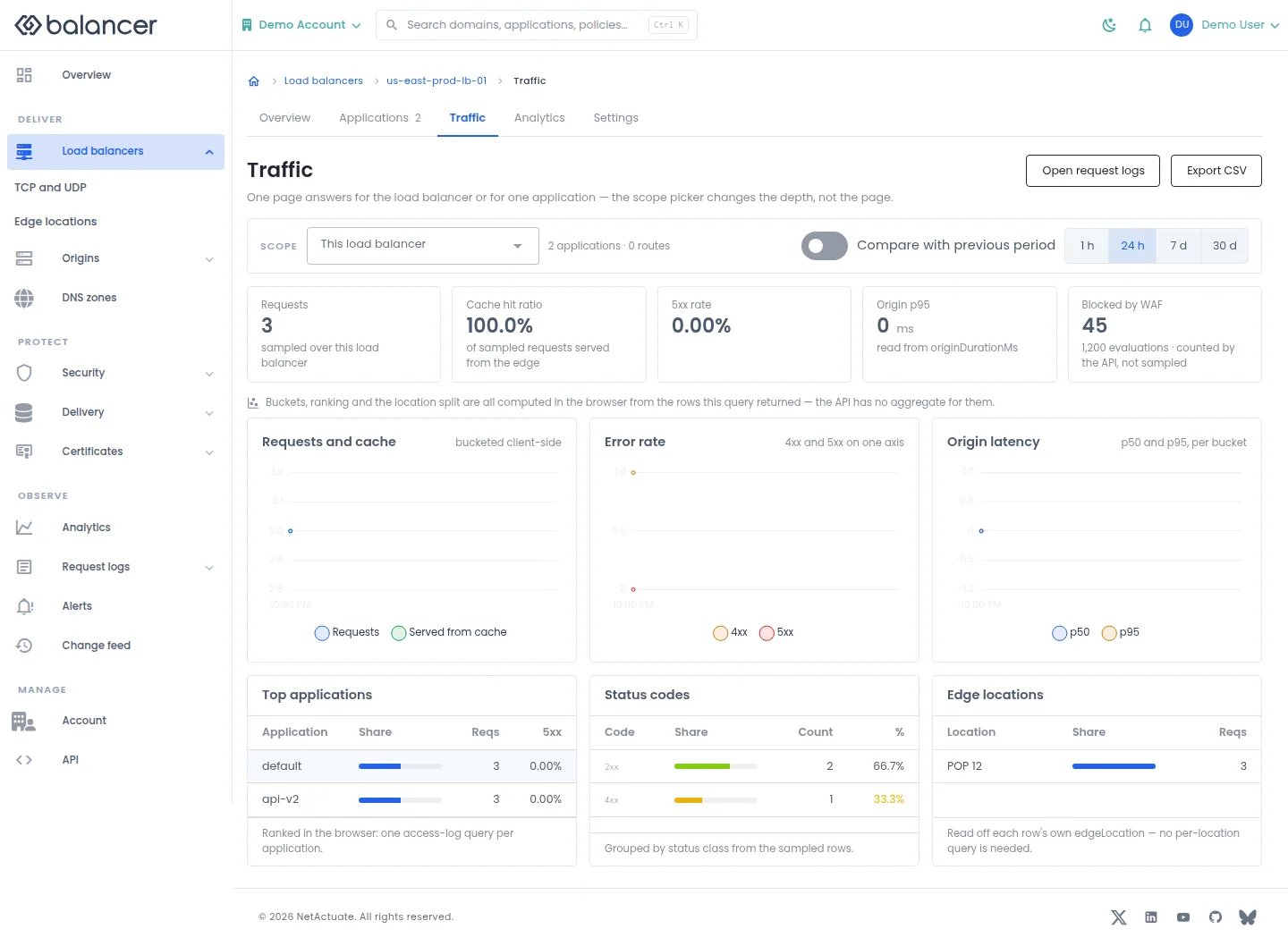
Review requests, cache behavior, errors, latency and traffic breakdowns for one HTTP load balancer.
- Open the load balancer and select Traffic or Analytics.
- Choose 1 h, 24 h, 7 d or 30 d and optionally Compare with previous period.
- Select Open request logs to investigate requests, or Export CSV to download the displayed results.
API equivalent
Query up to 100 access log records for the last 60 minutes. Charts based on sampled records are not a complete traffic count. Use the API host shown in the Balancer portal in place of https://<your-api-host>. Set $BALANCER_API_KEY to your credential for this context. Set $HTTP_LB_ID to the selected resources.
curl --fail-with-body --silent --show-error --request POST \
  --url "https://<your-api-host>/http-loadbalancers/$HTTP_LB_ID/access-logs/query" \
  --header "x-api-key: $BALANCER_API_KEY" \
  --header "Content-Type: application/json" \
  --data '{"timeRange":{"pastMinutes":60},"limit":100}'
Expect HTTP 200 with code set to 200. Review the returned records and selected time range; an empty result does not establish that no traffic occurred.
API reference: Query managed access logs for an HTTP load balancer.
Verify with the API
Use the API host shown in the Balancer portal in place of https://<your-api-host>. Set $BALANCER_API_KEY to your credential for this context. Set $HTTP_LB_ID to the resource identifiers you want to inspect.
curl --fail-with-body --silent --show-error --request GET \
  --url "https://<your-api-host>/http-loadbalancers/$HTTP_LB_ID" \
  --header "x-api-key: $BALANCER_API_KEY"
Expect HTTP 200 with code set to 200. The response includes data.name, data.description, data.http2Enabled, data.http3Enabled. Compare the returned configuration with the screen. A successful configuration read does not verify that an edge has applied it.
API reference: Get HTTP load balancer.
Load balancer traffic (alternate view 2)
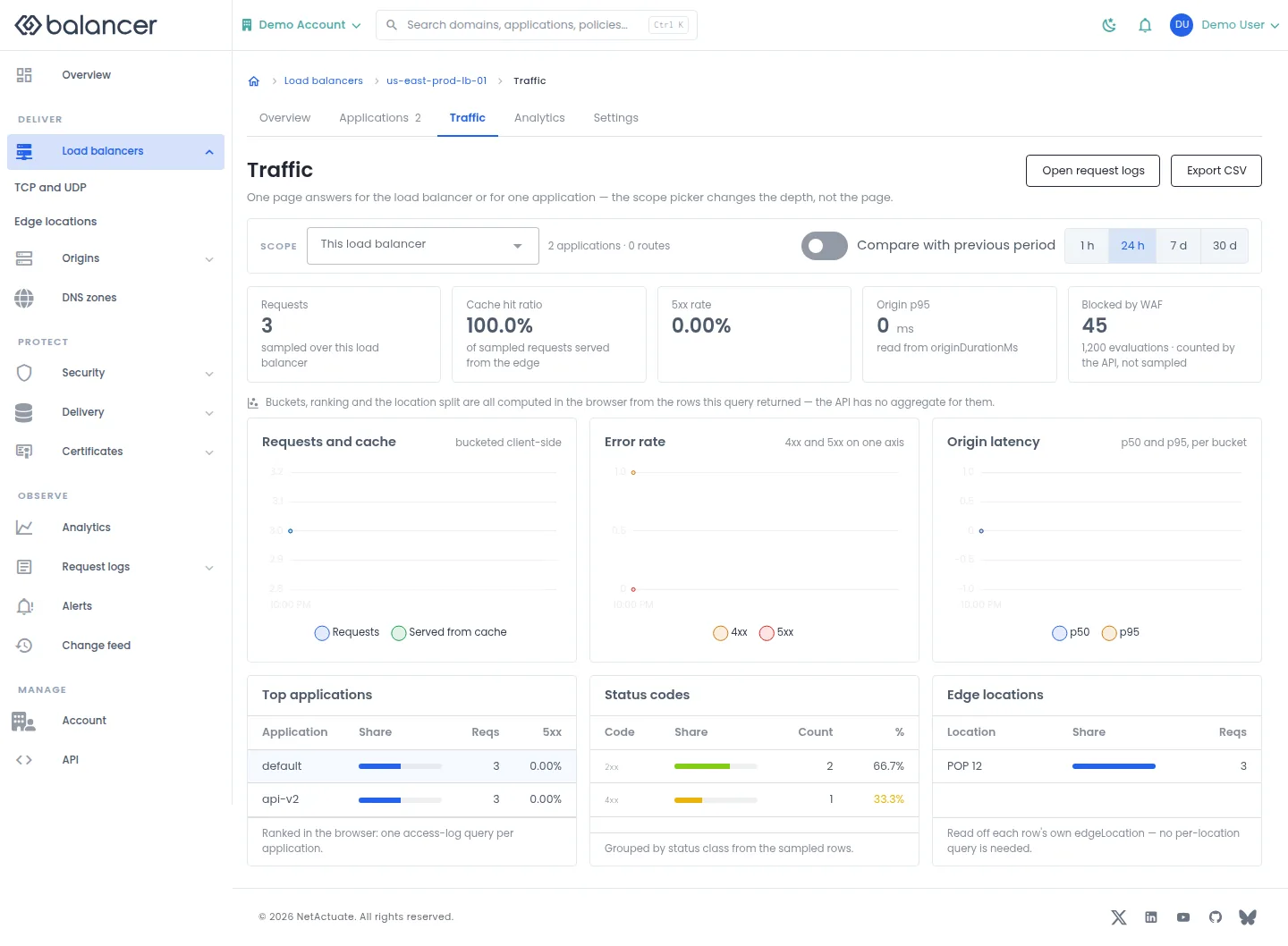
Review requests, cache behavior, errors, latency and traffic breakdowns for one HTTP load balancer.
- Open the load balancer and select Traffic or Analytics.
- Choose 1 h, 24 h, 7 d or 30 d and optionally Compare with previous period.
- Select Open request logs to investigate requests, or Export CSV to download the displayed results.
API equivalent
Query up to 100 access log records for the last 60 minutes. Charts based on sampled records are not a complete traffic count. Use the API host shown in the Balancer portal in place of https://<your-api-host>. Set $BALANCER_API_KEY to your credential for this context. Set $HTTP_LB_ID to the selected resources.
curl --fail-with-body --silent --show-error --request POST \
  --url "https://<your-api-host>/http-loadbalancers/$HTTP_LB_ID/access-logs/query" \
  --header "x-api-key: $BALANCER_API_KEY" \
  --header "Content-Type: application/json" \
  --data '{"timeRange":{"pastMinutes":60},"limit":100}'
Expect HTTP 200 with code set to 200. Review the returned records and selected time range; an empty result does not establish that no traffic occurred.
API reference: Query managed access logs for an HTTP load balancer.
Verify with the API
Use the API host shown in the Balancer portal in place of https://<your-api-host>. Set $BALANCER_API_KEY to your credential for this context. Set $HTTP_LB_ID to the resource identifiers you want to inspect.
curl --fail-with-body --silent --show-error --request GET \
  --url "https://<your-api-host>/http-loadbalancers/$HTTP_LB_ID" \
  --header "x-api-key: $BALANCER_API_KEY"
Expect HTTP 200 with code set to 200. The response includes data.name, data.description, data.http2Enabled, data.http3Enabled. Compare the returned configuration with the screen. A successful configuration read does not verify that an edge has applied it.
API reference: Get HTTP load balancer.
Request logs
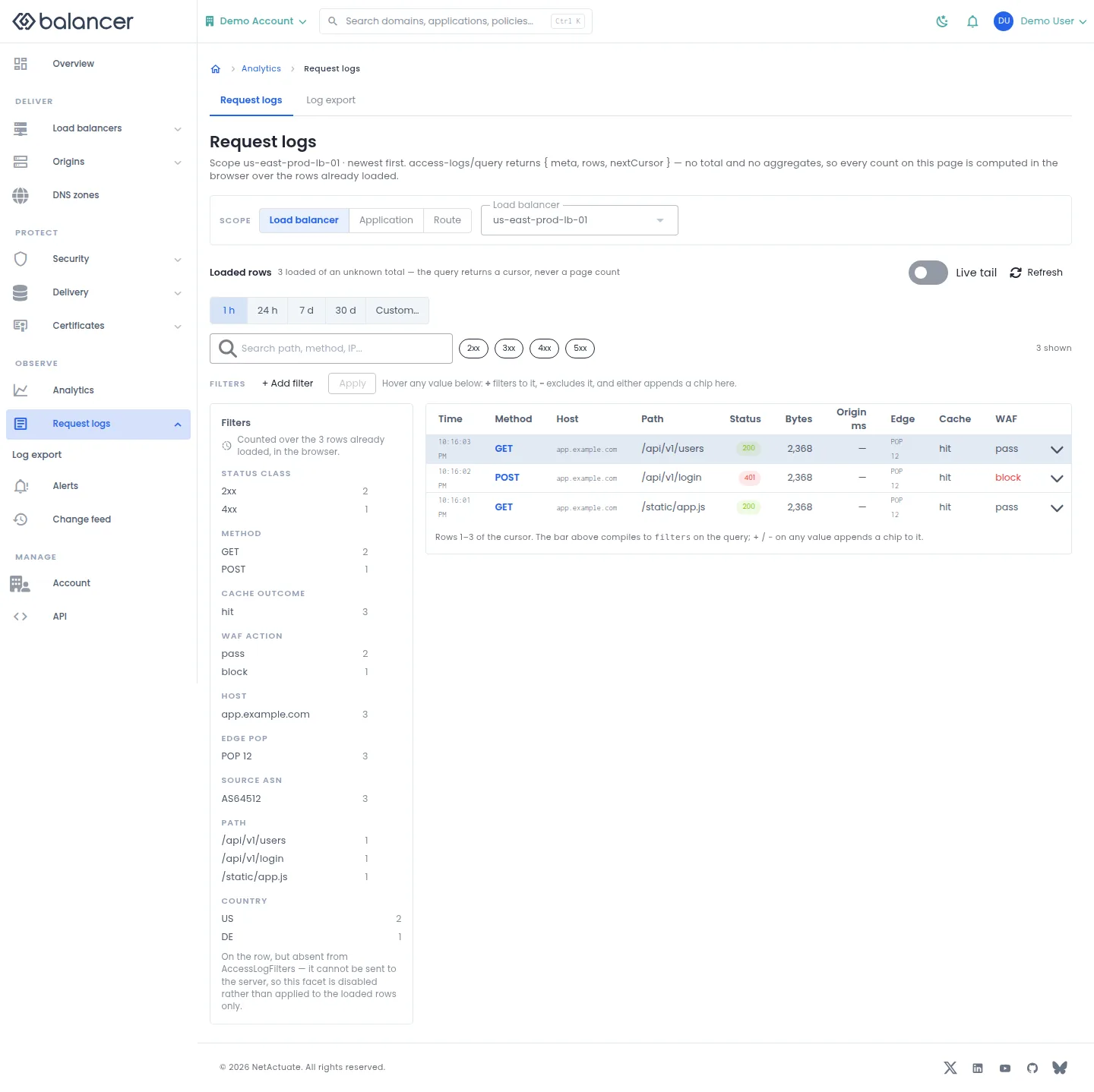
Inspect request records for a load balancer, application or route.
- Open Request logs and choose Load balancer, Application or Route.
- Select the resource and time range. Add filters with + Add filter, then select Apply.
- Select Refresh or enable Live tail to request newer rows. Check the host, path and status of a request you recognize.
API equivalent
Query up to 100 access log records for the last 60 minutes. Charts based on sampled records are not a complete traffic count. Use the API host shown in the Balancer portal in place of https://<your-api-host>. Set $BALANCER_API_KEY to your credential for this context. Set $HTTP_LB_ID to the selected resources.
curl --fail-with-body --silent --show-error --request POST \
  --url "https://<your-api-host>/http-loadbalancers/$HTTP_LB_ID/access-logs/query" \
  --header "x-api-key: $BALANCER_API_KEY" \
  --header "Content-Type: application/json" \
  --data '{"timeRange":{"pastMinutes":60},"limit":100}'
Expect HTTP 200 with code set to 200. Review the returned records and selected time range; an empty result does not establish that no traffic occurred.
API reference: Query managed access logs for an HTTP load balancer.
Verify with the API
Use the API host shown in the Balancer portal in place of https://<your-api-host>. Set $BALANCER_API_KEY to your credential for this context.
curl --fail-with-body --silent --show-error --request GET \
  --url "https://<your-api-host>/http-loadbalancers" \
  --header "x-api-key: $BALANCER_API_KEY"
Expect HTTP 200 with code set to 200. The response includes data.meta, data.data[], data.meta.total, data.meta.offset. Compare the returned configuration with the screen. A successful configuration read does not verify that an edge has applied it.
API reference: List HTTP load balancers associated with your account.
Log export
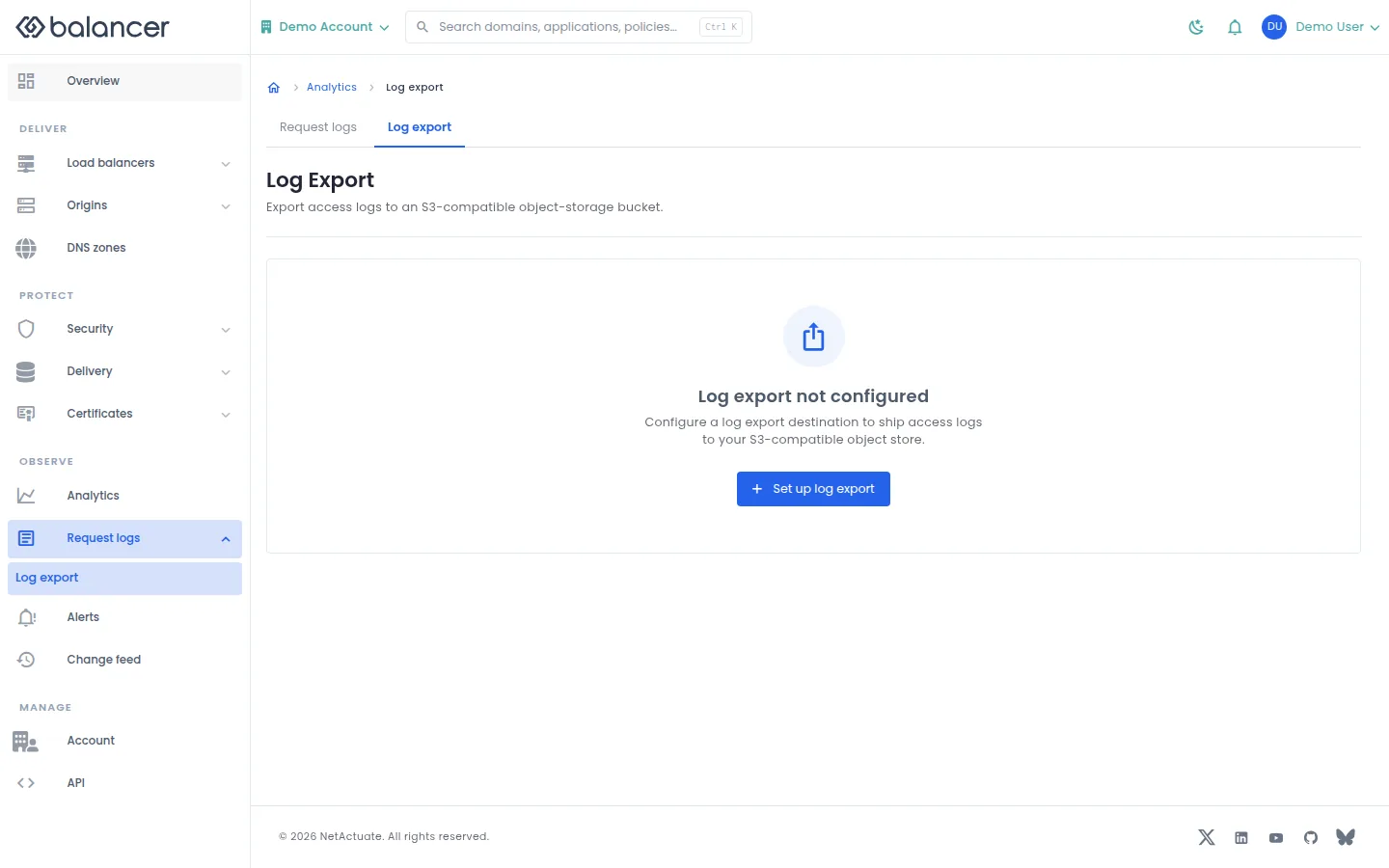
Configure delivery of access logs to an S3-compatible object-storage destination.
- Open Request logs, then Log export. Select Set up log export.
- Enter Name and Log location. Configure Bucket, optional storage settings and credentials.
- Review the configuration and select Configure. Reopen Log export and verify the saved destination.
| Field | Required | Description | Matching API field |
|---|---|---|---|
| Name | Yes | Validation: Name is required. | logExportDestination.name |
| Log location | Yes | Validation: Location is required. | logExportDestination.logLocationId |
| Enable log export | No | Enable this destination. | logExportDestination.enabled |
| Bucket | Yes | Validation: Bucket is required. | logExportDestination.bucket |
| Prefix (optional) | No | Object key prefix. | logExportDestination.prefix |
| Region (optional) | No | Storage region. | logExportDestination.region |
| Endpoint (optional) | No | Custom object-storage endpoint. | logExportDestination.endpoint |
| Addressing style | No | Storage addressing style. | logExportDestination.addressingStyle |
| Use HTTPS | No | Use HTTPS for storage requests. | logExportDestination.useHttps |
| Access Key ID | Yes, at creation | Required for a new destination; retained if omitted on edit. | logExportDestination.accessKeyId |
| Secret Access Key | Yes, at creation | Required for a new destination; retained if omitted on edit. | logExportDestination.secretAccessKey |
| Session token (optional) | No | Optional storage session credential. | logExportDestination.sessionToken |
| Server-side encryption | No | Select the destination encryption mode. | logExportDestination.serverSideEncryption |
| KMS key ID | For aws:kms | Validation: Key ID is required for aws:kms. | logExportDestination.serverSideEncryptionKeyId |
Verify with the API
Use the API host shown in the Balancer portal in place of https://<your-api-host>. Set $BALANCER_API_KEY to your credential for this context.
curl --fail-with-body --silent --show-error --request GET \
  --url "https://<your-api-host>/log-export-destination" \
  --header "x-api-key: $BALANCER_API_KEY"
Expect HTTP 200 with code set to 200. The response includes data.logExportDestination.logExportDestinationId, data.logExportDestination.version, data.logExportDestination.logLocationId, data.logExportDestination.locationSlug. Compare the returned configuration with the screen. A successful configuration read does not verify that an edge has applied it.
API reference: Return your account log export destination.
Related
- Task guide: logs.
- Concepts: changes at the edge.
- Delete an HTTP load balancer.
- Delete your account log export destination.
- List HTTP load balancers associated with your account.
- Get HTTP load balancer.
- Return your account log export destination.
- Update HTTP load balancer settings.
- Update your account log export destination.
- Creates a new HTTP load balancer.
- Create or replace your account log export destination.
- Query managed access logs for an HTTP load balancer.